当前位置:网站首页>Download, installation and use of mongodb
Download, installation and use of mongodb
2022-07-19 07:48:00 【guizi0809】
One 、 download
MongoDB Official website https://www.mongodb.com/zh-cn
Take the community version as an example 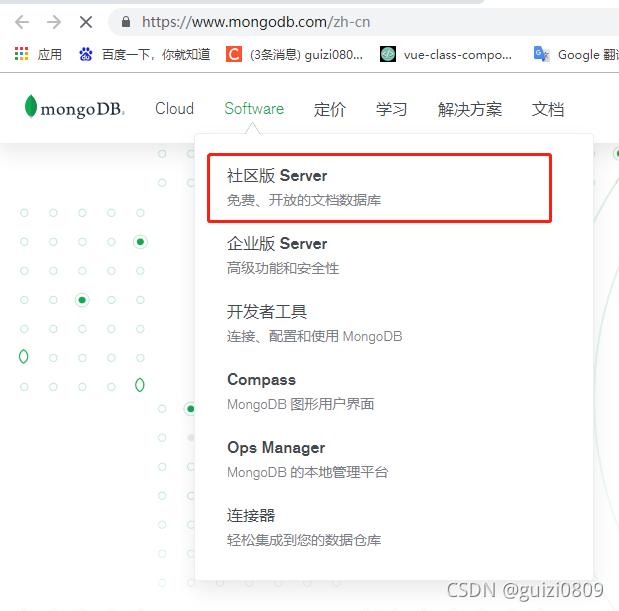
Choose the version and system to download , The currently selected version is 5.0.3,windows System , The download file format is msi
Two 、 install
In addition to the following two items that need to be set , All point Next Go to the next step
1. choice Complete, Indicates the installation to the default path ( Not recommended ,C I understand everything ) choice Custom, Indicates the custom installation path ( recommend ), All demo applications here are installed in C Dish up 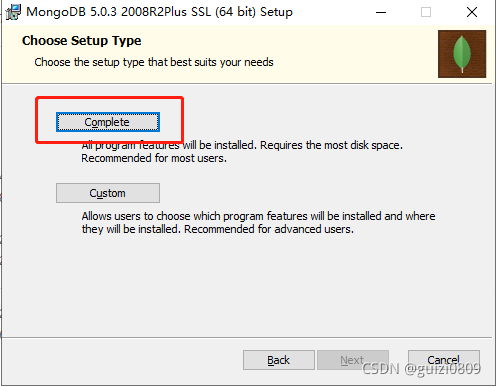
2. Set up MongoDB Service name of , Data directory and log directory , It is recommended to set the data directory and log directory on other disks , because c Disk is generally a system disk , Reinstalling the system will lose .
Installing …
installation is complete ~
3、 ... and 、 To configure
open cmd, Input mongo command 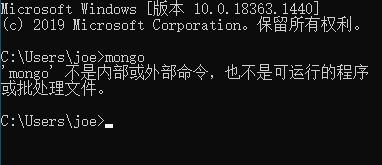
find MongoDB Installation directory bin Folder 
Copy this bin Folder directory path 
“ My computer ” Right click –> attribute , Open the system variable configuration as shown in the following figure 
Will just copy bin The directory path is added to the system environment variable 
Reopen cmd Command window , Input mongo command 
Four 、 Use
# Description of parameters in the command

# Parameters              describe
#--bind_ip          Binding services IP, If bound 127.0.0.1, Can only be accessed locally , Do not specify default local
# all IP
#--logpath          set MongoDB Log files , Note that the specified file is not a directory
#--logappend        Write the log by appending
#--dbpath          Specify the database path
#--port             Specify the service port number , Default port 27017
#--serviceName      Specify the service name
#--serviceDisplayName  Specify the service name , There are many. mongodb Service execution .
#--install          Designated as a Windows Service installation .
start-up MongoDB Server side
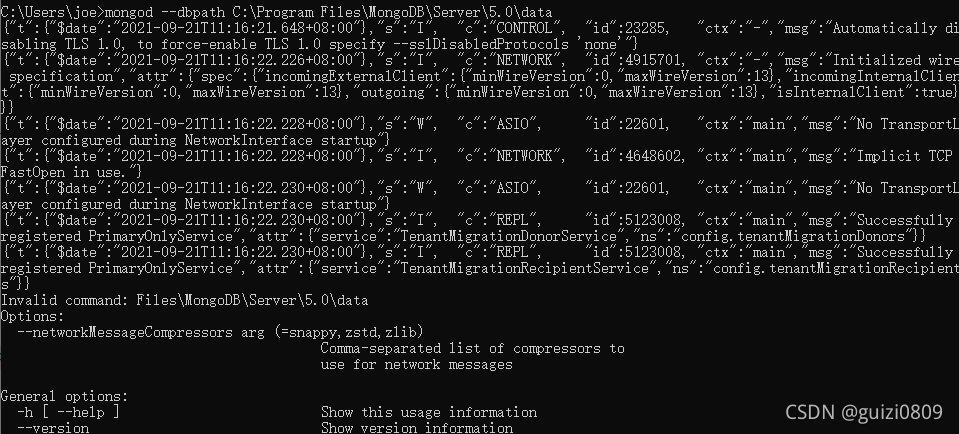
Access in browser http://localhost:27017. See the following page , Indicating successful startup 
Open a new cmd window , Use mongo Command to start MongoDB client ( Be careful : Opened above MongoDB The server cannot be closed )
For example, connect to the local database
mongo
# or
mongo 127.0.0.1:27017
Remote database
mongo long-range ip Address :27017
stay MongoDB Client input show dbs view the database 
MongoDB Use
边栏推荐
- 【JVM】之堆内存、逃逸分析、栈上分配、同步省略、标量替换详解
- 2022危险化学品经营单位主要负责人复习题及模拟考试
- Alien Slackware
- Xiaodi network security note information collection CDN bypass technology (7)
- flowable 查询、完成、作废、删除 任务
- 实操教程:CANoe在CAN总线测试中的应用
- Flink introduction to practice - phase II (illustrated runtime architecture)
- The best storage scheme of MCU CS Chuangshi SD NAND
- shader入门之基础光照知识
- Telnet installation
猜你喜欢

微信OAuth2.0 登录流程以及安全性分析

Hypothesis testing

Product Case Interviews

nodejs

Notepad++ underline and case letter replacement

修改滚动条样式

Spark introduction to proficient - external part (operation and maintenance and simple operation of standaone cluster)

Administrator blocked this app from running

利用PCA来简化数据

【操作细则】如何实现TSN系统级测试?
随机推荐
Hypothesis testing
Discussion on blackmail virus protection
Tail -f pause method
Xiaodi network security note information collection CDN bypass technology (7)
导出文件or下载文件
Flink入门到实战-阶段三(DataStreamAPI)
修改checkbox样式
Solve MySQL (1064) error: 1064 - you have an error in your SQL syntax;
shader入门之基础光照知识
Summary of Statistics for Interview
Practical tutorial: application of canoe in CAN bus test
2022危险化学品经营单位主要负责人复习题及模拟考试
High concurrency day02 (concurrent package)
Install SQL developer for Galaxy Kirin desktop operating system v10sp1 (x86)
PCIe bus architecture high performance data preprocessing board / K7 325t FMC interface data acquisition and transmission card
Review of 4246 Algorithms for Data Science
4-channel fmc+ baseband signal processing board (4-channel 2G instantaneous bandwidth ad+da)
FreeBSD 12 installing RPM packages
How does Jenkins set the mailbox to automatically send mail?
AB Testing Review