当前位置:网站首页>Transform the inriapearson data set into Yolo training format and visualize it
Transform the inriapearson data set into Yolo training format and visualize it
2022-07-19 05:45:00 【Just do it! ට⋆*】
Record paste : take inria The pedestrian detection data set is transformed into YOLO Can be trained txt Format
inria After extracting the pedestrian detection data set train and test file , Extract the annotation information inside
Convert code
# coding=UTF-8

import os
import re
from PIL import Image

sets=['train']
# Variables need to be filled in image_path、annotations_path、full_path
image_path = r"D:\BaiduNetdiskDownload\59_INRIA Person Dataset\shuju1/"                          #  Picture storage path , Fixed path
annotations_path = r"D:\BaiduNetdiskDownload\59_INRIA Person Dataset\INRIAPerson\Test\annotations/" # Folder Directory  # INRIA Label storage path
annotations= os.listdir(annotations_path) # Get all the file names under the folder

#  Get the picture names of all the pictures in the folder
def get_name(file_dir):
   list_file=[]
   for root, dirs, files in os.walk(file_dir):
      for file in files:
         # splitext() Split the path into file names + Extension , for example os.path.splitext(“E:/lena.jpg”) Will get ”E:/lena“+".jpg"
         if os.path.splitext(file)[1] == '.jpg':
            list_file.append(os.path.join(root, file))
   return list_file

#  stay labels Create a label for each picture under the directory txt file
def text_create(name,bnd):
   full_path = r"D:\BaiduNetdiskDownload\59_INRIA Person Dataset\labels1/%s.txt"%(name)
   size = get_size(name + '.png')
   convert_size = convert(size, bnd)
   file = open(full_path, 'a')
   file.write('0 ' + str(convert_size[0]) + ' ' + str(convert_size[1]) + ' ' + str(convert_size[2]) + ' ' + str(convert_size[3]) )
   file.write('\n')

#  Get the image to query w,h
def get_size(image_id):
   im = Image.open(r'D:\BaiduNetdiskDownload\59_INRIA Person Dataset\INRIAPerson\Test\pos/%s'%(image_id))       #  Source image storage path
   size = im.size
   w = size[0]
   h = size[1]
   return (w,h)

#  take Tagphoto Of x,y,w,h Format to yolo Of X,Y,W,H
def convert(size, box):
   dw = 1./size[0]
   dh = 1./size[1]
   x = (box[0] + box[2])/2.0
   y = (box[1] + box[3])/2.0
   w = box[2] - box[0]
   h = box[3] - box[1]
   x = x*dw
   w = w*dw
   y = y*dh
   h = h*dh
   return (x,y,w,h)

#  Put the processed image path into a txt In the folder
for image_set in sets:
   if not os.path.exists(r'D:\BaiduNetdiskDownload\59_INRIA Person Dataset\labels1'):
      os.makedirs(r'D:\BaiduNetdiskDownload\59_INRIA Person Dataset\labels1')                     #  Generated yolo3 Label storage path , Fixed path
   image_names = get_name(image_path)
   list_file = open('2007_%s.txt'%(image_set), 'w')
   for image_name in image_names:
      list_file.write('%s\n'%(image_name))
   list_file.close()

s = []
for file in annotations: # Traversal folder
   str_name = file.replace('.txt', '')

   if not os.path.isdir(file): # Determine whether it is a folder , It's not a folder that opens
      with open(annotations_path+"/"+file) as f : # Open file
         iter_f = iter(f); # Create iterator
         for line in iter_f: # Traversal file , Traverse line by line , Read text
            str_XY = "(Xmax, Ymax)"
            if str_XY in line:
               strlist = line.split(str_XY)
               strlist1 = "".join(strlist[1:])    #  hold list To str
               strlist1 = strlist1.replace(':', '')
               strlist1 = strlist1.replace('-', '')
               strlist1 = strlist1.replace('(', '')
               strlist1 = strlist1.replace(')', '')
               strlist1 = strlist1.replace(',', '')
               b = strlist1.split()
               bnd = (float(b[0]) ,float(b[1]) ,float(b[2]) ,float(b[3]))
               text_create(str_name, bnd)
            else:
               continue
Visualize
Judge whether the transformation is correct , Write a visual code
import os
import cv2
img_path = r'D:\BaiduNetdiskDownload\59_INRIA Person Dataset\INRIAPerson\Train\pos/'
label_path = r'D:\BaiduNetdiskDownload\59_INRIA Person Dataset\labels/'
f = os.listdir(img_path)
def paint(label_file, img_file):
    # Read pictures
    img = cv2.imread(img_file)
    img_h, img_w, _ = img.shape
    with open(label_file, 'r') as f:
        obj_lines = [l.strip() for l in f.readlines()]
    for obj_line in obj_lines:
        cls, cx, cy, nw, nh = [float(item) for item in obj_line.split(' ')]
        color = (0, 0, 255) if cls == 0.0 else (0, 255, 0)
        x_min = int((cx - (nw / 2.0)) * img_w)
        y_min = int((cy - (nh / 2.0)) * img_h)
        x_max = int((cx + (nw / 2.0)) * img_w)
        y_max = int((cy + (nh / 2.0)) * img_h)
        cv2.rectangle(img, (x_min, y_min), (x_max, y_max), color, 2)
    cv2.imshow('Ima', img)
    cv2.waitKey(0)
for i in f:
    label_path_name = label_path + i.replace('png','txt')
    img_path_name = img_path + i
    print(label_path_name)
    print(img_path_name)
    paint(label_path_name,img_path_name)

It is found that only a few people are marked in the multi person scenario of this dataset
边栏推荐
- Pointnet++代码详解(七):PointNetSetAbstractionMsg层
- Unable to determine Electron version. Please specify an Electron version
- Wechat applet password display hidden (small eyes)
- 5.1 business data acquisition channel construction of data acquisition channel construction
- Parsing bad JSON data using gson
- 软件过程与管理总复习
- 基于四叉树的图像压缩问题
- MySQL comma separated data for branches
- Hanoi Tower problem -- > recursive implementation
- 7. Data warehouse environment preparation for data warehouse construction
猜你喜欢

Unable to determine Electron version. Please specify an Electron version

【语音识别入门】基础概念与框架

软件过程与管理复习(七)
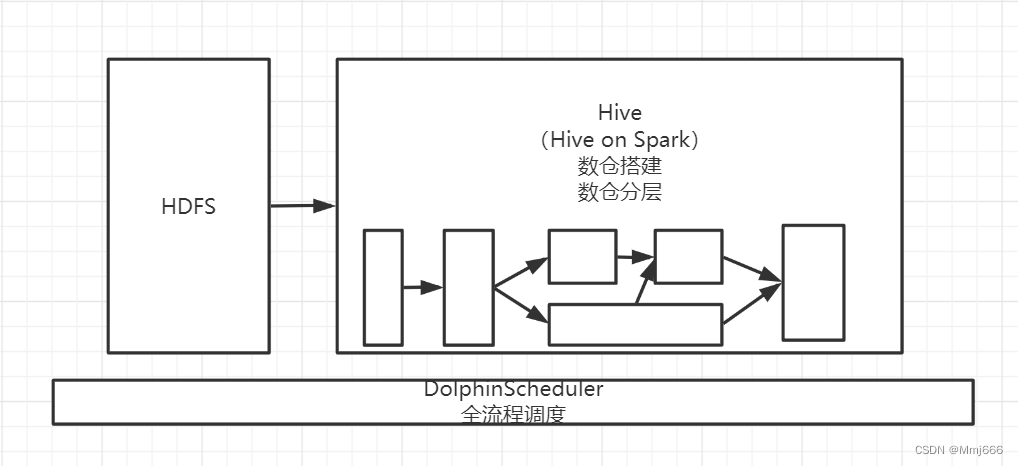
3. Neusoft cross border e-commerce data warehouse project architecture design
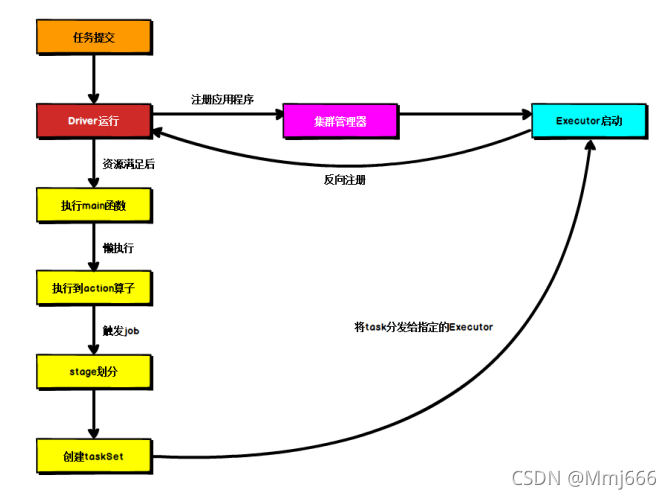
Spark core programming (4) -- spark operation architecture

Pointnet++代码详解(一):farthest_point_sample函数

Geo_CNN(Tensorflow版本)

运行基于MindSpore的yolov5流程记录

微信小程序的页面导航

Pointnet++代码详解(二):square_distance函数
随机推荐
微信小程序的自定义组件
JVM learning
配置tabBar和request网络数据请求
3. Neusoft cross border e-commerce data warehouse project architecture design
对比学习用于图像语义分割(两篇文章)
Livedata analysis
Pointnet++代码详解(二):square_distance函数
Preorder, middle order and postorder traversal of binary tree
记录:YOLOv5模型剪枝轻量化
INRIAPerson数据集转化为yolo训练格式并可视化
Class file format understanding
JNI实用笔记
对Crowdhuman数据集处理,根据生成的train.txt分离数据集
Pointnet++代码详解(五):sample_and_group函数和samle_and_group_all函数
zTree自定义Title属性
Regular replace group (n) content
回顾我的第一份工作求职之旅
基于bert的情感分类
BeatBox
CV-Model【3】:VGG16