当前位置:网站首页>[C language] 0 basic tutorial - file operation (to be continued)
[C language] 0 basic tutorial - file operation (to be continued)
2022-07-19 03:46:00 【Chen Yikang】
Catalog
What is the relationship between writing code and files ?
Where is the memory in the file information area ?
️ Opening and closing of files (fopen,fclose)
️ Sequential reading and writing of files
Why use files
In the last article, I showed how to construct an address book , But once the program exits , Space is returned to the operating system , Does not exist. , But when we need to keep these files, we have no choice , So this chapter is based on the study of file operation , You can realize the function of saving information .
What is a document
️ file
Files on disk are files , However, from the perspective of file function, it is often divided into two categories
1. Program files
Include source files ( The suffix is .c), Target file (windows Environment suffix is .obj), Executable program (windows Environment suffix is .exe).
2. Data files
The content of the file is not necessarily a program , It's the data that the program reads and writes when it runs , For example, the file from which the program needs to read data , Or output content file .
What is the relationship between writing code and files ?
Look at the picture below
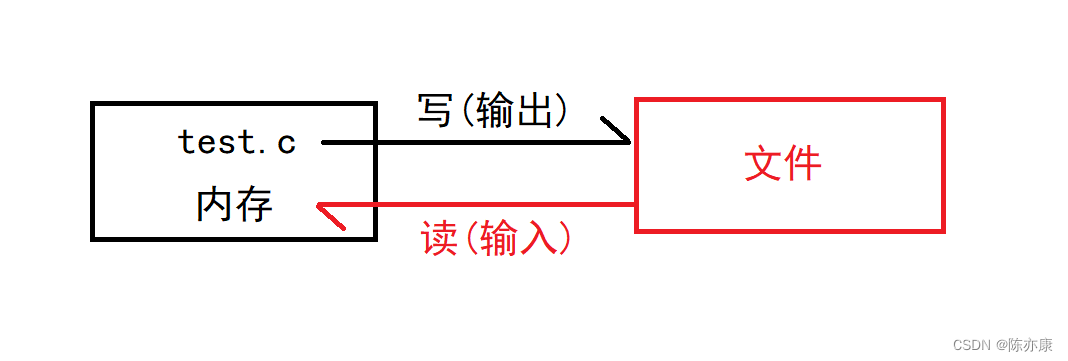
Maybe someone doesn't understand , Why write is output to file , Reading is input into memory ?
First , You can ask yourself first , Do you really know what memory ?( Bloggers often hear people say that their mobile phone memory 256G... When it comes to running memory 8G)
such as , You bought a mobile phone , yes 8G/256G Of , What are the two data respectively ? In fact, the one with a smaller value is called memory , That is, the running memory we usually talk about ,, And the later larger value , Called external storage , That is what we usually say C disc D disc ... These disks .
Understand these , Combined with the above figure , It's not hard to understand , Reading data from a file will save it into memory ( It's actually the input buffer ).
️ file name
A file should have a only File ID for , So that users can identify and reference .
The filename contains 3 part : File path + File name trunk + file extension
for example :c:\code\test.txt
Some may ask , Why don't I see the file suffix ?
Then take a look at the following figure. Is this option turned on ?

For convenience , The file ID is often referred to as the file name .
️ The file pointer
Buffer file system , The key concept is “ File type pointer ”, abbreviation “ The file pointer ”
Each used file has a corresponding file information area in memory , It is used to store information about files ( Such as the name of the document , File status and current file location, etc ).
This information is stored in a structure variable . The structure type is system declared , The name FILE.
It sounds a little confused ? What does that mean ?
Generally speaking , This file pointer is used to maintain a piece of space , What kind of space ? It's a structure , stay stdio.h Is declared as FILE
Look at the diagram below :
Suppose I have a file on my disk called test.txt Such a document , Here's the picture :
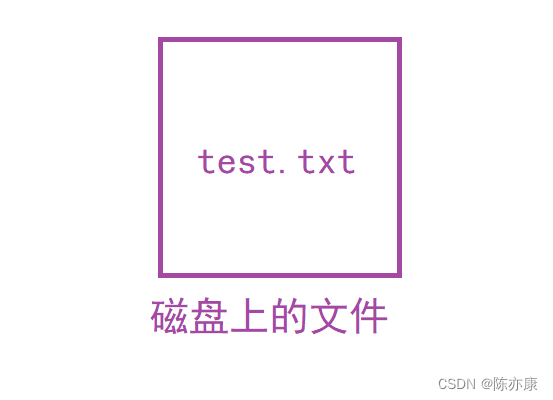
Once I open this file , He will open up a file information area in memory ( A structure , The type is FILE), and FILE ptr( Suppose you create a variable named ptr) This structure is a space in the file information area ( Here's the picture )

Want to see the members of this structure , Can pass VS2013,(2019 It is no longer displayed ) as follows :
struct _iobuf
{       char *_ptr;
        int   _cnt;
        char *_base;
        int   _flag;
        int   _file;
        int   _charbuf;
        int   _bufsiz;
        char *_tmpfname;
};typedef struct _iobuf FILE;
Just mentioned that once opened test.c The file will create a file information area in memory
Where is the memory in the file information area ?
What will maintain it ?
stay C Language program through fopen This function can open the file , After opening successfully, the address of the starting position of this space will be returned , This space type is FILE, So the return address is FILE* type , Programmers can create a FILE* To maintain this space , this It's the file pointer .
Here is a demonstration of how to create a pointer variable
FILE* pf;// File pointer variable Definition pf It's a point FILE Pointer variable of type data . You can make pf Point to the file information area of a file ( It's a structural variable ). Through the information in the file information area, you can access the file . in other words , Through the file pointer variable, you can find the file associated with it .
Here's the picture :

Correlation function
️ Opening and closing of files (fopen,fclose)
Let's give the grammatical format first
// Open file
FILE * fopen ( const char * filename, const char * mode );
// Close file
int fclose ( FILE * stream );
The following points need to be noted :
Open the file before reading and writing , Close the file after reading and writing ;
ANSIC To prescribe the use of fopen Function to open a file ,fclose To close the file ;
Writing documents , While opening the file fopen Will return a pointer , If it opens successfully , Then return the starting space address of the file in the file information area , If the opening fails, a null pointer is returned , So in order to prevent the program from going out bug, Because it should be written like this ( The following code ):
#include<stdio.h>
#include<errno.h>
#include<string.h>

int main()
{
	FILE* ptr = fopen("test.txt", "w");
	if (ptr == NULL)
	{
		printf("%s\n", strerror(errno));
		return 1;
	}
	// Handle
	fclose(ptr);
	return 0;
}
Or write like this , as follows ( Just report an error message )
#include<stdio.h>
#include<errno.h>
#include<string.h>

int main()
{
	FILE* ptr = fopen("test.txt", "w");
	if (ptr == NULL)
	{
		perror("fopen");// If the file cannot be opened ,perror The error message will be printed directly
		return 1;       // In parentheses is a constant string that can be written arbitrarily
	}
	// Handle
	fclose(ptr);
	return 0;
}
Is it enough to be realistic ?
Imagine ,fclose You can release the belt ptr The space pointed to , And once ptr The space pointed to is released ,ptr It becomes a wild pointer , So will ptr Set to null pointer , as follows :
#include<stdio.h>
#include<errno.h>
#include<string.h>

int main()
{
	FILE* ptr = fopen("test.txt", "w");
	if (ptr == NULL)
	{
		perror("fopen");// If the file cannot be opened ,perror The error message will be printed directly
		return 1;       // In parentheses is a constant string that can be written arbitrarily
	}
	// Handle
	fclose(ptr);
    ptr = NULL;
	return 0;
}
How to open the file ?

The most common is read-only 、 Just write , Here's the code demo :
Patients with a : Just write
#include<stdio.h>
#include<errno.h>
#include<string.h>

int main()
{

	// Open file
	FILE* ptr = fopen("test.txt", "w");
	if (ptr == NULL)
	{
		perror("fopen");// If the file cannot be opened ,perror The error message will be printed directly
		return 1;       // In parentheses is a constant string that can be written arbitrarily
	}

	// Handle
	fprintf(ptr, "hello world");

	// Close file
	fclose(ptr);
	return 0;
}
Example 2 : read-only
#include<stdio.h>
#include<errno.h>
#include<string.h>

int main()
{
	char str[15] = { 0 };
	// Open file
	FILE* ptr = fopen("test.txt", "w");
	if (ptr == NULL)
	{
		perror("ptr");// If the file cannot be opened ,perror The error message will be printed directly
		return 1;       // In parentheses is a constant string that can be written arbitrarily
	}

	// Handle
	fprintf(ptr, "hello world");

	// Close file
	fclose(ptr);

	// Open file
	FILE* ptr_ = fopen("test.txt", "r");
	if (ptr_ == NULL)
	{
		perror("ptr_");
		return 1;
	}

	// Handle
	fgets(str, sizeof(str), ptr_);
	printf("%s\n", str);

	// Close file
	fclose(ptr_);
	ptr_ = NULL;

	return 0;
}️ Sequential reading and writing of files

1.fputc
First look at the requirements

How to do? ?
Format :
int fputc( int c, FILE *stream );c Represents the character to be entered ,stream Indicates the location to be output
Patients with a
#include<stdio.h>
#include<errno.h>
#include<string.h>

int main()
{
	// Open file
	FILE* ptr = fopen("test.txt", "w");
	if (ptr == NULL)
	{
		perror("ptr");// If the file cannot be opened ,perror The error message will be printed directly
		return 1;       // In parentheses is a constant string that can be written arbitrarily
	}

	// Handle
	char i = 0;
	for (i = 'a'; i <= 'z'; i++)
	{
		fputc(i, ptr);
	}

	// Close file
	fclose(ptr);
	ptr = NULL;

	return 0;
}
2. fgetc
First look at the requirements
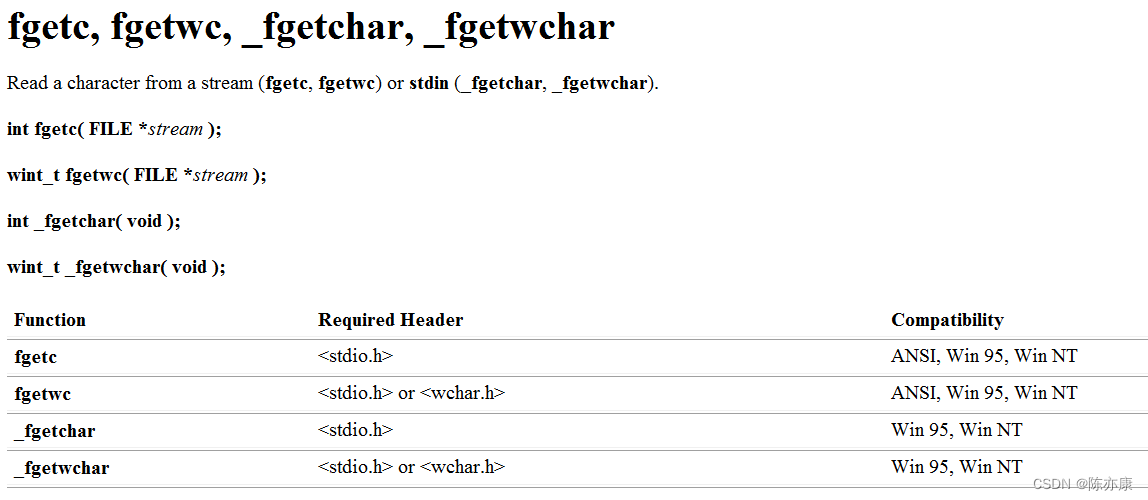

How to do? ?
Format :
int fgetc( FILE *stream );
FILE* stream Represents a file pointer variable ,stream It means flow , That is, the input buffer between memory and file information area ( I won't go into details here , Not the point of this article , There will be relevant blogs in the future ), In short, you need a pointer to the file you just opened , The return type is int.
Example 2
#include<stdio.h>
#include<errno.h>
#include<string.h>

int main()
{
	// Open file
	FILE* ptr = fopen("test.txt", "w");
	if (ptr == NULL)
	{
		perror("ptr");// If the file cannot be opened ,perror The error message will be printed directly
		return 1;       // In parentheses is a constant string that can be written arbitrarily
	}

	// Handle
	char i = 0;
	for (i = 'a'; i <= 'z'; i++)
	{
		fputc(i, ptr);
	}

	// Close file
	fclose(ptr);
	ptr = NULL;

	// Open file
	FILE* ptr_ = fopen("test.txt", "r");
	if (ptr_ == NULL)
	{
		perror("ptr_");
		return 1;
	}

	// Handle
	int ch = 0;// it is to be noted that ,fgetc The return value is int type , So use int To receive
	while ((ch = fgetc(ptr_)) != EOF)// After reading, return to EOF   Note the priority here , Enclosed in brackets
	{
		printf("%c ", ch);
	}


	// Close file
	fclose(ptr_);
	ptr_ = NULL;

	return 0;
}
3.fguts
Let's first look at the requirements

How to do? ?
Format
int fputs( const char *string, FILE *stream );string Is the constant string to be output ,stream Is the pointer to the output file ;
Example 3
#include<stdio.h>
#include<errno.h>
#include<string.h>

int main()
{
	// Open file
	FILE* ptr = fopen("test.txt", "w");
	if (ptr == NULL)
	{
		perror("ptr");
		return 1;
	}

	// operation
	fputs("hehe\n", ptr);

	// Close file
	fclose(ptr);
	ptr = NULL;
	return 0;
}
4.fgets
Let's first look at the requirements

How to do? ?
Format
char *fgets( char *string, int n, FILE *stream );From the specified stream stream Read a line , And store it in str Within the string pointed to . When reading (n-1) In characters , Or when a newline character is read , Or at the end of the file , It will stop , It depends on the situation .
Example 4
#include<stdio.h>
#include<errno.h>
#include<string.h>

int main()
{
	// Open file
	FILE* ptr = fopen("test.txt", "w");
	if (ptr == NULL)
	{
		perror("ptr");
		return 1;
	}

	// operation
	fputs("hehe\n", ptr);

	// Close file
	fclose(ptr);
	ptr = NULL;

	// Open file
	FILE* p = fopen("test.txt", "r");
	if (p == NULL)
	{
		perror("p");
		return 1;
	}

	// operation
	char str[5] = { 0 };
	fgets(str, 5, p);
	printf("%s\n", str);

	// Close file
	fclose(p);
	p = NULL;
	return 0;
}
5.fprintf
First look at the requirements

 How to do? ?
Format
int fprintf( FILE *stream, const char *format [, argument ]...);Here you can compare printf The format of
int printf(const char *format [, argument ]...);Actually, it's not difficult to understand , Just one more output file stream
Example 5
#include<stdio.h>
#include<errno.h>
#include<string.h>

int main()
{
	// Open file
	FILE* ptr = fopen("test.txt", "w");
	if (ptr == NULL)
	{
		perror("ptr");
		return 1;
	}

	// Operation file
	fprintf(ptr, "hello world\n");

	// Close file
	fclose(ptr);
	ptr = NULL;

	return 0;
}
6.fscanf
Let's first look at the requirements
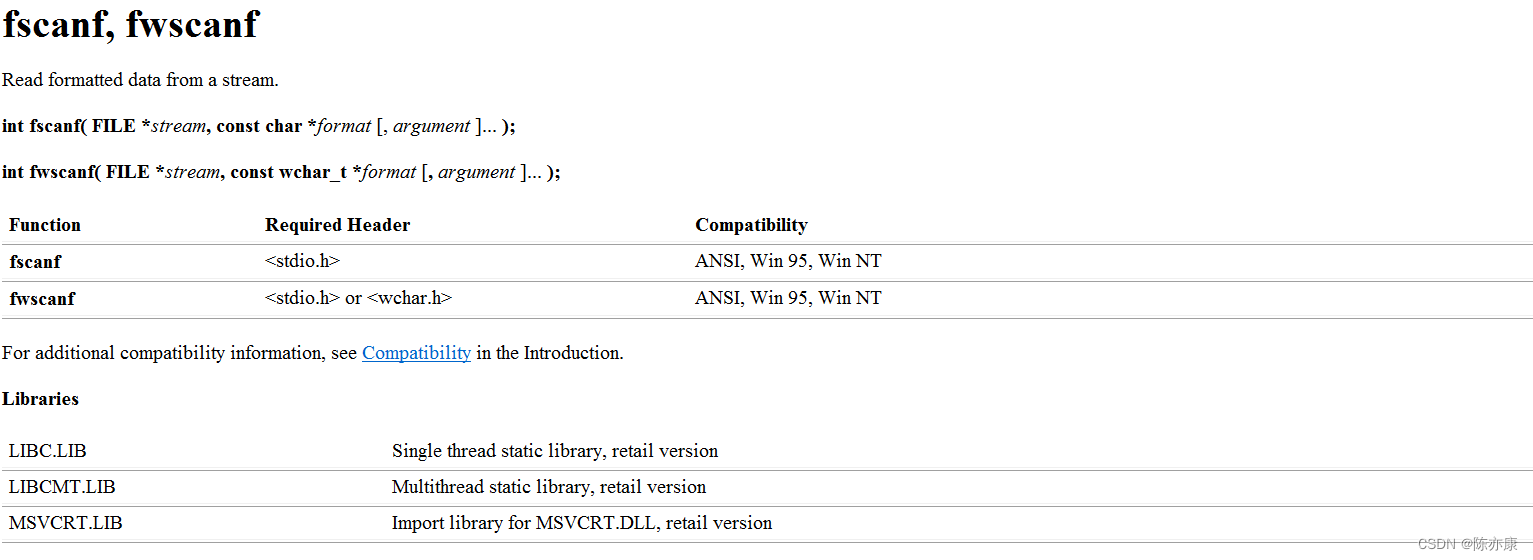
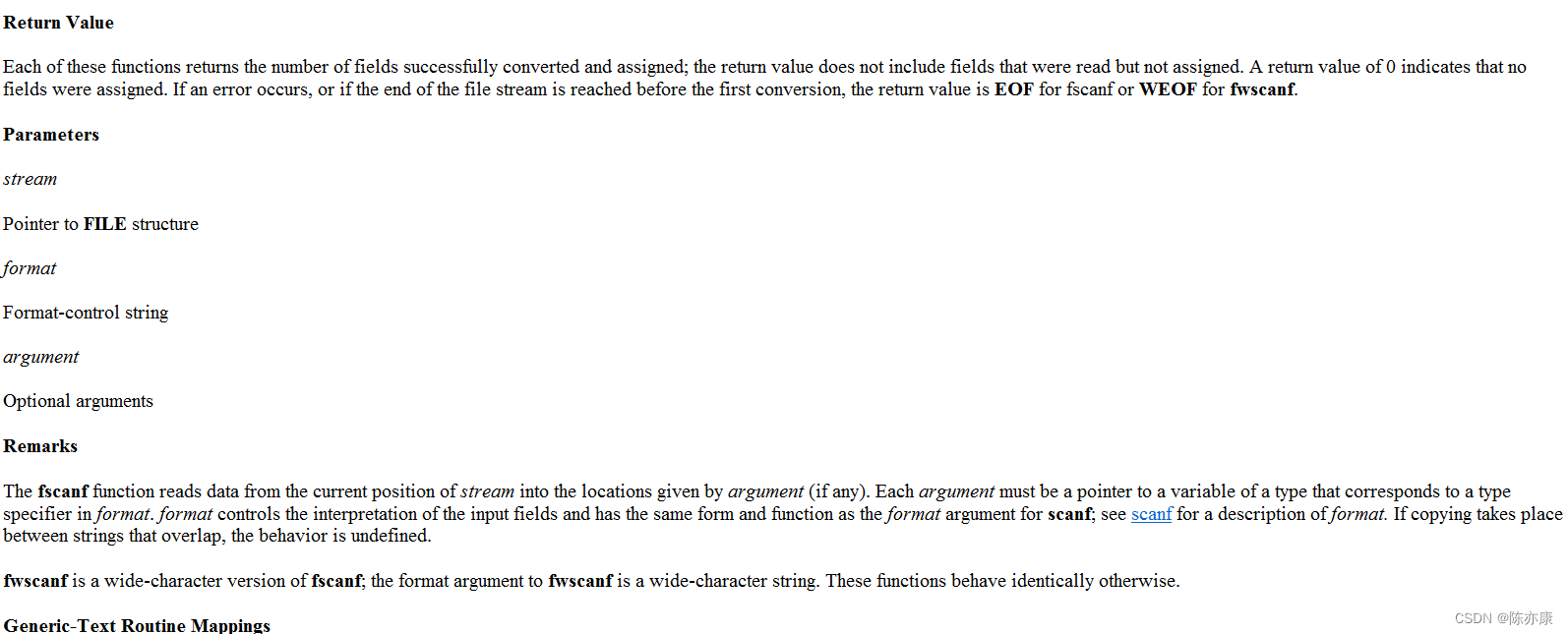
How to do? ?
Format
int fscanf( FILE *stream, const char *format [, argument ]... );In the same way scanf Function comparison format
int scanf(const char *format [, argument ]... );It's not difficult to understand. , Also, the file pointer stream is missing
example 6
#include<stdio.h>
#include<errno.h>
#include<string.h>

int main()
{
	// Open file
	FILE* ptr = fopen("test.txt", "w");
	if (ptr == NULL)
	{
		perror("ptr");
		return 1;
	}

	// Operation file
	fprintf(ptr, "hello world\n");

	// Close file
	fclose(ptr);
	ptr = NULL;

	// Open file
	FILE* p = fopen("test.txt", "r");
	if (p == NULL)
	{
		perror("p");
		return 1;
	}

	// Operation file
	char str[20] = { 0 };
	fscanf(p, "%s", str);//fscanf Stop reading when a space is encountered
	printf("%s ", str);
	fscanf(p, "%s", str);
	printf("%s\n", str);

	// Close file
	fclose(p);
	p = NULL;

	return 0;
}
7.fwrite
First look at the requirements

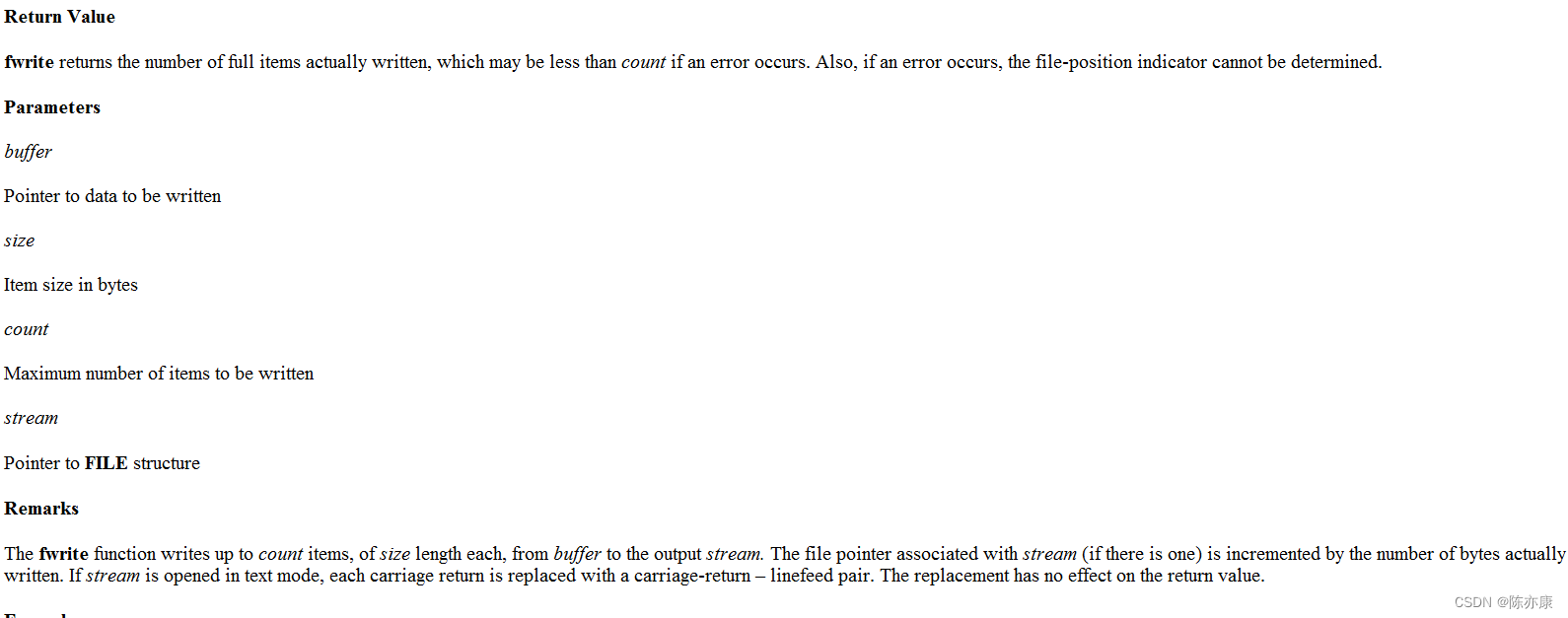 How to do? ?
Format
size_t fwrite( const void *buffer, size_t size, size_t count, FILE *stream );In short : take buffer This arbitrary type , Put in count In a size Bytes to stream
Example
int main()
{
	// Open file
	FILE* ptr = fopen("test.txt", "w");
	if (ptr == NULL)
	{
		perror("ptr");
		return 1;
	}

	// Operation file
	student s = { "chen",19 };
	fwrite(&s, sizeof(s), 1, ptr);

	// Close file
	fclose(ptr);
	ptr = NULL;

	return 0;
}
8.fread
Let's first look at the requirements
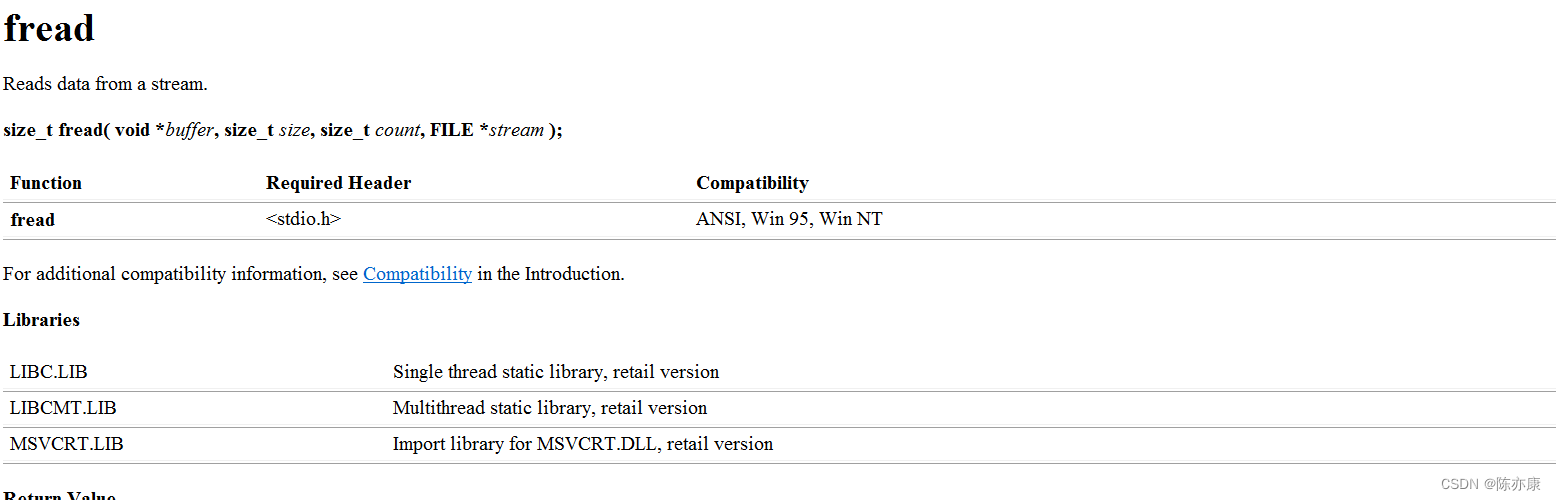
 How to do? ?
Format
size_t fread( void *buffer, size_t size, size_t count, FILE *stream );In short : take stream This file stream count individual size Write data of size buffer in
Example
#include<stdio.h>
#include<errno.h>
#include<string.h>

typedef struct student
{
	char name[15];
	int age;
}student;

int main()
{
	// Open file
	FILE* ptr = fopen("test.txt", "w");
	if (ptr == NULL)
	{
		perror("ptr");
		return 1;
	}

	// Operation file
	student s = { "chen",19 };
	fwrite(&s, sizeof(s), 1, ptr);

	// Close file
	fclose(ptr);
	ptr = NULL;

		// Open file
	FILE* p = fopen("test.txt", "r");
	if (p == NULL)
	{
		perror("p");
		return 1;
	}

	// Operation file
	student s1 = { 0 };
	fread(&s1, sizeof(s), 1, p);
	printf("%s %d\n", s1.name, s1.age);

	// Close file
	fclose(p);
	p = NULL;
	return 0;
}
To be continued ...
边栏推荐
猜你喜欢

374. Guess the size of numbers (must be able to get started)

如何在自动化测试中使用MitmProxy获取数据返回?

Edge detection method -- first order edge detection

How to read and write a single document based on MFC

Boston house price analysis assignment summary

企业钟情于混合 App 开发,小程序容器技术能让效率提升 100%
About 1000base-t1 1000Base-TX and 100base-t1
波士顿房价分析作业总结

神经网络学习笔记2.2 ——用Matlab写一个简单的卷积神将网络图像分类器

基于Matlab的男女声音信号分析与处理
随机推荐
【LeetCode】558. 四叉树交集
第二章 线性表
一种鲁棒变形卷积神经网络图像去噪
Burpsuite2022.1详细安装步骤包含证书安装
2.9.2 digital type processing and convenient methods of ext JS
2022 electrician Cup: emergency material distribution in 5g network environment (optimization)
未知宽高元素实现水平垂直居中的方法
論文閱讀:U-Net++: Redesigning Skip Connections to Exploit Multiscale Features in Image Segmentation
Installing PWA application in Google Chrome browser will display more description information
AI 之 OpenCvSharp 大图找小图(案例版)
为什么越来越多人开始选择过“低配生活”?
The fourth day of the third question of daily Luogu
2.9.2 Ext JS的数字类型处理及便捷方法
automake中文手册_incomplete
S32k148evb about eNet loopback experiment
How to paste data in Excel into CXGRID
Introduction of modules (block, module)
【LeetCode】558. Intersection of quadtree
[nodejs] npm/nrm cannot load the file because the script solution is prohibited in this system
Doris学习笔记之查询