当前位置:网站首页>Two methods of obtaining URL parameters and various methods of obtaining location objects
Two methods of obtaining URL parameters and various methods of obtaining location objects
2022-07-19 05:11:00 【Create splendid -- hand in hand with you】
obtain URL Parameter first , The second public part homepage :
	<!--  Cannot add here method attribute , Otherwise, you can't jump out  -->
		<form action="diaoyong1.html" >
			<!--  above action Add the name of the jump page inside  -->
			<p> full name :<input type="text" id="username" name="username" placeholder=" Please enter a name "></p>
			<p> Age :<input type="text"  id="age" name="age" placeholder=" Please enter age "></p>
			<button> Click on the submit </button>
		</form>
obtain URL Parameter the first jump page interface ( contains js Content ):
<body>
	    <!-- p What is added inside the label is span label , It is mainly used to store the value obtained from the previous jump page  -->
		<p> full name :<span> </span><br>
		 Age :<span>  </span><br>
		</p>
		<script>
			//  obtain span label
			var span = document.querySelectorAll('span');
			// The whole part below is to filter special symbols , Keep what you need
			// To obtain parameters
			var search = location.search;
			//  Intercepting string substr( The first is where to intercept , How many characters to intercept );
			search = search.substr(1);// This will put the front ? No. removed
			// According to the interception above
			searcharr = search.split("&");// utilize & Separate the array
			// The following is the method of object
			var searchObj = {};
			//  Use circular statements to deal with the separation and acquisition inside the array ,
			for (var i = 0; i < searcharr.length; i++) {
				var temp = searcharr[i];
				temp = temp.split("=");
				searchObj[temp[0]] = temp[1];
			}
			console.log(searchObj);

			span[0].innerHTML = searchObj.username;
			span[1].innerHTML = searchObj.age;
		</script>
	</body>
js General part of the content :
analysis :?id=1&name=5 Parameters are decomposed into objects
var search = location.search;
search = search.substr(1);
searcharr = search.split("&");
var searchObj = {};
for(var i=0;i<searcharr.length;i++){
var temp = searcharr[i];
temp = temp.split("=");
searchObj[temp[0]] = temp[1];
}
console.log(searchObj);
See code block for specific analysis ;
obtain URL Parameter the jump page interface of the second type ( contains js Content ):
Homepage interface :
	 Jump page interface
<form action="diaoyong1.html" >
			<!--  above action Add the name of the jump page inside  -->
			<p> Age :<input type="text"  id="age" name="age" placeholder=" Please enter age "></p>
			<button> Click on the submit </button>
		</form>
Jump page interface :(HTML)
<p>
Age :<span> </span><br>
</p>
js The content part :
console.log(location.search);
var params=location.search.substr(1);
console.log(params);
// Into an array ( By separating s)
var arr=params.split('=');
console.log(arr);
var span=document.querySelector('span');
// // Write data to div in
span.innerHTML=arr[1];
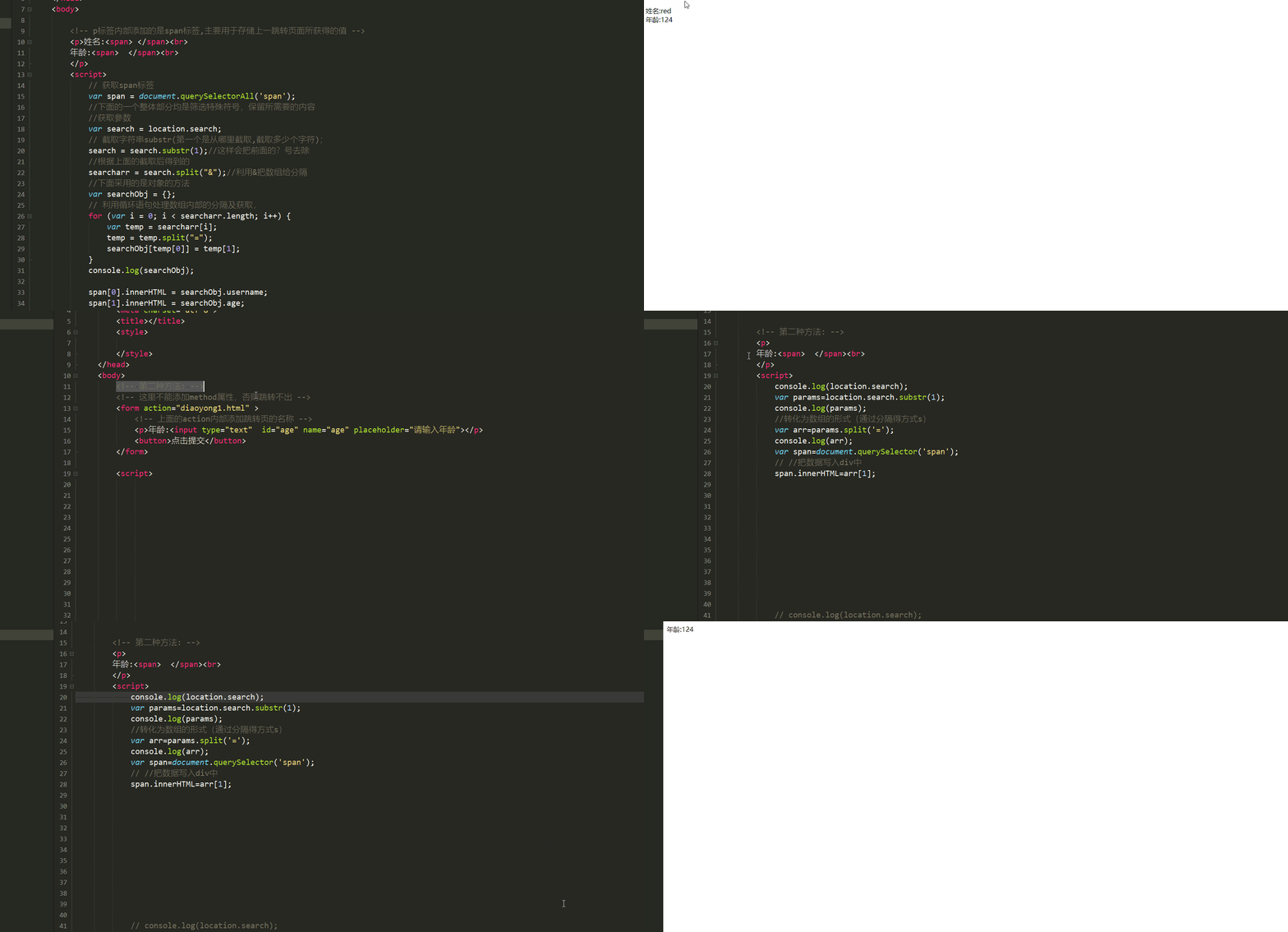
Here is the demonstration effect :
location Methods of obtaining objects :
//location Object properties
// btn.οnclick=function(){
// // Get local path Encryption Settings port
// // console.log(location.href);
// // // Access to domain name
// // console.log(location.host);
// // // Get the port number
// // console.log(location.port);
// // // Return port path
// // console.log(location.pathname);
// // // Get anchor link
// // console.log(location.hash);
// }
Location.search : Returns the parameter such as : ?id=1&name=zs( Take the above case as an explanation )
边栏推荐
猜你喜欢

读论文《Learning to Measure Changes: Fully Convolutional Siamese Metric Networks for Scene Change Detec》

实习项目3-更改所有者

【LeetCode——编程能力入门第一天】基本数据类型[在区间范围内统计奇数数目/去掉最低工资和最高工资后的工资平均值)

小程序editor富文本编辑使用及rich-text解析富文本

Pygame:外星人入侵

小程序云开发表单提交并在页面中获取数据

es6新增-运算符的扩展

Ucharts chart, pie chart, bar chart and line chart are used in uniapp

ModelArts第二次培训笔记

PyGame aircraft War 1.0 (step + window no response problem)
随机推荐
遍历的方法总结
轮播图的两种方法及自动轮播
[batch] batch delete intermediate folder - personal research script
SQL语句学习
HarmonyOS第四次培训笔记
第十届泰迪杯数据挖掘挑战赛A题害虫识别YOLOv5模型代码(已跑通,原创作品,持续更新)
Hire the server, and the pytorch environment training yolov5 model tutorial deployed on pycharm professional edition. Server environment installation library file:
HarmonyOS第三次培训笔记
Elment UI usage
Fanoutexchange switch is simple to use
Infinite classification
Es6 真实案例解构(多维数组对象)全新案例:
机器学习之特征提取(类别特征进行数值化、离散化、文本特征进行数值化)
[2022 10th Teddy Cup Challenge] Title A: complete version of pest identification (general idea. Detailed process and code and results CSV in compressed package)
Convolutional neural network
Bi design: distributed high concurrency epidemic prevention health management system based on vue+socket+redis
数据库实训7【索引与数据完整性约束的创建】
uniapp 使用uview实现折叠面板
实习项目2-主页配置-我的数据模块
机器学习之PCA特征降维+案例实践