当前位置:网站首页>HCIP回顾(1)
HCIP回顾(1)
2022-07-15 11:49:00 【sysddyq】
实验拓扑图

实验前准备
首先对192.168.1.0/24进行子网划分
192.168.1.0/24
192.168.1.0/27(再划分)
192.168.1.0/30
192.168.1.4/30
192.168.1.8/30
192.168.1.12/30
192.168.1.16/30
192.168.1.20/30
192.168.1.32/27(环回一)
192.168.1.32/28
192.168.1.48/28
192.168.1.64/27(环回二)
192.168.1.64/28
192.168.1.80/28
192.168.1.96/27
192.168.1.128/27(环回四)
192.168.1.128/28
192.168.1.144/28
192.168.1.160/27(环回五)
192.168.1.192/27
192.168.1.224/27
基础配置
R1
[r1]int lo0
[r1-LoopBack0]ip a 192.168.1.33 28
[r1-LoopBack0]q
[r1]int lo1
[r1-LoopBack1]ip a 192.168.1.49 28
[r1-LoopBack1]q
[r1]int g 0/0/0
[r1-GigabitEthernet0/0/0]ip a 192.168.1.5 30
[r1-GigabitEthernet0/0/0]q
[r1]int g 0/0/1
[r1-GigabitEthernet0/0/1]ip a 192.168.1.1 30
[r1-GigabitEthernet0/0/1]q
R2
[r2]int lo0
[r2-LoopBack0]ip a 192.168.1.65 28
[r2-LoopBack0]q
[r2]int lo1
[r2-LoopBack1]ip a 192.168.1.81 28
[r2-LoopBack1]q
[r2]int g  0/0/0
[r2-GigabitEthernet0/0/0]ip a 192.168.1.2 30
[r2-GigabitEthernet0/0/0]q
[r2]int g 0/0/1
[r2-GigabitEthernet0/0/1]ip a 192.168.1.13 30
[r2-GigabitEthernet0/0/1]q
R3
[r3]int g 0/0/0
[r3-GigabitEthernet0/0/0]ip a 192.168.1.6 30
[r3-GigabitEthernet0/0/0]q
[r3]int g 0/0/1
[r3-GigabitEthernet0/0/1]ip a 192.168.1.9 30
[r3-GigabitEthernet0/0/1]q
[r3]int g 0/0/2
[r3-GigabitEthernet0/0/2]ip a 192.168.1.97 27
[r3-GigabitEthernet0/0/2]q
R4
[r4]int lo0
[r4-LoopBack0]ip a 192.168.1.129 28
[r4-LoopBack0]q
[r4]int lo1
[r4-LoopBack1]ip a 192.168.1.145 28
[r4-LoopBack1]q
[r4]int g 0/0/0
[r4-GigabitEthernet0/0/0]ip a 192.168.1.14 30
[r4-GigabitEthernet0/0/0]q
[r4]int g 0/0/1
[r4-GigabitEthernet0/0/1]ip a 192.168.1.10 30
[r4-GigabitEthernet0/0/1]q
[r4]int g 0/0/2
[r4-GigabitEthernet0/0/2]ip a 192.168.1.21 30
[r4-GigabitEthernet0/0/2]q
[r4]int g 4/0/0
[r4-GigabitEthernet4/0/0]ip a 192.168.1.17 30
[r4-GigabitEthernet4/0/0]q
R5
[r5]int g 0/0/0
[r5-GigabitEthernet0/0/0]ip a 192.168.1.22 30
[r5-GigabitEthernet0/0/0]q
[r5]int g 0/0/2
[r5-GigabitEthernet0/0/2]ip a 192.168.1.18 30
[r5-GigabitEthernet0/0/2]q
[r5]int g 0/0/1
[r5-GigabitEthernet0/0/1]ip a 12.0.0.1 24
[r5-GigabitEthernet0/0/1]q
[r5]int lo0
[r5-LoopBack0]ip a 192.168.1.161 27
[r5-LoopBack0]q
R6
[r6]int lo0
[r6-LoopBack0]ip a 1.1.1.1 24
[r6-LoopBack0]q
[r6]int g 0/0/0
[r6-GigabitEthernet0/0/0]ip a 12.0.0.2 24
[r6-GigabitEthernet0/0/0]q
缺省路由配置
[r1]ip route-static 0.0.0.0 0 192.168.1.2
[r1]ip route-static 0.0.0.0 0 192.168.1.6
[r2]ip route-static 0.0.0.0 0 192.168.1.14
[r3]ip route-static 0.0.0.0 0 192.168.1.10
[r4]ip route-static 0.0.0.0 0 192.168.1.18 preference 100
[r4]ip route-static 0.0.0.0 0 192.168.1.22
[r5]ip route-static 0.0.0.0 0 12.0.0.2
空接口配置
[r1]ip route-static 192.168.1.32 27 NULL0
[r2]ip route-static 192.168.1.64 27 NULL0
[r4]ip route-static 192.168.1.128 27 NULL0
[r5]ip route-static 192.168.1.160 27 NULL0
静态路由配置
[r1]ip route-static 192.168.1.64 27 192.168.1.2
[r1]ip route-static 192.168.1.12 30 192.168.1.2
[r1]ip route-static 192.168.1.8 30 192.168.1.6
[r1]ip route-static 192.168.1.96 27 192.168.1.6
[r2]ip route-static 192.168.1.32 27 192.168.1.1
[r2]ip route-static 192.168.1.4 30 192.168.1.1
[r2]ip route-static 192.168.1.8 30 192.168.1.8
[r3]ip route-static 192.168.1.64 27 192.168.1.5
[r3]ip route-static 192.168.1.0 30 192.168.1.5
[r3]ip route-static 192.168.1.32 27 192.168.1.5
[r3]ip route-static 192.168.1.12 30 192.168.1.10
[r4]ip route-static 192.168.1.64 27 192.168.1.13
[r4]ip route-static 192.168.1.0 30 192.168.1.13
[r4]ip route-static 192.168.1.4 30 192.168.1.9
[r4]ip route-static 192.168.1.96 30 192.168.1.9
[r5]ip route-static 192.168.1.0 24 192.168.1.17
[r5]ip route-static 192.168.1.0 24 192.168.1.21 preference 40
一开始我手写了所有的静态路由,后来才想起了还有缺省路由,用缺省路由只需要把一些路径更短的写成静态路由来补充就行了
配置dhcp
[r3]DHCP enable
[r3]ip pool a
[r3-ip-pool-a]network 192.168.1.96 mask 27
[r3-ip-pool-a]gateway-list 192.168.1.97
[r3-ip-pool-a]dns-list 114.114.114.114
[r3-ip-pool-a]q
[r3]int g 0/0/2
[r3-GigabitEthernet0/0/2]dhcp select global
[r3-GigabitEthernet0/0/2]q
访问环回6
因为R6那一块为公网,所有需要利用EASY ip实现多对一的端口映射再加上之前的缺省路由来实现
[r5]acl 2000
[r5-acl-basic-2000]rule permit source 192.168.1.0 0.0.0.255
[r5-acl-basic-2000]q
[r5]int g 0/0/1
[r5-GigabitEthernet0/0/1]nat outbound 2000
实现R6telnetR5的公有Ip地址时,实际登陆到R1上
/在R1上开启telnet服务,开启虚拟登录的端口/
[r1]aaa
[r1-aaa]local-user soul privilege level 15 password cipher 123456
[r1-aaa]local-user soul service-type telnet
[r1-aaa]q
[r1]user-interface vty 0 4
[r1-ui-vty0-4]authentication-mode aaa
[r1-ui-vty0-4]q
/R5上进行端口映射/
[r5]int g0/0/1
[r5-GigabitEthernet0/0/1]nat server protocol tcp global current-interface 23 ins
ide 192.168.1.1 23
测试
互相ping


DHCP


pingR6的环回


R6telnetR5的公有Ip地址时,实际登陆到R1上

边栏推荐
- 女生学编程为什么难?是思维方式不对还是学习方式不对?
- PyGame - airplane battle (to be improved)
- Event preview | Apache Doris x Apache seatunnel joint meetup to start registration!
- Interface development does not need to write controller, service, Dao, mapper, XML, VO, which is automatically generated!
- The No.1 port and shipping AI enterprise in the world integrates Feitong, port and shipping AI products are mature, standardized and applied on a large scale, and advanced core technologies greatly im
- 二分查找(下)
- [design topics] project summary of graduation project based on STM32 - 350 cases
- 05 USART sending and receiving data (query mode)
- 08 use timer to control LED flashing
- Shanghai port shipping AI container AI Unicorn gathers flying pupils, and the market share of port and shipping AI products is leading, driving the development of the whole industrial chain of port an
猜你喜欢

07 printf redirection

PyGame - airplane battle (to be improved)
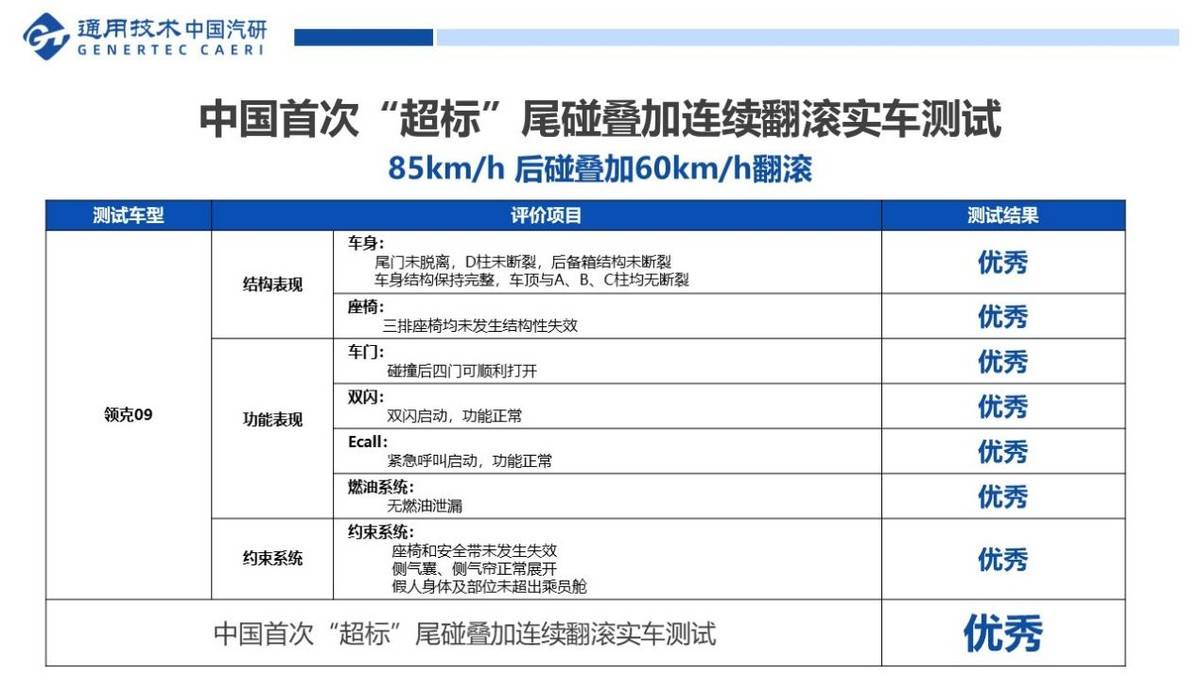
Valuing space over safety, Highlander and link 09, who do you choose

送你的代碼上太空,與華為雲一起開發'最偉大的作品'
Envoyez votre code dans l'espace et développez "le plus grand travail" avec Huawei Cloud
XPath Combat: climbing the learning ape land (Part 2)

2022-04-20 unity introduction 5 - Camera

Get started with pyGame

04 EXIT中断检测按键

03 按键控制LED
随机推荐
Efficient development of harmonyos course applications based on ETS
1. OLED simple drive
umi 3.0模版
Send your code into space and develop 'the greatest work' with Huawei cloud
两个CVE漏洞复现
Ignore, on duplicate key update, delayed in MySQL
Isolation level of MySQL
PowerDesigner installation tutorial
二分查找(下)
05 USART发送和接收数据(查询模式)
CCF 202012-1 期末预测之安全指数
To realize the remote direct electromagnetic communication of consciousness, the Dongda team, together with the National University of Singapore and others, is expected to build an electromagnetic bra
第九十八期:Flutter学习(一)
02 STM32CubeMX新建工程
2022-04-18 unity getting started 1 - window layout
字符串拼接
Basic concepts
BC20 AT指令测试
MQTT---SUBSCRIBE和SUBACK
Meta announced the launch of make-a-scene: AI image generation can be controlled based on text and sketches