当前位置:网站首页>elment-ui使用方法
elment-ui使用方法
2022-07-17 05:03:00 【du fei】
- 选中vue 2 敲回车

- 出现已下提示就说明创建成功

- 在Visual Studio Code中打开创建好的项目
- 安装路由
npm install -s [email protected]
- 安装axios vuex element
npm install -s axios [email protected] element-ui
- 安装好之后在根目录下创建router文件夹,里面在创建一个index.js文件,在里面写入路由

- 在main.js文件进行配置
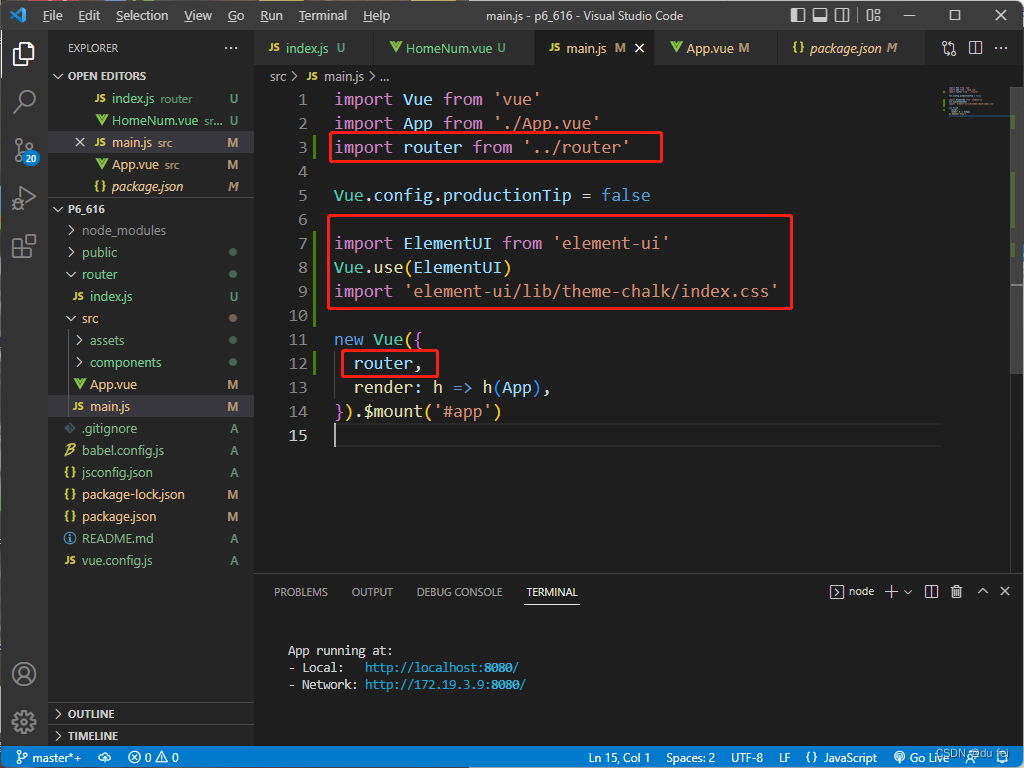
还需要在App.vue中调用路由

还需要在Visual Studio Code里安装外键
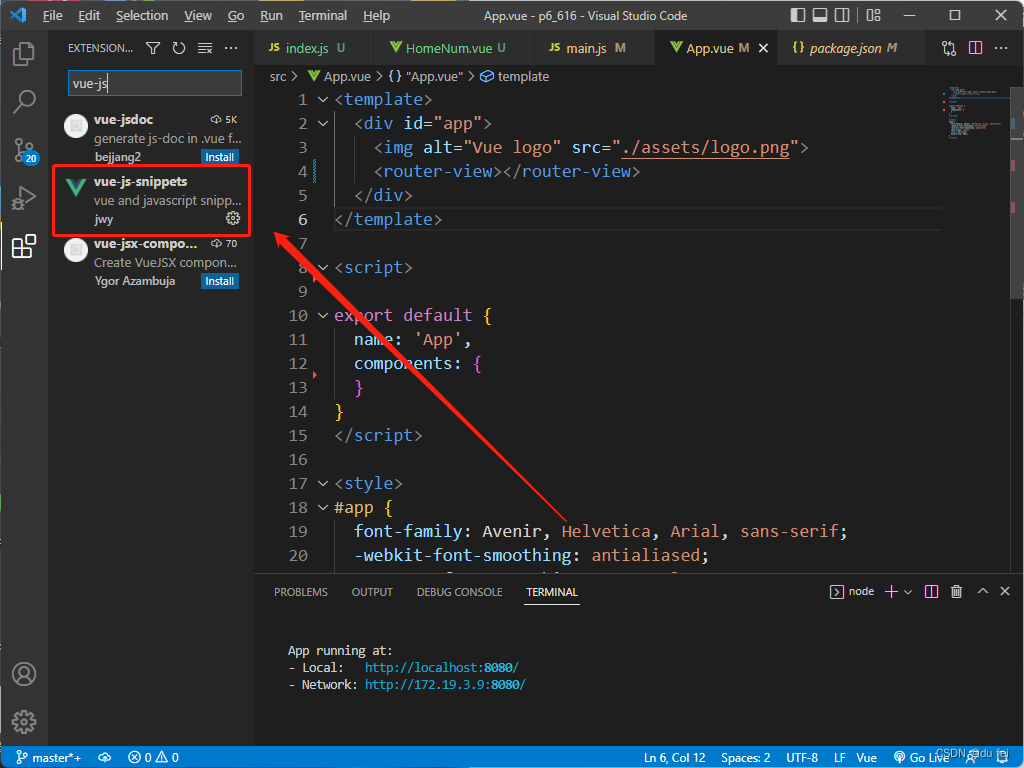
直接在文件中打入v2

封装axios, 加入请求拦截和响应
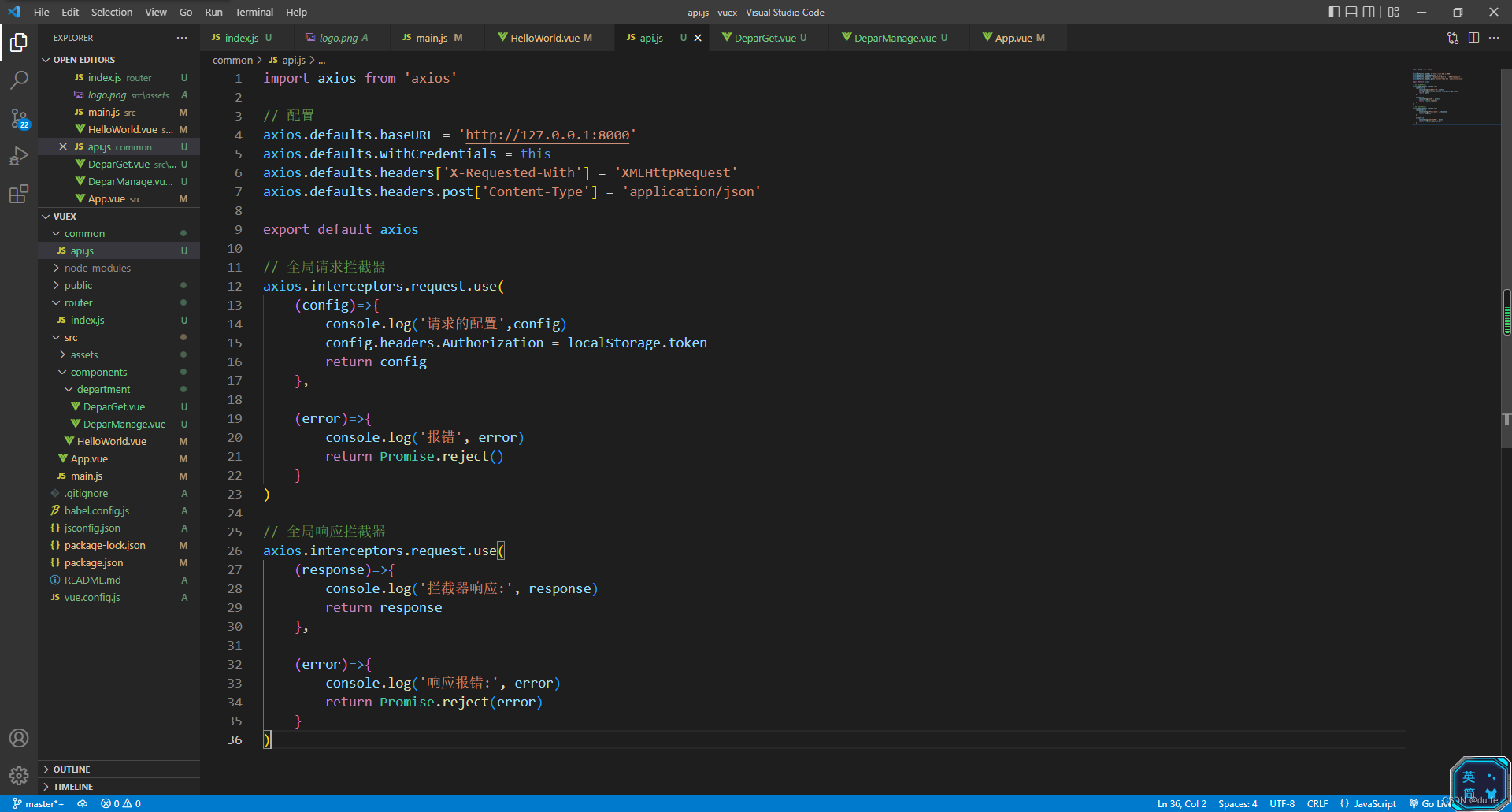
后端需要配置信息

边栏推荐
猜你喜欢

shardingsphere的核心概念和快速实战
OLTP Load Performance Optimization Practice

邮箱发送邮件(包含附件,网易、QQ)

mysql主从架构和读写分离、以及高可用架构

渗透测试 10 --- 扫描 web目录 (dirb、wfuzz、wpscan、nikto)

mysql优化

Learn about scheduled tasks in one article

Blessing for the elderly popular short video wechat applet source code download support traffic master

力扣刷题02(三数之和+最大子序和+二叉树最近公共祖先)

FanoutExchange交换机简单使用
随机推荐
Website online package APK system source code
索引库操作基本操作
CVE-2021-44228 Log4j 复现及原理
POC——DVWA‘s XSS Reflected
Es document operation
The database takes the fields of the configuration file, and then processes and judges the data
Masm32 writer
Rearrange data according to date JS
Microservice high concurrency service governance
Learn about the configuration center
浅聊全局过滤器
itext修改pdf文字
数据库取配置文件字段,然后进行数据处理和判断
One article to understand Zipkin
异步数据-短信验证码
Yiwen takes you to know about haproxy
ES文档操作
模板类的声明和定义
解决[email protected]: `node install.js` 的问题
Restclient operation document