当前位置:网站首页>Example of declarative transaction management
Example of declarative transaction management
2022-07-18 15:50:00 【Worry free】
After ensuring that the runnable project runs correctly , Follow the steps of the tutorial , Copy the code . It's hard to avoid code discrepancy in the process of imitation , The expected running result cannot be obtained , At this moment, by comparing the correct answers ( Runnable projects ) And your own code , To locate the problem . In this way , Learning works , Debugging is efficient , It can obviously improve the learning speed , Across the barriers of learning .
Source code :
link :https://pan.baidu.com/s/1Y0RpFa0RpL0vZ2pVDJmhYQ?pwd=qvek
Extraction code :qvek
This is what the project depends on jar package

be based on XML Declarative transaction of method
1. Create a dynamic web Project name is chapter05, stay src Create one in the directory jdbc package , Create a... In the package Hero Entity class
package jdbc;

public class Hero {
private int id;
private String name;
private float hp;
private int damage;
public int  getid() {
	return id;
}
public void setid(int id) {
	this.id=id;
}
public String getname() {
	return name;
}
public void setname(String name) {
	this.name=name;
}
public float gethp() {
	return hp;
}
public void sethp(float hp) {
	this.hp=hp;
}
public int getdamage() {
	return damage;
}
public void setdamage(int damage) {
	this.damage=damage;
}
public String toString() {
	return "id: "+id+" name: "+name+" hp: "+hp+" damage: "+damage;
}
}
2. Create a HeroDao Interface , Declaration method .
package jdbc;

import java.util.List;

public interface HeroDao {
public int addHero(Hero hero) ;
public int updateHero(Hero hero);
public int deleteHero(int id) ;

public Hero findHeroById(int id) ;
public List<Hero> findAllHero() ;

}
3. Create a HeroDaoImpl Class to implement methods
package jdbc;

import java.util.List;
import org.springframework.jdbc.core.RowMapper;
import org.springframework.transaction.annotation.Isolation;
import org.springframework.transaction.annotation.Propagation;
import org.springframework.transaction.annotation.Transactional;
import org.springframework.jdbc.core.BeanPropertyRowMapper;
import org.springframework.jdbc.core.JdbcTemplate;

public class HeroDaoImpl implements HeroDao{
private JdbcTemplate jdbcTemplate;
public void setJdbcTemplate(JdbcTemplate jdbcTemplate) {
	this.jdbcTemplate=jdbcTemplate;
}
	@Override
	public int addHero(Hero hero) {
		// TODO Auto-generated method stub
		String sql="insert into hero(name,hp,damage) value(?,?,?)";
		Object []objects=new Object[] {
				hero.getname(),
				hero.gethp(),
				hero.getdamage()
		};
		int num=this.jdbcTemplate.update(sql,objects);
		if (num>0) {
			System.out.println(" Add success ");
		}else {
			System.out.println(" Add failure ");
		}
		return num;
	}

	@Override
	public int updateHero(Hero hero) {
		// TODO Auto-generated method stub
		String sql="update hero set name=?,hp=?,damage=? where id=?";
		Object []objects=new Object[] {
			hero.getname(),
			hero.gethp(),
			hero.getdamage(),
			hero.getid()
		};
		int num=this.jdbcTemplate.update(sql,objects);
		if (num>0) {
			System.out.println(" The update is successful ");
		}else {
			System.out.println(" Update failed ");
		}
		return num;
	}

	@Override
	public int deleteHero(int id) {
		// TODO Auto-generated method stub
		String sql="delete from hero where id=?";
		int num=this.jdbcTemplate.update(sql,id);
		if (num>0) {
			System.out.println(" Delete "+num+" Data ");
		}else {
			System.out.println(" Delete failed ");
		}
		return num;
	}
	@Override
	public Hero findHeroById(int id) {
		// TODO Auto-generated method stub
		String sql="select * from hero where id=?";
		int n=1/0;
		RowMapper<Hero> rowMapper=new BeanPropertyRowMapper<Hero>(Hero.class);
		return this.jdbcTemplate.queryForObject(sql, rowMapper,id);
	}
	@Override
	public List<Hero> findAllHero() {
		// TODO Auto-generated method stub
		String sql="select * from hero";
		RowMapper<Hero> rowMapper=new BeanPropertyRowMapper<Hero>(Hero.class);
		return this.jdbcTemplate.query(sql,rowMapper);
	}

}
4. Create a facet to notify
package jdbc;
import org.aspectj.lang.JoinPoint;
import org.aspectj.lang.ProceedingJoinPoint;
import org.aspectj.lang.annotation.After;
import org.aspectj.lang.annotation.AfterReturning;
import org.aspectj.lang.annotation.AfterThrowing;
import org.aspectj.lang.annotation.Around;
import org.aspectj.lang.annotation.Aspect;
import org.aspectj.lang.annotation.Before;
import org.aspectj.lang.annotation.Pointcut;
import org.springframework.stereotype.Component;
/**
 *  Section class , Write notifications in this class
 */
@Aspect
@Component
public class MyAspect {
	// Define pointcut expression
	@Pointcut("execution(* annotation.*.*(..))")
	// Use a return value of void、 The method body is empty to name the pointcut
	public void myPointCut(){}
	// Pre notice
	@Before("myPointCut()")
	public void myBefore(JoinPoint joinPoint){
		System.out.print(" Pre notice : Simulate permission checking ..,");
		System.out.print(" The target class is :"+joinPoint.getTarget());
		System.out.println(", The target method of implanted enhancement processing is :"+joinPoint.getSignature().getName());
	}
	// The rear notice
	@AfterReturning(value="myPointCut()")
	public void myAfterReturning(JoinPoint joinPoint) {
		System.out.print(" The rear notice : Simulate logging ..,");
		System.out.println(" The target method of implanted enhancement processing is :" + joinPoint.getSignature().getName());
	}
	/**
	 *  Surrounding the notification
	 * ProceedingJoinPoint yes JoinPoint Sub interface of , Represents the executable target method
	 * 1. Must be Object Return value of type
	 * 2. Must receive a parameter , The type is ProceedingJoinPoint
	 * 3. must throws Throwable
	 */
	@Around("myPointCut()")
	public Object myAround(ProceedingJoinPoint proceedingJoinPoint) throws Throwable{
		// Start
		System.out.println(" Surround start : Before executing the target method , Simulate open transaction ..,");
		// Implement the current target method
		Object obj=proceedingJoinPoint.proceed();
		// end
		System.out.println(" Wrap end : After executing the target method , Simulate closing transactions ..,");
		return obj;
	}
	// Abnormal notice
	@AfterThrowing(value="myPointCut()",throwing="e")
	public void myAfterThrowing(JoinPoint joinPoint,Throwable e){
		System.out.println(" Abnormal notice : Something went wrong "+e.getMessage());
	}
	// Final notice
	@After("myPointCut()")
	public void myAfter(){
		System.out.println(" Final notice : Release resources after the simulation method ..");
	}
}
5. Create a applicationContext.xml File to configure declarative transactions
<?xml version="1.0" encoding="UTF-8"?>
<beans xmlns="http://www.springframework.org/schema/beans"
	xmlns:xsi="http://www.w3.org/2001/XMLSchema-instance"
	xmlns:aop="http://www.springframework.org/schema/aop"
	xmlns:tx="http://www.springframework.org/schema/tx"
	xmlns:context="http://www.springframework.org/schema/context"
	xsi:schemaLocation="http://www.springframework.org/schema/beans
        http://www.springframework.org/schema/beans/spring-beans.xsd
        http://www.springframework.org/schema/tx
        http://www.springframework.org/schema/tx/spring-tx.xsd
        http://www.springframework.org/schema/context
        http://www.springframework.org/schema/context/spring-context.xsd
        http://www.springframework.org/schema/aop
        http://www.springframework.org/schema/aop/spring-aop.xsd">
	<!--1. Configure data sources  -->
	<bean id="dataSource"
		class="org.springframework.jdbc.datasource.DriverManagerDataSource">
		<!-- Database driven  -->
		<property name="driverClassName" value="com.mysql.jdbc.Driver" />
		<!-- Connected to the database ur1 -->
		<property name="url" value="jdbc:mysql://localhost:3306/mysql?serverTimezone=UTC" />
		<!-- User name to connect to the database  -->
		<property name="username" value="root" />
		<!-- Password to connect to the database  -->
		<property name="password" value="root" />
	</bean>
	<!--2. To configure JDBC Templates  -->
	<bean id="jdbcTemplate" class="org.springframework.jdbc.core.JdbcTemplate">
		<!-- Data source is required by default  -->
		<property name="dataSource" ref="dataSource" />
	</bean>
	<!--3. Definition id by userDao Of Bean -->
	<bean id="heroDao" class="jdbc.HeroDaoImpl">
		<!-- take  jdbcTemplate Injection into  userDao In the example  -->
		<property name="jdbcTemplate" ref="jdbcTemplate" />
	</bean>
	<!--4. Transaction manager , Depending on the data source  -->
	<bean id="transactionManager" class="org.springframework.jdbc.datasource.DataSourceTransactionManager">
		<property name="dataSource" ref="dataSource"/>
	</bean>
	<!--5. Write a notice : Enhance transactions ( notice ), You need to write details about the entry point and the specific execution transaction  -->
	<tx:advice id="txAdvice" transaction-manager="transactionManager">
		<tx:attributes>
			<tx:method name="*" propagation="REQUIRED" isolation="DEFAULT" read-only="false"/>
		</tx:attributes>
	</tx:advice>
	<!--6. To write aop, Give Way spring Automatically generate a proxy for the target , Need to use AspectJ The expression of  -->
	<!-- 1  Target class  <bean id="heroDao" class="jdbc.HeroDaoImpl" /> -->

	<!-- 2  section  -->
	<bean id="myAspect" class="jdbc.MyAspect" />
	<!-- 3 aop Programming  -->
	<aop:config>
		<!-- 1. Configuration aspect  -->
		<aop:aspect id="aspect" ref="myAspect">
			<!-- 2. Configuration entry point  -->
			<aop:pointcut expression="execution(* jdbc.*.*(..))"	id="myPointCut" />
			<!-- 3. Configure notification  -->
				<!--  Pre notice  -->
				<aop:before method="myBefore" pointcut-ref="myPointCut" />
				<!-- The rear notice -->
				<aop:after-returning method="myAfterReturning" pointcut-ref="myPointCut" returning="joinPoint"/>
				<!-- Surrounding the notification  -->
				<aop:around method="myAround" pointcut-ref="myPointCut" />
				<!-- Abnormal notice  -->
				<aop:after-throwing method="myAfterThrowing" pointcut-ref="myPointCut" throwing="e" />
				<!-- Final notice  -->
				<aop:after method="myAfter" pointcut-ref="myPointCut" />
		</aop:aspect>
	</aop:config>
</beans>
6. Create a class to test the function
package jdbc;

import org.springframework.context.ApplicationContext;
import org.springframework.context.support.ClassPathXmlApplicationContext;

public class TransactionTest {
public static void main(String[] args) {
	ApplicationContext applicationContext=new ClassPathXmlApplicationContext("applicationContext.xml");
	HeroDao heroDao=(HeroDao) applicationContext.getBean("heroDao");
	Hero hero=new Hero();
	hero.setname("zyy");
	hero.sethp(100f);
	hero.setdamage(50);
	heroDao.addHero(hero);
}
}
Running results :

be based on Annotation Declarative transaction of method
1. Yes HeroDaoImpl Class to modify , Comment on some methods
@Transactional(propagation = Propagation.REQUIRED,isolation = Isolation.DEFAULT,readOnly = false)
package jdbc;

import java.util.List;
import org.springframework.jdbc.core.RowMapper;
import org.springframework.transaction.annotation.Isolation;
import org.springframework.transaction.annotation.Propagation;
import org.springframework.transaction.annotation.Transactional;
import org.springframework.jdbc.core.BeanPropertyRowMapper;
import org.springframework.jdbc.core.JdbcTemplate;

public class HeroDaoImpl implements HeroDao{
private JdbcTemplate jdbcTemplate;
public void setJdbcTemplate(JdbcTemplate jdbcTemplate) {
	this.jdbcTemplate=jdbcTemplate;
}
	@Override
	@Transactional(propagation = Propagation.REQUIRED,isolation = Isolation.DEFAULT,readOnly = false)
	public int addHero(Hero hero) {
		// TODO Auto-generated method stub
		String sql="insert into hero(name,hp,damage) value(?,?,?)";
		Object []objects=new Object[] {
				hero.getname(),
				hero.gethp(),
				hero.getdamage()
		};
		int num=this.jdbcTemplate.update(sql,objects);
		if (num>0) {
			System.out.println(" Add success ");
		}else {
			System.out.println(" Add failure ");
		}
		return num;
	}

	@Override
	public int updateHero(Hero hero) {
		// TODO Auto-generated method stub
		String sql="update hero set name=?,hp=?,damage=? where id=?";
		Object []objects=new Object[] {
			hero.getname(),
			hero.gethp(),
			hero.getdamage(),
			hero.getid()
		};
		int num=this.jdbcTemplate.update(sql,objects);
		if (num>0) {
			System.out.println(" The update is successful ");
		}else {
			System.out.println(" Update failed ");
		}
		return num;
	}

	@Override
	public int deleteHero(int id) {
		// TODO Auto-generated method stub
		String sql="delete from hero where id=?";
		int num=this.jdbcTemplate.update(sql,id);
		if (num>0) {
			System.out.println(" Delete "+num+" Data ");
		}else {
			System.out.println(" Delete failed ");
		}
		return num;
	}
	@Override
	public Hero findHeroById(int id) {
		// TODO Auto-generated method stub
		String sql="select * from hero where id=?";
		int n=1/0;
		RowMapper<Hero> rowMapper=new BeanPropertyRowMapper<Hero>(Hero.class);
		return this.jdbcTemplate.queryForObject(sql, rowMapper,id);
	}
	@Override
	public List<Hero> findAllHero() {
		// TODO Auto-generated method stub
		String sql="select * from hero";
		RowMapper<Hero> rowMapper=new BeanPropertyRowMapper<Hero>(Hero.class);
		return this.jdbcTemplate.query(sql,rowMapper);
	}

}
2. Yes applicationContext.xml File modification
<?xml version="1.0" encoding="UTF-8"?>
<beans xmlns="http://www.springframework.org/schema/beans"
	xmlns:xsi="http://www.w3.org/2001/XMLSchema-instance"
	xmlns:aop="http://www.springframework.org/schema/aop"
	xmlns:tx="http://www.springframework.org/schema/tx"
	xmlns:context="http://www.springframework.org/schema/context"
	xsi:schemaLocation="http://www.springframework.org/schema/beans
        http://www.springframework.org/schema/beans/spring-beans.xsd
        http://www.springframework.org/schema/tx
        http://www.springframework.org/schema/tx/spring-tx.xsd
        http://www.springframework.org/schema/context
        http://www.springframework.org/schema/context/spring-context.xsd
        http://www.springframework.org/schema/aop
        http://www.springframework.org/schema/aop/spring-aop.xsd">
	<!--1. Configure data sources  -->
	<bean id="dataSource"
		class="org.springframework.jdbc.datasource.DriverManagerDataSource">
		<!-- Database driven  -->
		<property name="driverClassName" value="com.mysql.jdbc.Driver" />
		<!-- Connected to the database ur1 -->
		<property name="url" value="jdbc:mysql://localhost:3306/mysql?serverTimezone=UTC" />
		<!-- User name to connect to the database  -->
		<property name="username" value="root" />
		<!-- Password to connect to the database  -->
		<property name="password" value="root" />
	</bean>
	<!--2. To configure JDBC Templates  -->
	<bean id="jdbcTemplate" class="org.springframework.jdbc.core.JdbcTemplate">
		<!-- Data source is required by default  -->
		<property name="dataSource" ref="dataSource" />
	</bean>
	<!--3. Definition id by userDao Of Bean -->
	<bean id="heroDao" class="jdbc.HeroDaoImpl">
		<!-- take  jdbcTemplate Injection into  userDao In the example  -->
		<property name="jdbcTemplate" ref="jdbcTemplate" />
	</bean>
	<!--4. Transaction manager , Depending on the data source  -->
	<bean id="transactionManager" class="org.springframework.jdbc.datasource.DataSourceTransactionManager">
		<property name="dataSource" ref="dataSource"/>
	</bean>
	<!-- 5 Register the transaction manager driver  -->
	<tx:annotation-driven transaction-manager="transactionManager"/>
</beans>
3. Run the test class once , The running results are based on XML The declarative transaction result of the method is the same .
边栏推荐
- Top n% data before SQL calculation
- one trillion and one hundred and eleven billion one hundred and eleven million one hundred and eleven thousand one hundred and eleven
- page-break-before\page-break-inside\page-break-after用法
- AutoJs学习-应用列表
- 指定 TLS 1.3 和 Ciphers 以提升安全性及性能
- MySQL field type selection
- 软考(中级软件设计师)考试信息
- osgEarth的Rex引擎原理分析(一二八)rex的引擎和图层投影及其关系
- Differences among key, primary key, unique key and index in MySQL
- Error establishing connection between MySQL and idea
猜你喜欢
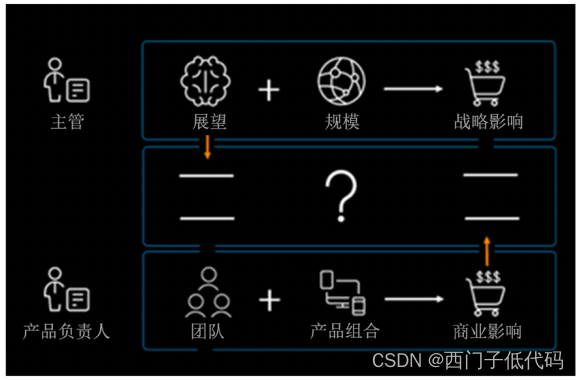
Overcome the challenges of digital transformation by developing a vision

Comparison table of wireless transmission technical parameters of Internet of things

Notes - how to do in-depth learning in poor data
笔记-如何在稀烂的数据中做深度学习
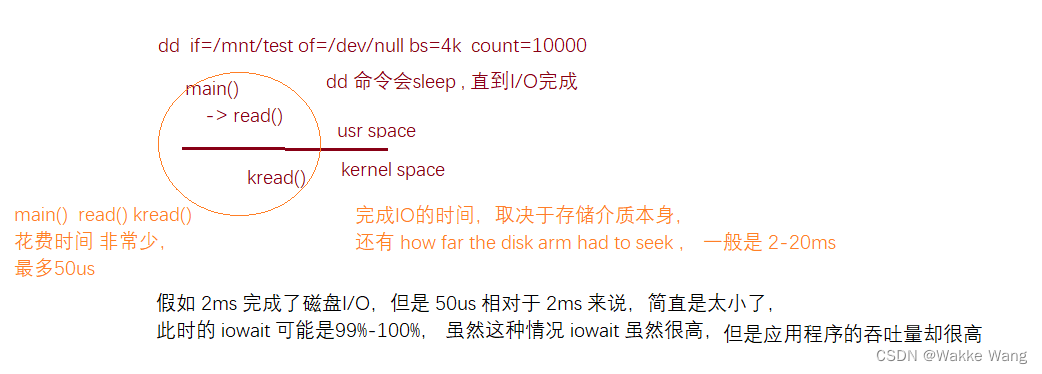
Iowait understanding

基于时间戳的唯一标识符的轻量级跟踪方法
![[training Day2] torch bearer [violence] [DFS]](/img/21/3f46251edf864d8411feaacb4b47ea.png)
[training Day2] torch bearer [violence] [DFS]

Free SSL certificate application and deployment practice
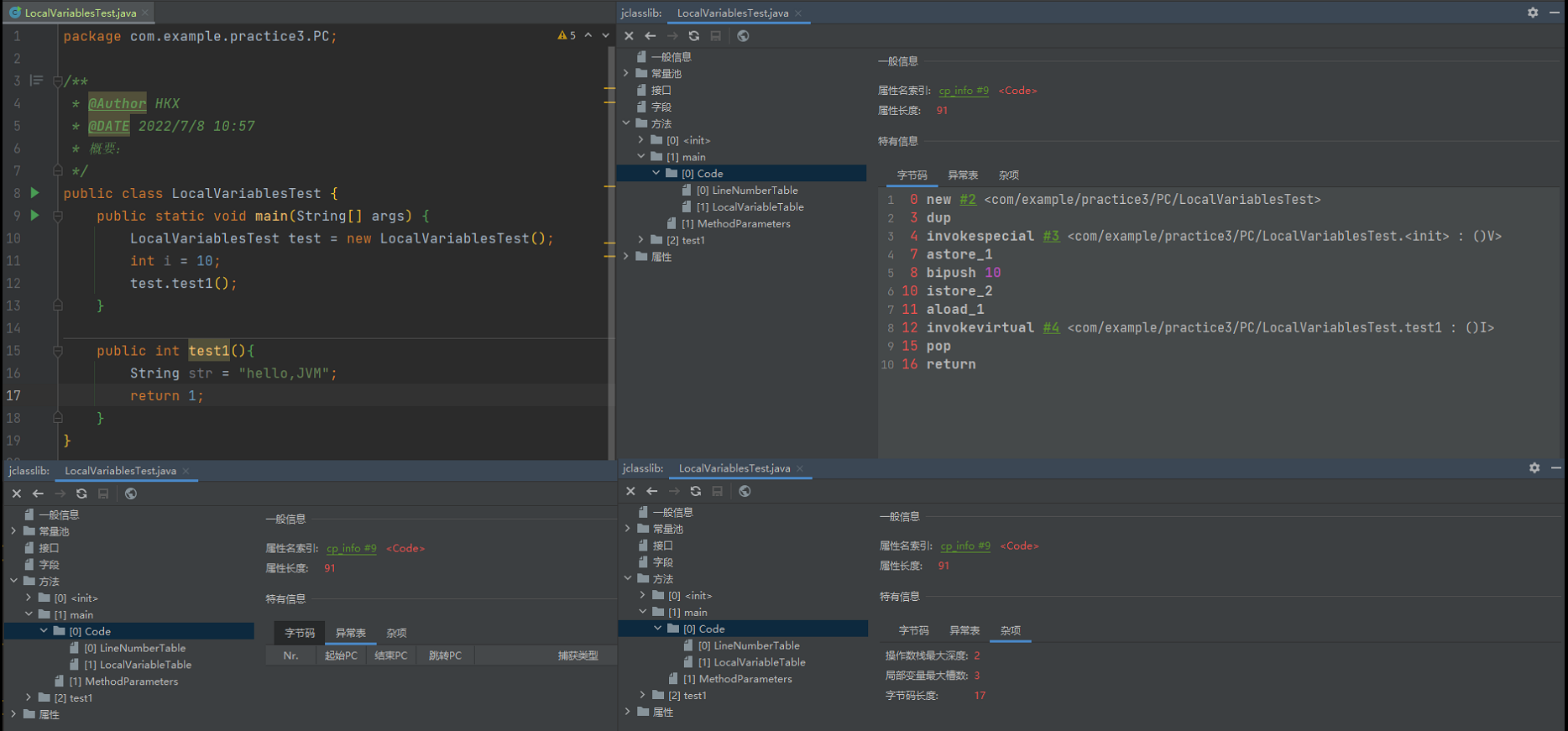
Chapter 3: runtime data area - independent space

Image compression based on Base64 and blob
随机推荐
UE4/5中的旋转:三个欧拉角Picth、Yaw、Roll及FRotator
[Arduino shakes hands with mpu6050]
MANUAL_ Flush is enabled but the buffer is too big solution and cause analysis
如何用断言思路优雅地处理代码异常
Do you know the shell foundation often asked in interviews?
The most complete MySQL in history! Desperately tidy up
Runtime data area & method area (permanent generation / meta space) & stack frame
R language - color selection and setting
VMware 虚拟机运行卡慢的解决办法
[postponed] 2022 International Conference on network and information security (nisecurity 2022)
从一篇防范钓鱼邮件的通知说起
Redis configuration, cluster installation and capacity expansion
Differences between get requests and post requests and usage examples
C语言求回文质数
AGCO won the 2022 red dot award: design concept award
AutoJs学习-TTS抢语音红包
Flutter boutique learning route (knowledge classification + learning materials)
【LeetCode】11. Lowest common ancestor of a binary search tree
免费SSL证书申请及部署实践
VR(一)ATW ASW