当前位置:网站首页>小程序云开发 上传图片到云存储
小程序云开发 上传图片到云存储
2022-07-17 05:05:00 【小青年一枚】
在学习了小程序云开发后,遇到了开发中常见的图片上传,今天简单的记录总结下在云开发中如何实现图片上传到云存储中。
在这里简单的分了两种情况,一种是选择图片后直接上传到云存储中,像替换头像之类的就是符合这种情况。第二种是选择图片后,点击提交按钮再上传到云存储中,就像朋友圈发布或表单中添加图片的一样 点击发布按钮才可以上传。
接下来我们先看第一种情况,选择图片直接上传到云存储中:
效果如下:

代码:
<view>

  <image src="{
   {images}}"></image>

</view>
<view bindtap="upload">上传</view>
upload(){
let that=this;
wx.chooseImage({//异步方法
count: 9,//最多选择图片数量
sizeType:['original', 'compressed'],//选择的图片尺寸 原图,压缩图
sourceType:['album','camera'],//相册选图,相机拍照
success(res){
//tempFilePaths可以作为图片标签src属性
const tempFilePaths = res.tempFilePaths
console.log("选择成功",res)
for(let i=0; i < tempFilePaths.length; i++){//多个图片的循环上传
wx.cloud.uploadFile({//上传至微信云存储
cloudPath:'myImage/' + new Date().getTime() + "_" + Math.floor(Math.random()*1000) + ".jpg",//使用时间戳加随机数作为上传至云端的图片名称
filePath:tempFilePaths[i],// 本地文件路径
success: res => {
// 返回文件 ID
console.log("上传成功",res.fileID)
that.setData({
images:res.fileID//获取上传云端的图片在页面上显示
})
wx.showToast({
title: '上传成功',
})
}
})
}
}
})
},上传后,点击云存储面板刷新就能看到新上传的图片

接下来我们看下第二种情况,当选择图片后,点击提交按钮再上传到云存储中。
效果图如下:
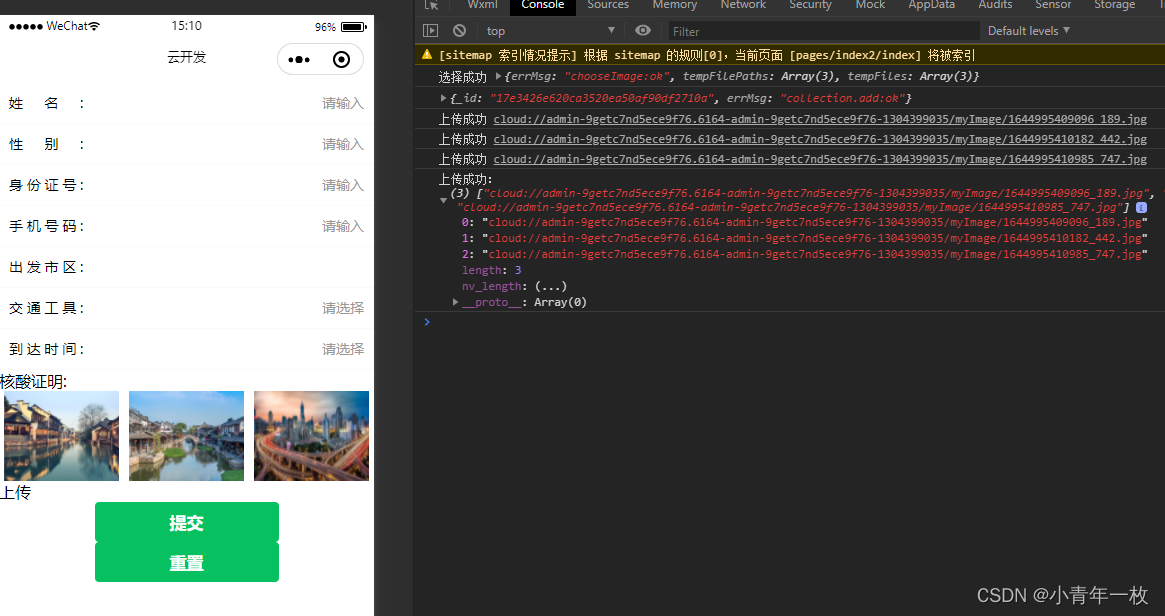

代码如下:
<form action="" bindsubmit="addBtn">
<view>

   <view class="imgFlex">
     <block wx:for="{
   {images}}" wx:key="*this" >
        <view data-index="{
   {index}}" class="item_img">
          <image src="{
   {item}}"></image>
        </view>
      </block>
    </view>
    <view bindtap="upload">上传</view>
</view>
 <button type="primary" form-type="submit">提交</button>
 <button type="primary" form-type="reset">重置</button>
</form>
//index.js
//import WxValidate from '../../utils/WxValidate';
const app = getApp()
const db = wx.cloud.database()//调用默认云环境的数据库引用
Page({
data: {
images:[],//选择图片
images_success: [],//上传云存储后的云存储地址数组
images_success_size:0,//图片上传成功的数量
},
onLoad(){
},
upload(){
let that=this;
wx.chooseImage({//异步方法
count: 9,//最多选择图片数量
sizeType:['original', 'compressed'],//选择的图片尺寸 原图,压缩图
sourceType:['album','camera'],//相册选图,相机拍照
success(res){
//const tempFilePaths = res.tempFilePaths
that.setData({
images: res.tempFilePaths
});
console.log("选择成功",res)
}
})
},
uploadImage(index){
let that=this
wx.cloud.uploadFile({//上传至微信云存储
cloudPath:'myImage/' + new Date().getTime() + "_" + Math.floor(Math.random()*1000) + ".jpg",//使用时间戳加随机数给图片命名
filePath:that.data.images[index],// 本地文件路径
success: res => {
// 返回文件 ID
console.log("上传成功",res.fileID)
that.data.images_success[index] = res.fileID;
that.data.images_success_size = that.data.images_success_size+1;
if(that.data.images_success_size == that.data.images.length){
console.log("上传成功:", that.data.images_success)
} else {
that.uploadImage(index+1)
}
},
fail: err =>{
that.setData({
images_success:[],
images_success_size:0
})
wx.showToast({
icon:'none',
title: '上传失败,请重新上传',
})
}
})
},
//提交表单添加到数据库
addBtn: function(e){
let that=this;
if(that.data.images.length > 0){//1、判断是否有图片
that.setData({
//3、给上传图片初始化一个长度,上传成功的数组和已有的数组一致
images_success:that.data.images
})
that.uploadImage(0)//2、有图片时先上传第一张
}
},
})
以上就是关于小程序 图片上传到云存储中的代码,代码中都有写注释,这里就不多做解释了,实践第一。第一次尝试写的,欢迎同学们点评
边栏推荐
- HarmonyOS第三次培训笔记
- Mysql database experiment training 6, data view (detailed)
- [2022 10th Teddy Cup Challenge] Title A: complete version of pest identification (general idea. Detailed process and code and results CSV in compressed package)
- Teddy Cup title a full version optimization update (4/23)
- C语言练习题
- STL容器——set集合的应用
- Cve-2019-14234 Django jsonfield SQL injection vulnerability
- 基于cuda10.0的pytorch深度学习环境配置
- 【C语言—零基础第十一课】旋转大转盘之指针
- 数据可视化
猜你喜欢

Fanoutexchange switch is simple to use

Modelarts second training notes
![Database training 7 [index and creation of data integrity constraints]](/img/7d/2855d945c0d7ffb970634451b600a1.png)
Database training 7 [index and creation of data integrity constraints]
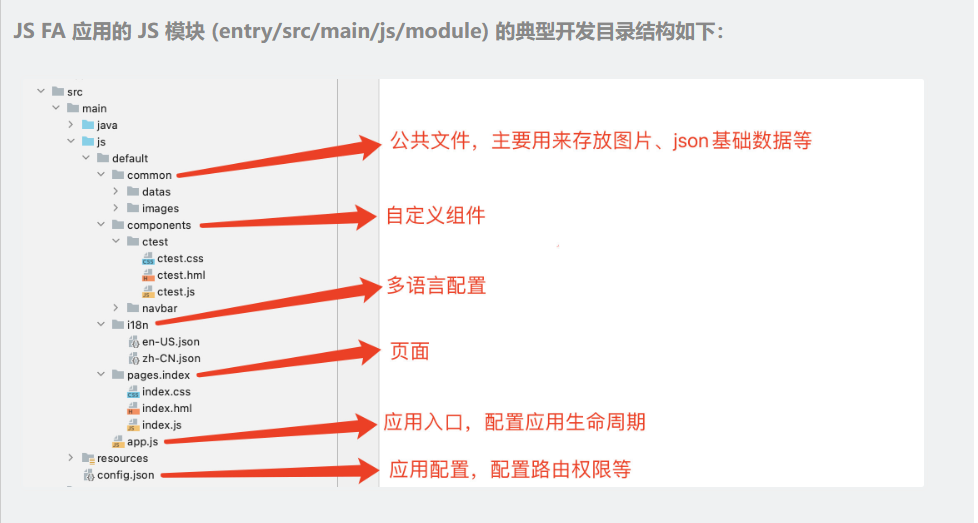
HarmonyOS第三次培训笔记

The code of yolov5 model for pest identification in Title A of the 10th Teddy cup data mining challenge (has been run through, original works, continuously updated)

SQL语句学习

上传七牛云的方法

Convolutional neural network
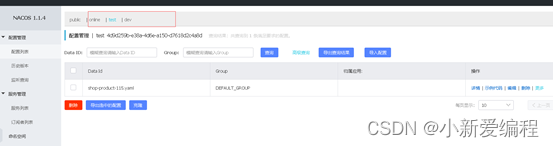
Learn about the configuration center

First training notes of moderlarts
随机推荐
第十届泰迪杯数据挖掘挑战赛A题害虫识别YOLOv5模型代码(已跑通,原创作品,持续更新)
STL容器——map的基本操作
学习C语言的第四天
ModerlArts第一次培训笔记
02_電影推薦(ContentBased)_用戶畫像
mysql数据库实验实训6,数据视图(详细)
MySQL fuzzy matching 1, 11111 similar string problems
CVE-2019-14234 Django JSONField SQL注入漏洞
基于SSM框架的考勤签到请假系统
POC——DVWA‘s XSS Reflected
The database takes the fields of the configuration file, and then processes and judges the data
User login - and create SMS verification code
游玩数据获取与数据分析、数据挖掘 【2022.5.30】
数据分析与数据挖掘实战案例本地房价预测(716):
【C语言—零基础_学习_复习_第四课】数据类型及其运算
Order system of middle office
PCA feature dimensionality reduction of machine learning + case practice
ArcGIS Pro发布服务
PyGame installation -requirement already satisfied
HarmonyOS第二次培训笔记