当前位置:网站首页>开源在线的MarkDown编辑器 --【Editor.md】
开源在线的MarkDown编辑器 --【Editor.md】
2022-07-17 05:13:00 【小辰~】
开源在线的MarkDown编辑器 --【Editor.md】
下载
官网地址: https://pandao.github.io/editor.md/index.html
Gitee 地址:https://gitee.com/pandao/editor.md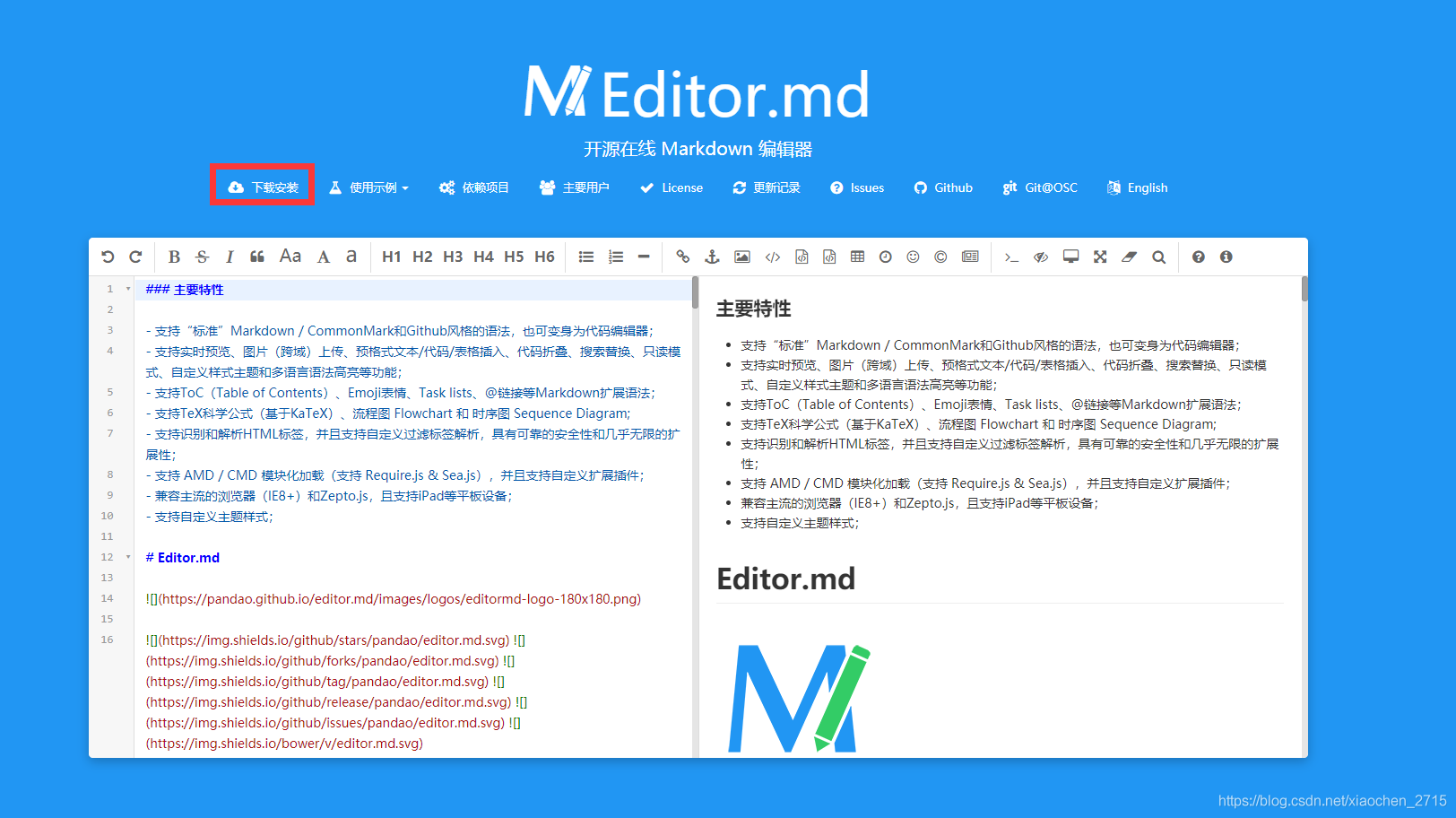
Editor.md的简单使用
1. 编辑html
<div id="md-content" style="z-index: 1;">
	<!--这里设置z-index是为了让编辑器可以全屏显示保持在上层 -->
</div>
2. 在js中对编辑器进行初始化
var testEditor;
$(function() {

testEditor = editormd("md-content", {

      width: "90%", //编辑器宽度
      height: 740,	//编辑器高度
      path : '../lib/',	//这里要指定下载好的文件中lib的路径
      //---设置以上三个即可使用---
      theme : "dark",
      previewTheme : "dark",
      editorTheme : "pastel-on-dark",
      codeFold : true,
      //syncScrolling : false,
      saveHTMLToTextarea : true,    // 保存 HTML 到 Textarea
      searchReplace : true,
      //watch : false, // 关闭实时预览
      htmlDecode : "style,script,iframe|on*",            // 开启 HTML 标签解析,为了安全性,默认不开启
      //toolbar : false, //关闭工具栏
      //previewCodeHighlight : false, // 关闭预览 HTML 的代码块高亮,默认开启
      emoji : true,
      taskList : true,
      tocm            : true,         // Using [TOCM]
      tex : true,                   // 开启科学公式TeX语言支持,默认关闭
      flowChart : true,             // 开启流程图支持,默认关闭
      sequenceDiagram : true,       // 开启时序/序列图支持,默认关闭,
      //dialogLockScreen : false, // 设置弹出层对话框不锁屏,全局通用,默认为true
      //dialogShowMask : false, // 设置弹出层对话框显示透明遮罩层,全局通用,默认为true
      //dialogDraggable : false, // 设置弹出层对话框不可拖动,全局通用,默认为true
      //dialogMaskOpacity : 0.4, // 设置透明遮罩层的透明度,全局通用,默认值为0.1
      //dialogMaskBgColor : "#000", // 设置透明遮罩层的背景颜色,全局通用,默认为#fff
      imageUpload : true,
      imageFormats : ["jpg", "jpeg", "gif", "png", "bmp", "webp"],
      imageUploadURL : "./php/upload.php",
      onload : function() {

          console.log('onload', this);
          //this.fullscreen();
          //this.unwatch();
          //this.watch().fullscreen();

          //this.setMarkdown("#PHP");
          //this.width("100%");
          //this.height(480);
          //this.resize("100%", 640);
      }
      });
  });
3. 编辑器常用的一些方法
- 跳到指定行
testEditor.gotoLine(90);
- 显示和隐藏编辑器
testEditor.show();
testEditor.hide();
- 获取编辑器中的md语言
testEditor.getMarkdown();
- 获取编辑器中的html语言
testEditor.getHTML();
- 开启和关闭实时预览
testEditor.watch();
testEditor.unwatch();
- 查看预示
testEditor.previewing();
- 全屏
testEditor.fullscreen();
- 工具栏的显示与隐藏
testEditor.showToolbar();
testEditor.hideToolbar();
- 标题的下拉菜单显示与隐藏
 testEditor.config({

     tocDropdown   : true,
     tocTitle      : "目录 Table of Contents",
 });

 testEditor.config("tocDropdown", false);
[TOCM]
[TOC]


边栏推荐
- [antdv: Each record in table should have a unique `key` prop,or set `rowKey` to an unique.....
- vscode 使用技巧1
- Dac7512n analog mixed signal IC converter
- 2022/07/11 第五小组 丁帅 学习笔记 day04
- HRA isolation series wide voltage input positive and negative high voltage regulated output
- 国际标准信号0-5V/0-10V/1-5V,0-10mA/0-20mA/4-20mA等的转换隔离和传输
- 【转】Darwin Streaming Server 核心代码分析
- c语言调用文件浏览器,实现选择文件的效果
- DAC7512N 模拟混合信号IC转换器
- 简单Chrome脚本 自动跳过b站视频播放结束后的的充电鸣谢页面
猜你喜欢

HM9922开关降压型 LED恒流驱动器IC

Introduction to basic knowledge of Minio

vscode 配置golang开发环境

【简单快速】启动后桌面正常下方任务栏无反应/鼠标一直转圈

MySQL Workbench基本使用 【创建一个数据表】

比例阀放大板1A、2A、3A、5A比例阀驱动模块0-10V转0-24V
![[detailed tutorial installation] [configuration] auxiliary plug-ins about eslint in vscode](/img/d4/31272772b96d3e2f702da74478fd95.png)
[detailed tutorial installation] [configuration] auxiliary plug-ins about eslint in vscode
![MySQL workbench basically uses [create a database]](/img/d2/a753e9c77bb17aaff1d0e9dc11c803.png)
MySQL workbench basically uses [create a database]

数字信号隔离模块 ADUM1401ARWZ 亚德诺 库存现货

數學基礎課2_歐拉函數,線性篩,擴歐
随机推荐
计算几何(4.17)
5V升压充电8.4V芯片
DSL实现Bucket聚合
获取当前年月日、时分秒、星期,并实时更新
Acwing第58场周赛(AK)
4路编码器脉冲计数器,转速测量,8路DO,Modbus TCP数据采集模块
VSCode 即时英文翻译插件 【翻译(英汉词典)】
MEX and Increments
Solve cannot read properties of null (reading 'pickalgorithm')
Minio installation, deployment and simple use
4-20MA转0-5KHz,5V脉冲转换器
Hra2460d-2w high voltage power supply high voltage module - high voltage - high precision hra2460d-2w
MySQL Workbench基本使用 【创建一个数据表】
[USACO06DEC]The Fewest Coins G(混合背包)
It4058a single lithium ion battery charging management
Pressure strain bridge signal processing photoelectric isolation amplifier
谷歌浏览器不能手动修改cookies,cookie报红标红
[BJOI2019] 排兵布阵(分组背包)
RestAPI实现自动补全 & 案例实现(搜索框输入进行自动补全)
數學基礎課2_歐拉函數,線性篩,擴歐