当前位置:网站首页>WebService接口的创建与实现
WebService接口的创建与实现
2022-07-17 05:13:00 【小辰~】
WebService接口的创建与实现
目录结构
1.1 pom文件依赖
<dependency>
    <groupId>org.springframework.boot</groupId>
    <artifactId>spring-boot-starter-web</artifactId>
</dependency>
<dependency>
    <groupId>org.apache.cxf</groupId>
    <artifactId>cxf-spring-boot-starter-jaxws</artifactId>
    <version>3.2.4</version>
</dependency>
<dependency>
    <groupId>org.scala-lang</groupId>
    <artifactId>scala-library</artifactId>
    <version>2.11.8</version>
</dependency>

<dependency>
    <groupId>org.hibernate</groupId>
    <artifactId>hibernate-validator</artifactId>
    <version>6.0.18.Final</version>
</dependency>
1.2 创建接口
HelloWebService.java
package com.xc.demo_01.webservice;
import javax.jws.WebMethod;
import javax.jws.WebParam;
import javax.jws.WebResult;
import javax.jws.WebService;

@WebService(name = "HelloWebService",  //portType名称 客户端生成代码时 为接口名称,暴露服务名
            targetNamespace = "http://webservice.demo_01.xc.com"   //wsdl命名空间,一般为接口的包名倒序
)
public interface HelloWebService {

    /* * @WebResult : 表示方法的返回值 * @WebParam : 表示方法的参数 */
    @WebMethod
    @WebResult(name = "String")
    String sendMessage(@WebParam(name="name") String name);
}
HelloWebServiceImpl.java
package com.xc.demo_01.webservice.impl;
import javax.jws.WebParam;
import javax.jws.WebService;
import com.xc.demo_01.webservice.HelloWebService;
import org.springframework.context.annotation.Configuration;

@WebService(
        targetNamespace = "http://webservice.demo_01.xc.com", //与接口中命名空间一致
        serviceName = "HelloWebService",                 //与接口中指定的name一致
        endpointInterface = "com.xc.demo_01.webservice.HelloWebService")//指定发布webservice的接口类,此类也需要接入@WebService注解
@Configuration
public class HelloWebServiceImpl implements HelloWebService {


    @Override
    public String sendMessage(@WebParam(name="name") String name) {

        System.out.println("欢迎你 " + name);
        return "Hello, " + name;
    }
}

CxfWebServiceConfig.java
package com.xc.demo_01.config;

import javax.xml.ws.Endpoint;
import com.xc.demo_01.webservice.HelloWebService;
import org.apache.cxf.Bus;
import org.apache.cxf.bus.spring.SpringBus;
import org.apache.cxf.jaxws.EndpointImpl;
import org.apache.cxf.transport.servlet.CXFServlet;
import org.springframework.beans.factory.annotation.Autowired;
import org.springframework.boot.web.servlet.ServletRegistrationBean;
import org.springframework.context.annotation.Bean;
import org.springframework.context.annotation.Configuration;

/** * cxf配置类 */
@Configuration
public class CxfWebServiceConfig {


    @Autowired
    private Bus bus;
    @Autowired
    private HelloWebService helloWebService;

// @Bean(name = Bus.DEFAULT_BUS_ID)
// public SpringBus springBus(){

// return new SpringBus();
// }

    @Bean
    public Endpoint endpoint(){

// Endpoint endpoint = new EndpointImpl(new SpringBus(),helloWebService);
        Endpoint endpoint = new EndpointImpl(bus,helloWebService);
        // http://localhost:9527/services/helloWebService?wsdl
        endpoint.publish("/HelloWebService");
        return endpoint;
    }
}
1.3 客户端实现接口(方法一)
WebServiceHelloW.java
package com.xc.demo_01.client;

import org.apache.cxf.endpoint.Client;
import org.apache.cxf.jaxws.endpoint.dynamic.JaxWsDynamicClientFactory;

/** * JaxWsDynamicClientFactory: * 只要指定服务器端wsdl文件的位置,然后指定要调用的方法和方法的参数即可,不关心服务端的实现方式。 * @author wyp */
public class WebServiceHelloW {

    public static void main(String[] args) {

        //创建动态客户端
        JaxWsDynamicClientFactory dcf = JaxWsDynamicClientFactory.newInstance();
        Client client = dcf.createClient("http://localhost:9527/services/HelloWebService?wsdl");

        Object[] objects = new Object[0];
        try {

            objects = client.invoke("sendMessage","wyp");
            System.out.println("返回数据:" + objects[0]);
        } catch (Exception e) {

            e.printStackTrace();
        }
    }
}
1.4 客户端实现接口(方法二)
WebServiceHelloP.java
package com.xc.demo_01.client;

import com.xc.demo_01.webservice.HelloWebService;
import org.apache.cxf.jaxws.JaxWsProxyFactoryBean;

/** * JaxWsProxyFactoryBean: * 缺点:要求服务器端的webservice必须是java实现--这样也就失去了使用webservice的意义 * @author wyp */
public class WebServiceHelloP {

    public static void main(String[] args) {

        //创建cxf代理工厂
        JaxWsProxyFactoryBean factory = new JaxWsProxyFactoryBean();
        //设置远程访问服务端地址
        factory.setAddress("http://localhost:9527/services/HelloWebService");
        //设置接口类型
        factory.setServiceClass(HelloWebService.class);
        //对接口生成代理对象(两种方式)
        //Object o = factory.create();
        //HelloWebService helloWebService = (HelloWebService) o;
        HelloWebService helloWebService = factory.create(HelloWebService.class);
        //远程访问服务端方法
        helloWebService.sendMessage("Jack");
    }
}
1.4 客户端实现接口(方法三)
通过wsimport命令下载。
打开命令窗口进入要下载文件的目录,执行以下命令:
wsimport -s . http://localhost:9527/services/HelloWebService?wsdl
或者将http://localhost:9527/services/HelloWebService?wsdl的xml内容保存到本地HelloWebService.xml,执行以下命令:
wsimport -s . HelloWebService.xml
之后会生成一堆文件。
将java文件复制到项目中。
注意: 如果是以xml文件执行的命令,下载完代码后这里要改为http://localhost:9527/services/HelloWebService?wsdl地址
编写App.java
package com.xc.client;

import com.xc.demo_01.webservice.HelloWebService;
import com.xc.demo_01.webservice.HelloWebService_Service;

/** * @author wyp */
public class App {

    public static void main(String[] args) {

        //创建带有@WebServiceClient注解的类的实例
        HelloWebService_Service service = new HelloWebService_Service();
        //创建客户端代理对象
        HelloWebService proxy = service.getHelloWebServiceImplPort();
        //调用方法
        String rose = proxy.sendMessage("Rose");
        System.out.println("返回数据:" + rose);
    }
}
1.5 webxml网站接口实现示例
在http://www.webxml.com.cn/zh_cn/index.aspx网站找接口实现:
这里以http://ws.webxml.com.cn/webservices/qqOnlineWebService.asmx?wsdl测试QQ是否在线为例。
先去cmd命令中进入你想保存的指定目录下,执行wsimport -s . http://ws.webxml.com.cn/webservices/qqOnlineWebService.asmx?wsdl,之后会生成很多java文件,将java文件复制到项目中。
TestQQApp.java
package com.xc.demo_04.qqclient;

/** * 腾讯QQ在线状态 WEB 服务 * WSDL: http://ws.webxml.com.cn/webservices/qqOnlineWebService.asmx?wsdl * * 控制台:选择合适文件夹运行 "wsimport -s . WSDL地址"生成java代码 * * qqCheckOnline * * 获得腾讯QQ在线状态 * 输入参数:QQ号码 String,默认QQ号码:8698053。 * 返回数据:String,Y = 在线;N = 离线;E = QQ号码错误;A = 商业用户验证失败;V = 免费用户超过数量 */
public class TestQQApp {

    public static void main(String[] args) {

        //QqOnlineWebService类继承了Service类
        QqOnlineWebService qqOnlineWebService = new QqOnlineWebService();
        //创建客户端代理对象 QqOnlineWebServiceSoap是个接口
        QqOnlineWebServiceSoap proxy = qqOnlineWebService.getQqOnlineWebServiceSoap();
        //qqCheckOnline为服务方法名
        String s = proxy.qqCheckOnline("456456456");
        String result = "";
        switch (s){

            case "Y" : result="在线";break;
            case "N" : result="离线";break;
            case "E" : result="QQ号码错误";break;
            case "A" : result="商业用户验证失败";break;
            case "V" : result="免费用户超过数量";break;
        }
        System.out.println("QQ号状态:" + result);
    }
}
执行命令时可能遇到的错误
[WARNING] src-resolve.4.2: 解析组件 ‘s:schema’ 时出错。在该组件中检测到 ‘s:schema’ 位于名称空间…
找到你保存下来的xxx.xml文件修改三个地方就OK找到文件中的这个
<s:element ref="s:schema"/><s:any/>替换成<s:any minOccurs="2" maxOccurs="2"/>就ok了[ERROR]Can’t connect to SOCKS proxy:http
需关掉代理服务器。
边栏推荐
- Antd is not defined
- Pressure strain bridge signal processing photoelectric isolation amplifier
- 4-channel encoder pulse counter, speed measurement, 8-Channel do, Modbus TCP data acquisition module
- Dac7512n analog mixed signal IC converter
- Thermal resistance PT100 cu50 isolation converter to 4-20mA analog output temperature transmitter 0-10V
- 有线电视网(树上分组)
- vscode 配置golang开发环境
- It4058a single lithium ion battery charging management
- 计算几何(2)
- vscode 使用技巧1
猜你喜欢

EasyDarawin流媒体服务器介绍

升高压模块隔离模块HRA2460D-2W

[antdv: Each record in table should have a unique `key` prop,or set `rowKey` to an unique.....

Vscode configuring golang development environment

Introduction to goroutine, a high concurrency feature of golang

【力扣】翻转二叉树

3.7V lithium battery boost to 5v1a, fs2114 boost conversion chip design layout

2021-09-15

Darwin Streaming Server 介绍
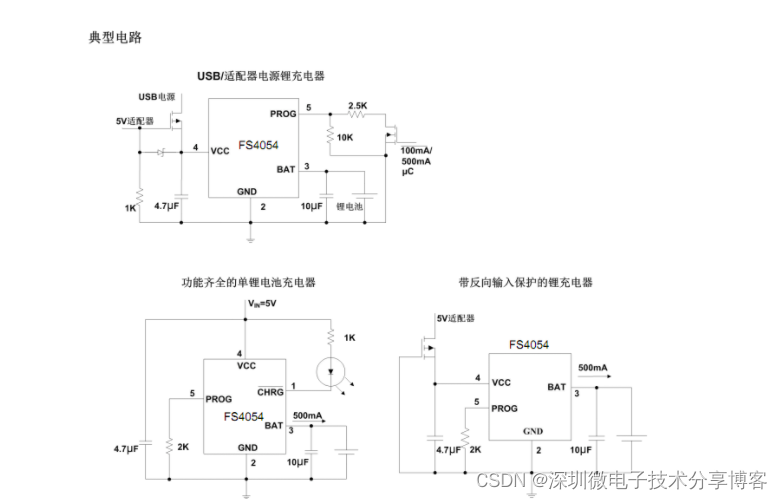
Complete scheme diagram of lth7 five pin chip fs4054 charging circuit principle
随机推荐
数学基础课2_欧拉函数,线性筛,扩欧
MySQL workbench basically uses [create a data table]
Loadng class `com.mysql.jdbc.Driver‘. This is deprecated. The new driver class is `com.mysql.cj.jdb
Simple chrome script automatically skips the charging acknowledgment page after the video playback of station B ends
Vscode instant English translation plug-in [translation (English Chinese Dictionary)]
嵌入式C语言重点(const、static、voliatile、位运算)
有线电视网(树上分组)
Hra2460d-2w high voltage power supply high voltage module - high voltage - high precision hra2460d-2w
數學基礎課2_歐拉函數,線性篩,擴歐
Decorate Apple Tree
Go language introduction and application scenario analysis
HRA2460D-2w高压电源高压模块-高压---高精度hra2460d-2w
解决Cannot read properties of null (reading ‘pickAlgorithm‘)
HRA隔离系列 宽电压输入 正负高电压稳压输出
4-20MA转0-5KHz,5V脉冲转换器
4-20mA to 4-20mA 0-5V to 0-5V analog signal isolation transmitter
Isolate 4-20mA or 0-20mA signal transmission
5-17陕西科技大学的隐藏学生服务
三角形牧场 (0/1背包)
Hm9922 switching buck LED constant current driver IC