当前位置:网站首页>Flink1.7从安装到体验
Flink1.7从安装到体验
2022-07-16 14:46:00 【华为云】
欢迎访问我的GitHub
这里分类和汇总了欣宸的全部原创(含配套源码):https://github.com/zq2599/blog_demos
- 本文实战Flink1.7的安装和Demo运行过程;
步骤介绍
- 准备工作;
- 下载Flink1.7;
- 安装Flink1.7;
- 启动Flink1.7;
- 体验Flink1.7;
准备工作
- 以下是本次实战的环境信息:
- 操作系统:CentOS Linux release 7.5.1804
- JDK:1.8.0_191
- nc工具:7.50(安装命令是yum install nmap-ncat.x86_64)
- 注意:
- 我在vmware的ubuntu16上试过,启动后Managers、Slots、Available Task Slots的数量都为零,但在实体机器上是没有问题的;
- CentOS请注意关闭防火墙;
下载Flink1.7
- 在Flink官网下载,地址是:https://flink.apache.org/downloads.html
- 如下图,选择红框中的版本:

安装Flink1.7
- Flink1.7的安装很简单,解压即可,如下所示:
- 下载的Flink安装包文件是flink-1.7.0-bin-hadoop28-scala_2.11.tgz,放在此位置:/usr/local/work;
- 在/usr/local/work目录下执行命令tar -zxvf flink-1.7.0-bin-hadoop28-scala_2.11.tgz解压,会生成一个文件夹:flink-1.7.0
启动Flink1.7
- 在文件夹flink-1.7.0下执行命令./bin/start-cluster.sh即可启动Flink,启动信息如下:
[[email protected] flink-1.7.0]# ./bin/start-cluster.sh Starting cluster.Starting standalonesession daemon on host vostro.Starting taskexecutor daemon on host vostro.- 在flink-1.7.0/log目录下可以看到名为flink-root-standalonesession-0-vostro.log的日志文件(您的文件名和我这里略有不同,vostro是我的主机名,root是当前账号),内容如下:
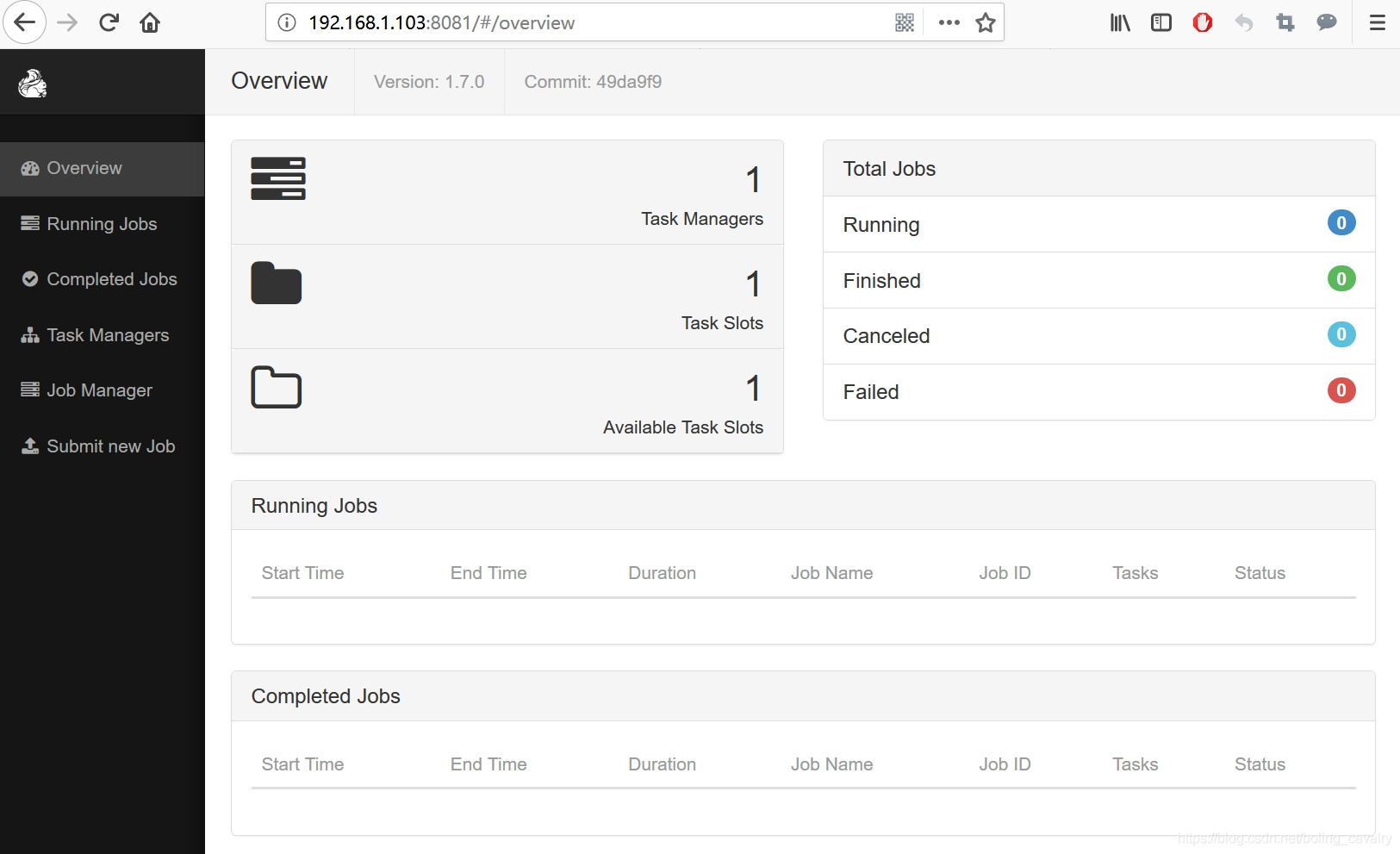
2018-12-16 16:51:00,658 INFO org.apache.flink.runtime.dispatcher.DispatcherRestEndpoint - Rest endpoint listening at localhost:80812018-12-16 16:51:00,658 INFO org.apache.flink.runtime.dispatcher.DispatcherRestEndpoint - http://localhost:8081 was granted leadership with leaderSessionID=00000000-0000-0000-0000-0000000000002018-12-16 16:51:00,658 INFO org.apache.flink.runtime.dispatcher.DispatcherRestEndpoint - Web frontend listening at http://localhost:8081.2018-12-16 16:51:00,760 INFO org.apache.flink.runtime.rpc.akka.AkkaRpcService - Starting RPC endpoint for org.apache.flink.runtime.resourcemanager.StandaloneResourceManager at akka://flink/user/resourcemanager .2018-12-16 16:51:00,777 INFO org.apache.flink.runtime.rpc.akka.AkkaRpcService - Starting RPC endpoint for org.apache.flink.runtime.dispatcher.StandaloneDispatcher at akka://flink/user/dispatcher .2018-12-16 16:51:00,803 INFO org.apache.flink.runtime.resourcemanager.StandaloneResourceManager - ResourceManager akka.tcp://[email protected]:6123/user/resourcemanager was granted leadership with fencing token 000000000000000000000000000000002018-12-16 16:51:00,804 INFO org.apache.flink.runtime.resourcemanager.slotmanager.SlotManager - Starting the SlotManager.2018-12-16 16:51:00,847 INFO org.apache.flink.runtime.dispatcher.StandaloneDispatcher - Dispatcher akka.tcp://[email protected]:6123/user/dispatcher was granted leadership with fencing token 00000000-0000-0000-0000-0000000000002018-12-16 16:51:00,849 INFO org.apache.flink.runtime.dispatcher.StandaloneDispatcher - Recovering all persisted jobs.2018-12-16 16:51:01,601 INFO org.apache.flink.runtime.resourcemanager.StandaloneResourceManager - Registering TaskManager with ResourceID a0692f62811e0452256484a5e46ec5ed (akka.tcp://[email protected]:40228/user/taskmanager_0) at ResourceManager2018-12-16 17:19:09,663 INFO org.apache.flink.runtime.entrypoint.ClusterEntrypoint - RECEIVED SIGNAL 15: SIGTERM. Shutting down as requested.2018-12-16 17:19:09,663 INFO org.apache.flink.runtime.blob.TransientBlobCache - Shutting down BLOB cache2018-12-16 17:19:09,668 INFO org.apache.flink.runtime.blob.BlobServer - Stopped BLOB server at 0.0.0.0:35234我的机器IP地址为192.168.1.103,因此在浏览器访问http://192.168.1.103:8081,可以见到如下信息:

至此,Flink1.7安装、部署、启动完成;
体验Flink1.7
- 在机器上执行以下命令连接本机9000端口:
nc -l 9000- 在文件夹flink-1.7.0下执行以下命令,即可监听本机9000端口,等待该端口的数据:
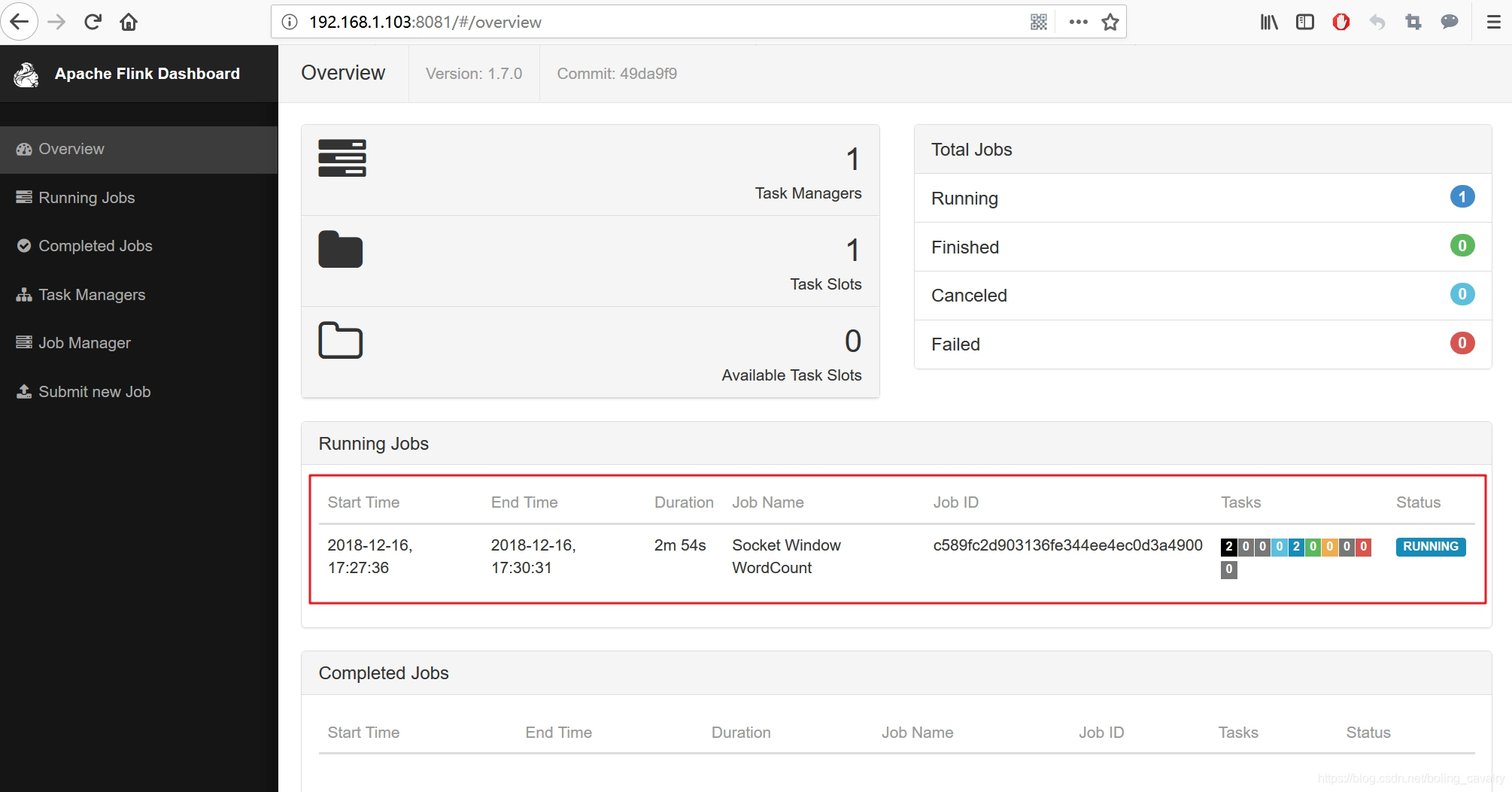
./bin/flink run examples/streaming/SocketWindowWordCount.jar --port 9000- 此时再去刷新web页面,可见如下信息,新增了一个Job:
- 在执行了nc -l 9000命令的窗口,输入一些句子,每输完一个就按下回车键,如下:
[[email protected] work]# nc -l 9000hello flink worldaaa bbb cccflink startstart flink study, flink go- 这样就将上述字符串发送到本机9000端口;
- 在flink-1.7.0/log目录下,会有flink-root-taskexecutor-0-vostro.out文件出现,您的文件名可能略有不同,其中vostro是我这边的主机名,root是当前账号,打开这个文件看看,出现以下内容:
[[email protected] work]# nc -l 9000hello flink worldaaa bbb cccflink startstart flink study, flink go可见任务已正常执行,每个句子中的单词数量都被统计出来了;
至此,我们完成了Flink的初体验,在后续的实战中咱们再一起逐渐深入的体验Flink这个强大的框架;
欢迎关注华为云博客:程序员欣宸
边栏推荐
- uCOS-III学习笔记——时间片轮转
- mysql的连接查询
- Exception handling after MySQL IBD file undelete recovery ---- Xi Fenfei
- 一文详解图像中的无监督学习
- 复盘:池化层(Pooling)的反向传播过程,平均池化,最大值池化都是如何反向传播的
- 事务隔离级别
- Typora更换MarkText,Mark Text下载,MarkText调出工具栏和大纲栏、设置文本编辑区宽度、编辑快捷键。
- 图扑软件构建源网荷储用体系 打造循环经济2.0版本
- Detailed summary of dynamic memory management (C language)
- 11(1).C语言之结构体,如何定义结构体,获取结构体
猜你喜欢

认识JVM

【无标题】

Halcon and C # detect surface defects - ROI interaction (III) (functions such as synchronous scaling and clipping with pictures)
![[英雄星球七月集训LeetCode解题日报] 第16日 队列](/img/0d/157ede29995f32163f8db01398de9a.png)
[英雄星球七月集训LeetCode解题日报] 第16日 队列

P1789 【Mc生存】插火把【入门】
excel从右边查找字符并截取

Error :Could not decode ... With “UTF-8“-encoding. Editing not possible
Excel finds characters from the right and intercepts them

impala高级设置之BROADCAST_BYTES_LIMIT

Talk about promise
随机推荐
The principle and implementation of ring queue
双动点相对运动破解
【golang】cannot unmarshal xxx “ into Go struct field xxx of type xxx
Halcon and C # detect surface defects - ROI interaction (III) (functions such as synchronous scaling and clipping with pictures)
Translation and interpretation of the paper: learning logic rules for reasoning on knowledge graphs [rnnlogic]
LeetCode高频题:三个长度为N的无序数组A,B,C,求 A[i] + B[j] + C[k] = 64 的(i , j, k )的组合总数量
【C语言刷LeetCode】1432. 改变一个整数能得到的最大差值(M)
ImportError: DLL load failed: 找不到指定的模块。
Error :Could not decode ... With “UTF-8“-encoding. Editing not possible
文件的使用详解
Software testing interview questions: briefly describe what is static testing, dynamic testing, black box testing, white box testing α Testing β Testing?
Software testing interview question: what is the software quality assurance system? What are the national standards related to quality assurance management? What is their number and full name?
Go tool objdump disassembly instructions
【C语言刷LeetCode】539. 最小时间差(M)
【Ucos-III源码分析】——事件标志组
环形队列的原理以及实现
CAN光端机解决泰和安TX3016C消防主机长距离联网问题
重写equals为什么要重写hashcode
ssd训练自己的数据集
【Ucos-III源码分析】——内存管理机制