当前位置:网站首页>Shell脚本变量、脚本编写和执行(部署Apache与远程备份MySQL数据库)
Shell脚本变量、脚本编写和执行(部署Apache与远程备份MySQL数据库)
2022-07-17 00:16:00 【星辰为谁变】
1、Shell脚本基础
(1)查看Shell脚本种类,使用/bin/bash
cat /etc/shells
/bin/sh
/bin/bash
......
(2)创建一个Shell脚本
vim first.sh                              (新建first.sh文件)

#!/bin/bash                               (特殊脚本说明)
#This is my first Shell-Script.           (第一个Shell脚本)
cd /boot
echo "当前目录位于:"
pwd
echo "其中以vml开头的文件包括:"
ls -lh vml*


chmod +x first.sh      (添加可执行权限)


./first.sh            (直接运行脚本文件)
2、 重定向与管道操作
(1)重定向输出: >(覆盖)
uname -p > kernel.txt
cat kernel.txt

(以下为显示)
x86_64
(2)重定向输出: >>(追加)
uname -r >> kernel.txt
cat kernel.txt

(以下为显示内容)
x86_64
3.10.0-514.el7.x86_64
(3)重定向输入: <
useradd zhangsan    (创建用户)
vim pass.txt
(添加123456)

passwd --stdin zhangsan < pass.txt        (将密码改为123456)
(4)错误输出: 2> 或2>>
tar jcf /nonedir/etc.tgz /etc/ 2> error.log
cat error.log    (显示没有那个目录)
混合输出: &>
插入光盘
编写一个安装Apache的脚本
vim   httpd.sh

#!/bin/bash
mount /dev/cdrom /media
cd /media
rpm  -ivh apr-1.4.8-3.el7.x86_64.rpm
rpm  -ivh apr-devel-1.4.8-3.el7.x86_64.rpm
rpm  -ivh cyrus-sasl-devel-2.1.26-20.el7_2.x86_64.rpm
rpm  -ivh expat-devel-2.1.0-8.el7.x86_64.rpm
rpm  -ivh libdb-devel-5.3.21-19.el7.x86_64.rpm
rpm  -ivh openldap-devel-2.4.40-13.el7.x86_64.rpm
rpm  -ivh apr-util-devel-1.5.2-6.el7.x86_64.rpm
rpm  -ivh apr-util-1.5.2-6.el7.x86_64.rpm
rpm  -ivh pcre-devel-8.32-15.el7_2.1.x86_64.rpm
rpm  -ivh pcre-8.32-15.el7_2.1.x86_64.rpm
tar zxf httpd-2.4.25.tar.gz -C /usr/src/ &>  /dev/null
cd /usr/src/httpd-2.4.25/
./configure --prefix=/usr/local/httpd --enable-so  --enable-rewrite  --enable-charset-lite --enable-cgi &> /dev/null
make &> /dev/null
make install &> /dev/null
/usr/local/httpd/bin/apachectl restart
编写完成后,执行下面命令
chmod +x httpd.sh(设置可执行权限)
./httpd.sh
访问127.0.0.1(回环地址),显示It works!即可
(6)管道符: | 将一个命令执行的结果交给后一个命令执行
先查看以‘/bin/bash’结尾的行’
grep "/bin/bash$" /etc/passwd只输出用户名和登录的shell列
grep "/bin/bash$" /etc/passwd | awk -F: '{print $1,$7}'
提取根分区的磁盘使用率信息
df -hT | grep "/$" | awk '{print $6}'3、使用Shell变量
(1)定义新的变量
变量名=变量值
查看变量名的值:echo $变量名
product=python
version=2.7.13
echo $product
echo $product $version
(2)双引号: "
双引号使用("):赋值的内容包含空格时
python="python 2.7.13"
echo $python
sqlserver="sqlserver $version"
echo $sqlserver
(3)单引号: '
单引号使用('):赋值的内容中包含$,”,\等具有特殊含义的字符时
sqlserver='sqlserver $version'

echo $sqlserver
(4)反撇号: `
反撇号使用(`):用于将某个命令的输出结果赋值给变量
ls -lh `which useradd`$()来代替反撇号操作,可以解决嵌套的问题
rpm -qc $(rpm -qf $(which useradd))4、数值变量的运算
数值变量的运算加(+),减(-),乘(\*),除(/),求模(%)
x=35
y=16
expr $x + $y
51

expr $x - $y
19

expr $x \* $y
560

expr $x % $y
3
ycube=`expr $y \* $y \* $y`

echo $ycube
4096
5、特殊的shell变量
(1)、位置变量(系统自身就有)
位置变量也称之为位置参数,使用$1,$2,$3,$4......%9
vim a.sh

#!/bin/bash
sum=`expr $1 + $2`
echo "$1 + $2 = $sum"


chmod +x a.sh
./a.sh 10 20

10 + 20 = 30
(2)预定义变量(系统自身就有)
$#(表示命令行中位置参数的个数)
$*(表示所有位置参数的内容)
$?(表示前一个命令执行后的返回状态,返回值为0表示执行正确,非0表示出现异常)
$0(表示当前执行的脚本或程序的名称)
vim mybak.sh

tarfile=beifen-`date +$s`.tar.gz
tar czf $tarfile $* &> /dev/null
echo "一致性 $0 脚本"
echo "共完成 $#  个对像备份"
echo "集体内容包括:$*"

chmod +x mybak.sh
./mybak.sh /etc/passwd /etc/shadow

一致性 ./mybak.sh 脚本
共完成 2  个对像备份
集体内容包括:/etc/passwd /etc/shadow


ls -lh beifen-*
-rw-r--r--. 1 root root 1.4K 5月  14 11:42 beifen-.tar.gz
6、远程自动备份MySQL数据库
(1) 在服务器A上创建两个数据库,分别是benet和accp
在数据库里输入

create database benet;

create database 123;
(2)在服务器端A上建立一个专用的数据库用户,这里我使用root账户,授予root账户对可以通过远程主机192.168.1.10连接A
在数据库里输入

grant all on *.* to 'root'@'192.168.1.10' identified by '123456';
(3)在备份主机B上备份测试,查看是否备份成功
mysqldump -u root -p123456 -h 192.168.1.10 --databases benet > benet.sql (4)在备份主机B上编写脚本,之前需要创建备份目录 mkdir -p /opt/beifen,然后编写脚本。
vim  mysqlbak.sh


#!/bin/bash
my_user="root"
my_pass="123456"
my_host="192.168.1.20"
my_conn="-u $my_user -p$my_pass -h $my_host"
my_db1="benet"
my_db2="accp"
bf_dir="/opt/beifen/"
bf_cmd="/usr/local/mysql/bin/mysqldump"
bf_time=`date +%Y%m%d-%H%M`
name_1="$my_db1-$bf_time"
name_2="$my_db2-$bf_time"
cd $bf_dir
$bf_cmd $my_conn --databases $my_db1 > $name_1.sql
$bf_cmd $my_conn --databases $my_db2 > $name_2.sql
/bin/tar czf $name_1.tar.gz $name_1.sql --remove &> /dev/null
/bin/tar czf $name_2.tar.gz $name_2.sql --remove &> /dev/null
设置x的权限chmod +x mysqlbak.sh,并执行备份脚本./mysqlbak.sh
(5)查看备份结果
ls -lh /opt/beifen/ (6)设置计划任务
mv  mysqlbak.sh  /opt/beifen

crontab  -e

00 22 * * * /opt/beifen/mysqlbak.sh        (每晚十点执行自动备份)

date -s 21:59:55 (将Linux时间改为晚上九点五十九分五十五秒)边栏推荐
- 流量回放工具gor使用经验
- Decentralized edge rendering meta universe protocol cadeus was invited to attend the cbaia 2022 summit to enable more Web3 application scenarios with technology
- 简单记录一下并查集
- Sword finger offer 48 The longest substring without repeated characters
- 西加加
- Array Transformer-分块思想
- 性能之流量回放
- Make a simple record and check the set
- 脏读、幻读、不可重复读
- InnoDB, MySQL structure, and the difference between the three kinds of deletion
猜你喜欢

How to add software shortcuts to the right mouse button list

Server knowledge (details)
服务器知识(详情)

Detailed explanation of caduceus project of metauniverse public chain (I): project concept and technical framework of caduceus metaverse protocol

初识阿里云环境搭建:无法远程连接,入过的坑:服务器ping不通,FTP搭建,服务器搭建数据库,远程连接服务器数据库

SSTI template injection

JMeter response time test component & multi interface concurrency
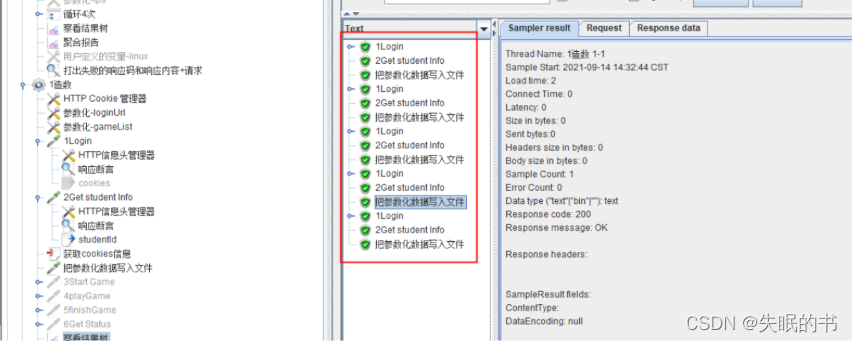
The JMeter BeanShell implementation writes the parameterized data generated by the request to the file

PowerStor500T报错0x01806803

Use of sqlmap
随机推荐
PowerStor500T报错0x01806803
初识阿里云环境搭建:无法远程连接,入过的坑:服务器ping不通,FTP搭建,服务器搭建数据库,远程连接服务器数据库
BeanShell script gets the current time
D - parity game discretization + weighted union search set
STL -- stack container
Test points of login function
使用Grafana8.5.2显示zabbix6.0的信息
Method of JMeter connecting to database
性能之流量回放
Understand inheritance, polymorphism, abstraction and their concepts
Bugku problem solution
Server knowledge (details)
STL -- deque container
使用JMeter测试基于WebSocket协议的服务
Interface (collection/map) - implementation and comparison of interfaces
Attack and defense world - easytornado notes
Find() (if the name is used by too many people, I will add words)
Metersphere is based on JMeter distributed performance pressure testing platform
深入性能测试数据分析
2022最新软件测试工具大全