当前位置:网站首页>Network Security Learning (Qianfeng network security notes) 1-- building virtual machines
Network Security Learning (Qianfeng network security notes) 1-- building virtual machines
2022-07-19 10:02:00 【Watermelon that loves programming】
Network Security Learning ( Qianfeng network security video notes )1– Build a virtual machine
virtual machine (winxp,win7,win2003,win2008) Installation
Virtual machine usage VM
General steps for configuring virtual machines :
One 、 Hardware configuration and system installation of virtual machine
Two 、 Optimize virtual machines , Such as calling up the desktop icon 、 install VMtools、 Partition management 、、 Take a snapshot 、 Cloning, etc
List of articles
Deploy win System
Hardware configuration and system installation of virtual machine
1. Deploy winxp
loading win The system selects a typical installation
loading linux The system selects custom 
What is a mirrored file ?
The so-called image file is actually the same as rar ZIP The compressed package is similar to , It makes a specific series of files into a single file in a certain format , To facilitate users to download and use , For example, an operating system 、 Games etc. . Its most important feature is that it can be recognized by specific software and can be directly recorded on CD . In fact, the image file in the usual sense can be expanded , More information can be included in the image file . For example, system files 、 Boot file 、 Partition table information, etc , In this way, the image file can contain all the information of a partition or even a hard disk . Generally speaking, the recording software can directly record the contents contained in the supported image file to the disc . Actually , The image file is the disc " Extract ".
Choose install later 

Choose the position to install 
Allocate resources to virtual machines
It is best to choose a single file here , Easy to manage and migrate in the future 
Then click finish , Hardware resources can be changed randomly in the future .

After completion, it will be basically successful , Just put the image file
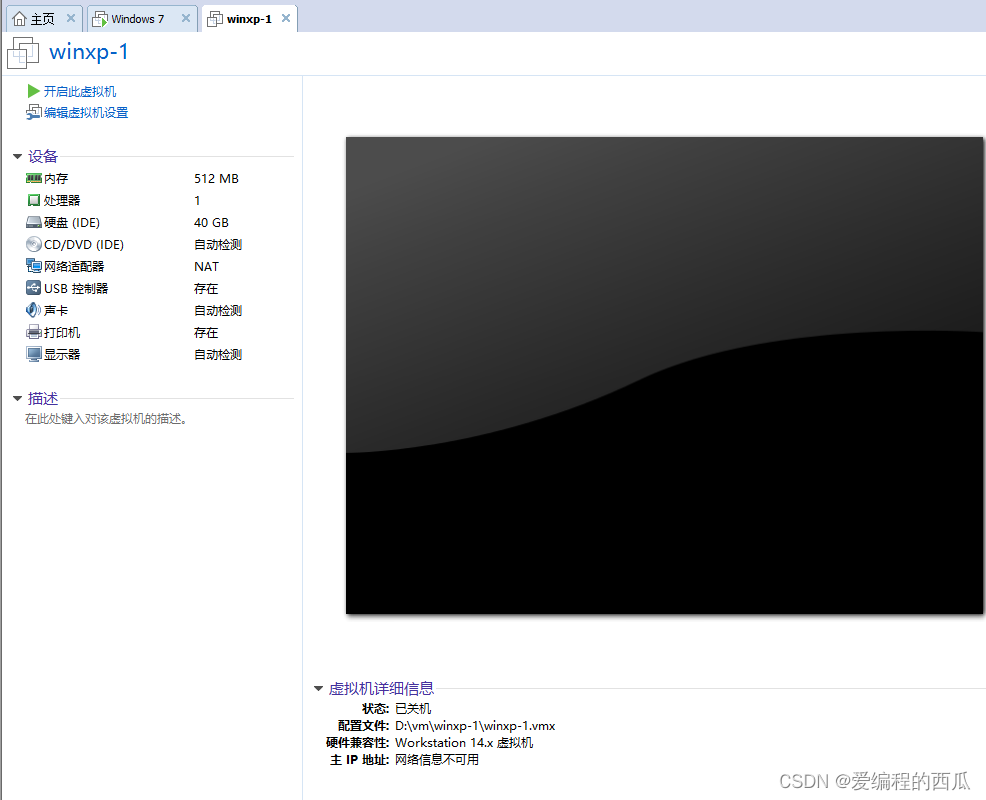
Double click the CD to install the image file 
Click image to browse , Find the image file OK La .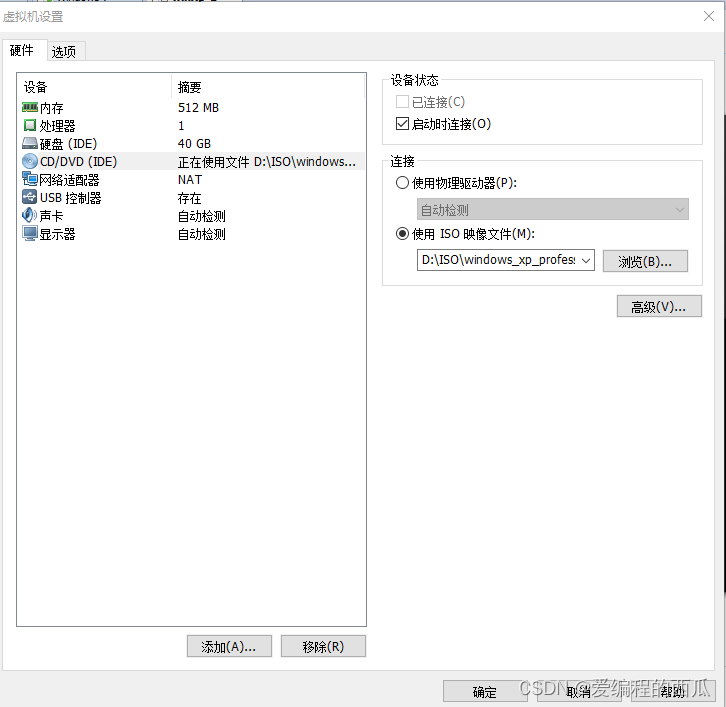
The installation is completed when the system starts successfully , Then follow the prompts to complete the installation .
Press ctrl+alt You can switch the mouse with the virtual machine .
Then select here and press C, Let's divide C disc

Stroke fraction 10 individual G As C Plate is enough

Then press enter( The cursor must reach C disc !)
Here we have to choose NTFS( fast ), That's the first line .
After installation , The system will restart automatically , And then just wait .

Name the company and fill it in casually 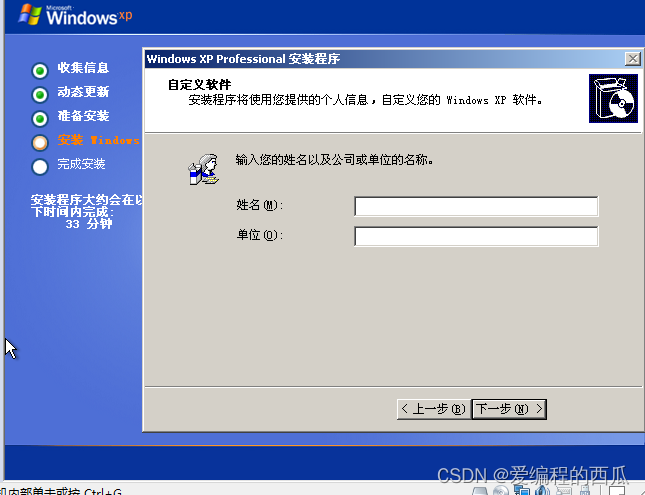
Then the key Baidu can .
Just take this step casually
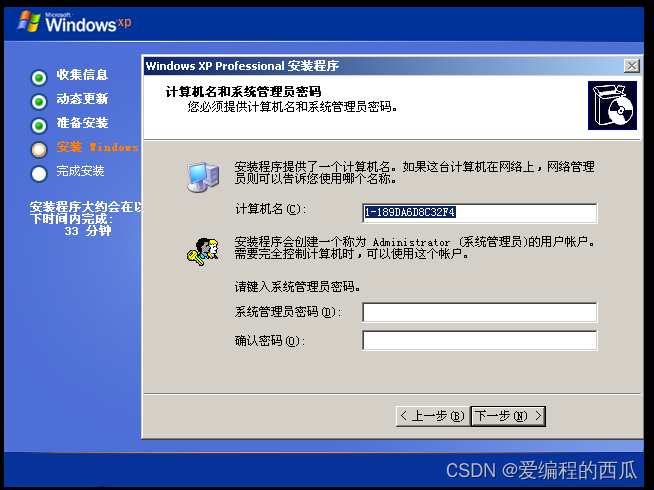
These random , Don't stop next , Wait to complete the hardware configuration and system installation
2. Deploy win2003
The steps are almost identical , Some subtle differences are as follows 
We must not press Ctrl-Alt-Delete,win2003 Press the button on the virtual machine when starting up 
Click here to finish 
3. Deploy win7
Click Customize here 
Drive options ( senior )-- newly build -- size :20480 – application 
next step , wait for 
Any user name 
Turn off automatic updates and firewalls 
Turn off automatic updates and firewalls
4. Deploy win2008
Search box input icon, choice Show or hide common icons on the desktop
The other operations are the same 
Optimize virtual machines
1. install VMware Tools, Install drivers for virtual machines

Then follow the prompts and continue to take the next step .
2. Call up the desktop icon
Right click on the desktop , Then click Properties 
Then click on the desktop 
Then click customize desktop , Check all , Sure you can. .

3. Disk management
Right click on my computer , Click on the management , Click disk management 
Right click unassigned 30G disk space , Click new disk 
Select the primary partition .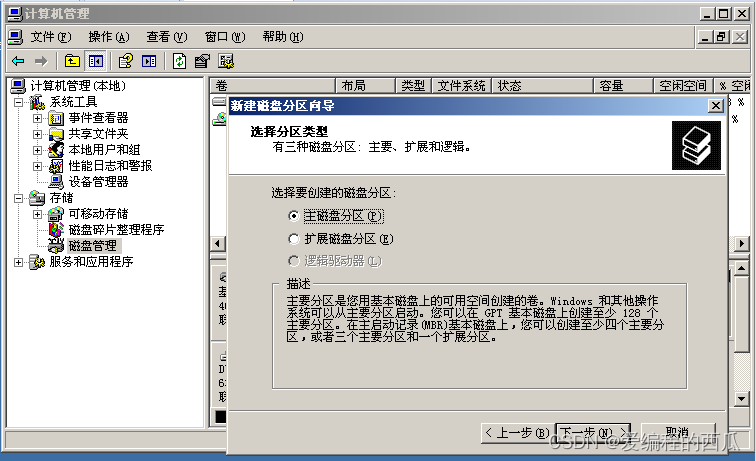
And then click next 
next step 
Click to perform quick formatting , And then the next step

Then finish it .
4. Take a snapshot ( It is recommended to shut down and do it )
Click the third clock button

Click to take a snapshot , Then fill in the information , Click to take a snapshot , that will do 

5. clone ( You need to shut down the virtual machine first )
Click Manage snapshots
Click clone 
Click next 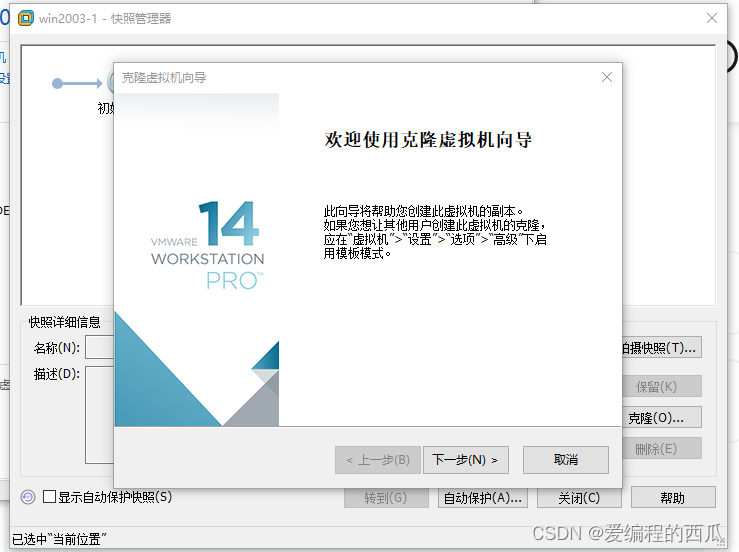
Clone with snapshot as template , And then click next
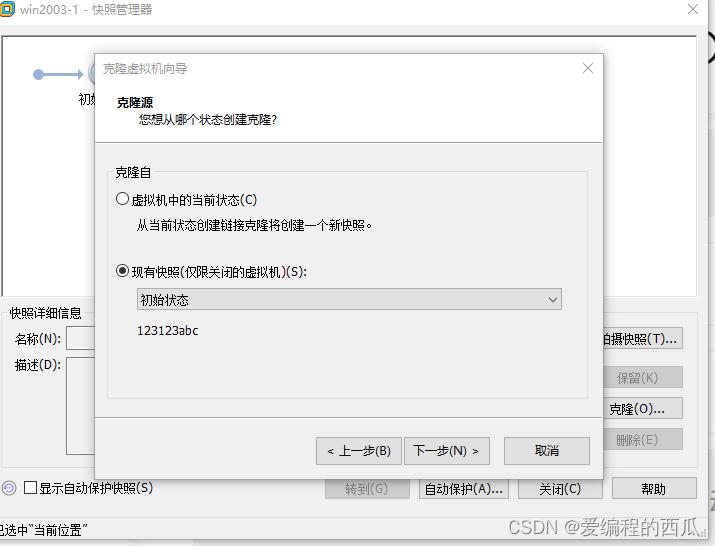
Link cloning , If the original virtual machine is killed , Then the cloning machine will not be used . Complete cloning , The original virtual machine was killed , Does not affect its use . Here we choose link cloning .
Select the name and storage location, and then click Finish 
边栏推荐
- [565. Array nesting]
- 流量排名100W网站
- Programmer growth Article 21: when assigning tasks, we should consider the growth of employees.
- [C language] involves constants and variables
- Excel数据插入Mysql数据库可能遇到的问题
- 2022-07-16: what is the output of the following go language code? A:[]; B:[5]; C:[5 0 0 0 0]; D:[0 0 0 0 0]。 package main imp
- 镧系金属有机骨架([email protected])|罗丹明6G修饰MOF材料|过氧化氢酶@ZIF复合材料|mof材料
- Brilliant use output
- 华为无线设备配置动态负载均衡
- 纳米银颗粒负载UiO-66|Fe3O4/Cu3(BTC)2金属有机骨架(MOF)纳米复合材料|NaGdF4:Yb,Er上转换纳米粒子@ZIF-8
猜你喜欢

Add - before the command in makefile to ignore the error caused by the command and continue to execute the next command

18. Shell Scripting (1)

工程效能CI/CD之流水线引擎的建设实践

SSH連接華為ModelArts notebook

Huawei Shengsi mindspire detailed tutorial

Chapter 4 - first order multi-agent system consistency - > switching topology system consistency
![[200 opencv routines] 233 Moment invariants of regional features](/img/03/8d4bd81a839f18142e7ee14adbfa40.png)
[200 opencv routines] 233 Moment invariants of regional features

Story of status code

纳米银颗粒负载UiO-66|Fe3O4/Cu3(BTC)2金属有机骨架(MOF)纳米复合材料|NaGdF4:Yb,Er上转换纳米粒子@ZIF-8

氨基的金属-有机骨架材料Fe-MOF,Fe-MIL-88NH2|Zr基金属-有机骨架催化剂(Pt-UiO-66)|齐岳生物
随机推荐
等价域名
cmake -- 笔记
VIM details
【565. 数组嵌套】
水下机器人ROV和AUV
[C language] storage of shaping data
Es index, type (mapping), document, IK word breaker
流量排名100W网站
Redis cache avalanche
【C语言】字符串、转义字符及注释
数据包知识
Detailed explanation of C51 common data types
壳聚糖包裹PCN224纳米粒子|金属-有机骨架Fe-MIL-88NH2|镍基MOF材料(Ni-MOF/NF)
华为无线设备配置动态负载均衡
Chapter 4 - first order multi-agent system consistency - > switching topology system consistency
Series operation of vector container (detailed explanation)
金纳米粒子修饰MIL-101骨架材料(AuNPs/MIL-101)/负载COF-TpPa-1(Au NPs/COF-TpPa-1)|齐岳试剂
状态码的故事
set、vector与list的构造与排序的耗时测试
Rhcsa day 1 7.11