当前位置:网站首页>Wsl2 best practices, eliminate difficult xshell and finalshell
Wsl2 best practices, eliminate difficult xshell and finalshell
2022-07-26 04:34:00 【Salted egg yolk pie】
1、 install WSL2
1.1 precondition
- confirm Windows System version
- Turn on Virtualization
1.1.1 confirm Windows System version
Must run Windows 10 edition 2004 And higher ( Internal version 19041 And higher ) or Windows 11.
WIN + R Input winver Check the system version ,19041 You can continue to read the above ( If the version is too low, you can go to the Microsoft official website to download the tool for upgrading )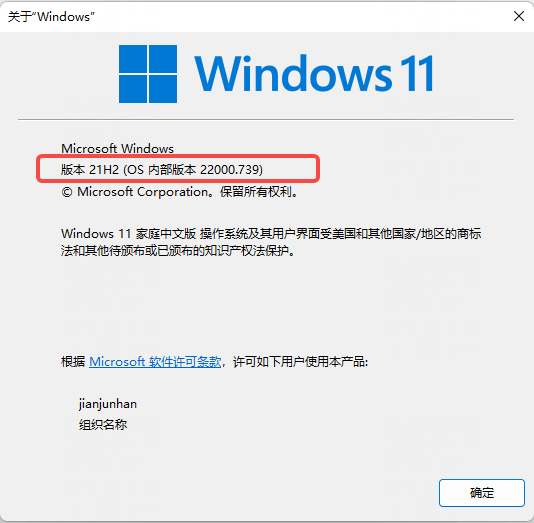
1.1.2 Turn on Virtualization
1、 Find... In the search Start or close Windows function .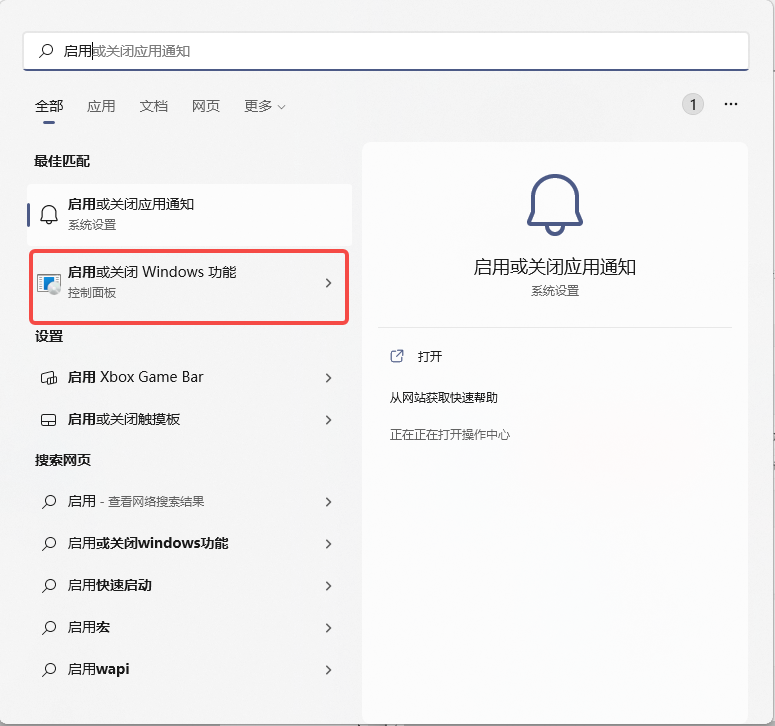
2、 Check the following two options 
1.2 Installation steps
1、 start-up WSL. Open as administrator PowerShell, And then in PowerShell in , Enter the following command .
dism.exe /online /enable-feature /featurename:Microsoft-Windows-Subsystem-Linux /all /norestart
2、 Turn on the virtual machine function . Also in PoweShell Enter the following command in . After entering the command , To restart the computer , Then proceed to the third step .
dism.exe /online /enable-feature /featurename:VirtualMachinePlatform /all /norestart

3、 download Linux Kernel update package , And install .
Download address :https://wslstorestorage.blob.core.windows.net/wslblob/wsl_update_x64.msi
4、 take WSL2 Set to default version . open PowerShell, Then install the new Linux Run the following command at release time , take WSL 2 Set to default version , The order is as follows .
wsl --set-default-version 2

notes : After installation , You can install the corresponding Linux It's released , Here we use Ubuntu20.4( because CentOS Is the charge ).
1.3 install Ubuntu Distribution version
1、 stay Windows The app store (https://aka.ms/wslstore ) Choose from Ubuntu 20.04 LTS.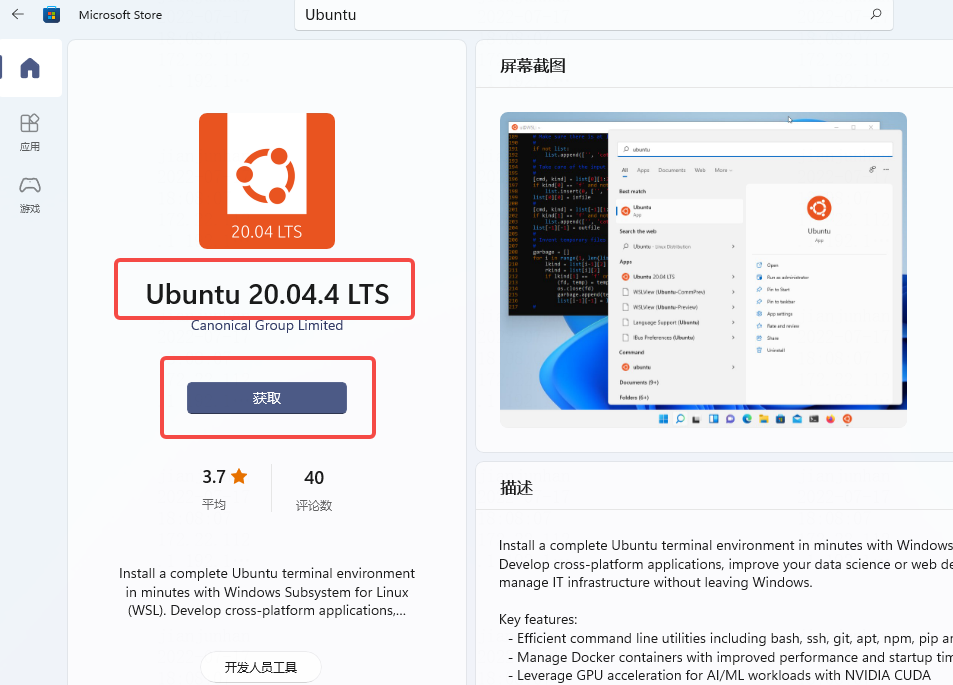
2、 After installation , You can use it . If it is the first time to enter , You need to set the user name and password . After entering the system , You can use the following command to view the current Ubuntu Version of .
lsb_release -a

2、 install Windows Terminal
Windows It is suggested that WSL And Windows Terminal In combination with , Especially when planning to use multiple command lines .Windows Terminal The operation interface of is more humanized , Its main functions include multiple tabs 、 Panes 、Unicode and UTF-8 Character support 、GPU Accelerated text rendering engine , You can also use it to create your own theme and customize the text 、 Color 、 Background and shortcuts .
2.1 Installation steps
Also open Microsoft mall , Search for Terminal Get and download 
notes : I won't demonstrate more here , Relatively simple
After installation , open Windows Terminal Input “ wsl -l -v ” Check it out. VERSION Show 2 That's fine .

2.2 Set theme and shortcut keys
The terminal theme file is placed below , download
settings.json
1、 open Windows Terminal.

2、 Click Settings , In the startup options , Set the default configuration file to ubuntu( Make sure we install it every time you open it Linux Distribution version )

3、 Open and edit json file 
4、 Replace the contents of the file , And click save 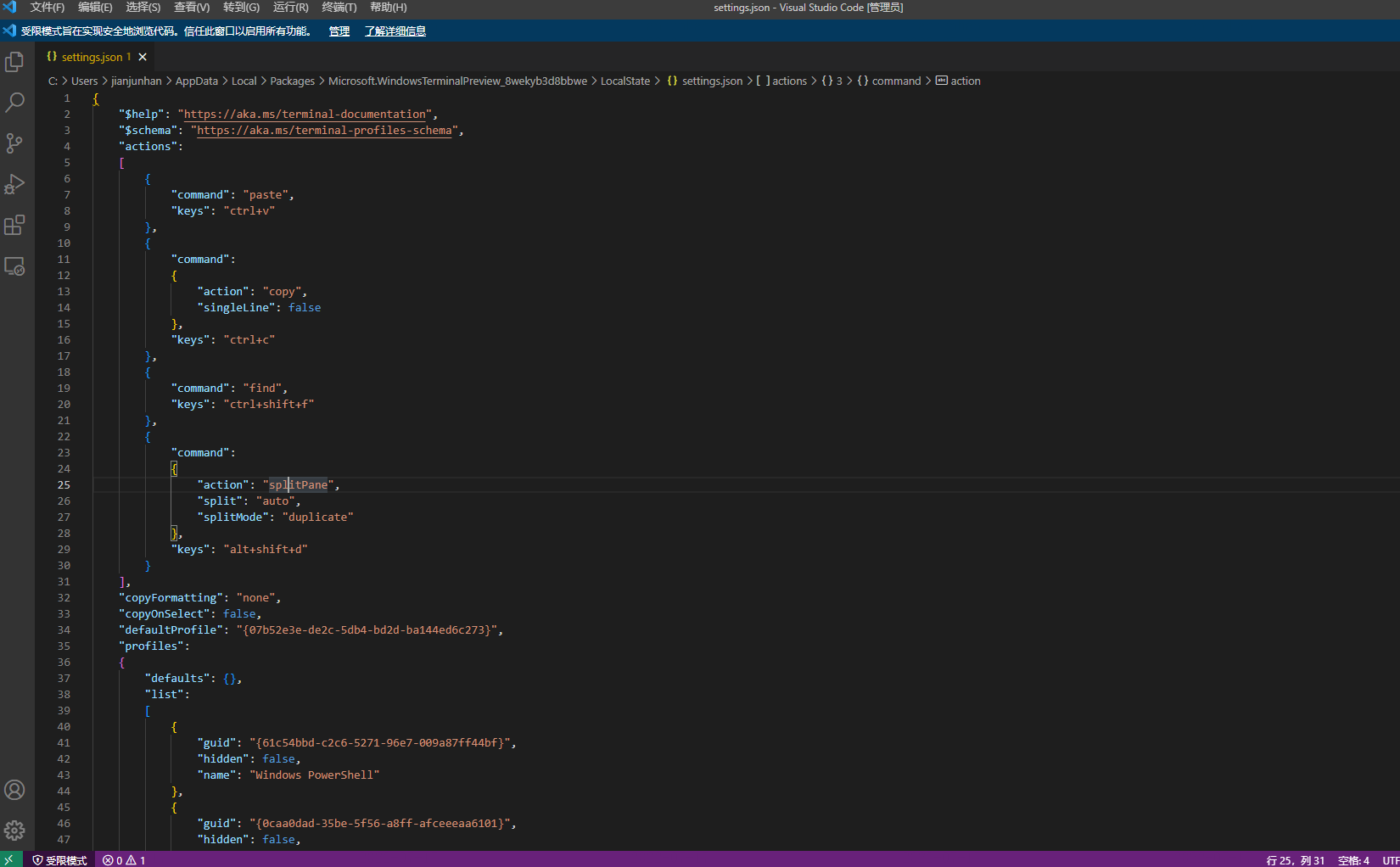
3、WSL combination VS Code
4、 Reference website
边栏推荐
- 【UOJ 429】串串划分(Runs)(容斥)+ 有关 Lyndon Tree 及其应用的小小记录
- 使用百度飞桨EasyDL完成垃圾分类
- Calculate the curvature of discrete points (matlab)
- 【学习笔记】AGC041
- 数据仓库
- Network Security Learning - permission promotion 2
- 3、 @requestmapping annotation
- 2022河南萌新联赛第(三)场:河南大学 J - 神奇数字
- Use Baidu PaddlePaddle easydl to complete garbage classification
- RTSP/Onvif协议视频平台EasyNVR服务一键升级功能的使用教程
猜你喜欢

A series of problems about the number of DP paths
第三篇如何使用SourceTree提交代码

Wu Enda's machine learning after class exercises - logical regression

Build a maker Education Laboratory for teenagers

2022 Henan Mengxin League game (3): Henan University L - synthetic game

UE4 keyboard control switch light

使用百度飞桨EasyDL完成垃圾分类

How does win11 change the power mode? Win11 method of changing power mode

人脸数据库收集总结

理性认知教育机器人寓教于乐的辅助作用
随机推荐
Face database collection summary
How does win11 change the power mode? Win11 method of changing power mode
Tutorial on using the one click upgrade function of the rtsp/onvif protocol video platform easynvr service
10、 Interceptor
Calculate the curvature of discrete points (matlab)
建设面向青少年的创客教育实验室
Autocomplete prevents the form from automatically filling in
SwiftUI一日速成
十一、异常处理器
autocomplete禁止表单自动填充
qt编译报错整理及Remote模块下载
Life related - ten years of career experience (turn)
Integrated architecture of performance and cost: modular architecture
[uoj 429] runs (inclusive) + a little record about Lyndon tree and its application
力扣每日一题-第42天-661. 图片平滑器
使用百度飞桨EasyDL完成垃圾分类
2022 Henan Mengxin League game (3): Henan University L - synthetic game
Is this my vs not connected to the database
Array sort 1
3、 @requestmapping annotation