当前位置:网站首页>树莓派记录
树莓派记录
2022-07-16 17:53:00 【tea9】
没有显示器如何连树莓派
1.参考的是这里 如果没有显示器如何愉快玩树莓派|明明白白玩 Pi 系列之二
我使用的是用网线直接连的
用网线连接电脑
打开系统偏好设置-共享-互联网共享
ssh连接 ssh [email protected]
咱们的默认账户是:pi pi账户的默认密码是:raspberry 123456
2.用手机连接 usb口连接树莓派 typec口连接手机 用vpn热点apk 打开usb网络共享 然后在使用termux连接树莓派 ssh [email protected]
vpn热点.apk 链接: https://pan.baidu.com/s/19hK5uQfWyKsNC90kN1kgUw 密码: s1ku termux.apk 链接: https://pan.baidu.com/s/16gJLA4EJ2xxfm6N6aS0dHQ 密码: 9l6f
树莓派VNC Viewer
sudo raspi-config 依次操作:Interfacing Options -> VNC -> Yes。之后系统会提示你是否要安装 VNC 服务,输入 y 之后回车,等待系统自动下载安装完成,一切顺利的话 VNC 服务就启动了! ifconfig查看ip 然后vnc连接
树莓派连接wifi 查找可以连接的wifi 使用如下命令获得wifi设置 wpa_passphrase SSID名称 密码 回显如下 复制这段回显并保存到自己的配置文件中 sudo nano /etc/wpa_supplicant/wpa_supplicant.conf Ctrl + O 快捷键 保存; Ctrl + X 快捷键 退出 Nano 编辑器
sudo iwlist wlan0 scan | grep ESSID
[email protected]:~ $ iwlist wlan0 scan | grep ESSID
                    ESSID:"test"

[email protected]:~ $ wpa_passphrase test 1357924680
network={
	ssid="test"
	#psk="1357924680"
	psk=fe6b683fc471c3e18418405e0674eb2f52257c573caef5a4b6d27e14af0f9213
}

sudo nano /etc/wpa_supplicant/wpa_supplicant.conf

ctrl_interface=DIR=/var/run/wpa_supplicant GROUP=netdev
update_config=1
country=GB
network={
        ssid="test"
        #psk="1357924680"
        psk=fe6b683fc471c3e18418405e0674eb2f52257c573caef5a4b6d27e14af0f9213
}重启网络
[email protected]:~$ sudo /etc/init.d/networking restart
[email protected]:~$ sudo service networking restart  #跟上面行的作用一样。
[email protected]:~$ sudo ifdown wlan0   #有时需要执行 或者 下一行命令才能发生作用。
[email protected]:~$ sudo ifup wlan0        #建议尝试本条命令
[email protected]:~$ wpa_cli status #查看连接状态还是不行尝试重启试下
sudo reboot查看无线网络是否连接
[email protected]:~ $ iwconfig wlan0
wlan0     IEEE 802.11  ESSID:"test"
          Mode:Managed  Frequency:2.412 GHz  Access Point: B8:27:EB:BC:94:6A
          Bit Rate=58.5 Mb/s   Tx-Power=31 dBm
          Retry short limit:7   RTS thr:off   Fragment thr:off
          Power Management:on
          Link Quality=67/70  Signal level=-43 dBm
          Rx invalid nwid:0  Rx invalid crypt:0  Rx invalid frag:0
Tx excessive retries:0 Invalid misc:0 Missed beacon:0或者ifconfig查看wlan0是否有ip地址 尝试用ip连接
» ssh [email protected] 想要设置树莓派为路由器 没有读卡器 然后停滞了回去找下读卡器 参考文章 使用树莓派3B制作无线路由器
树莓派kali
下载系统
https://www.offensive-security.com/kali-linux-arm-images/ Kali Linux RaspberryPi 2 (v1.2), 3, 4 and 400 (64-Bit) (img.xz) 下载这个版本 先使用SDformatter_v4.0格式化内存卡,在使用烧录工具进行烧录Win32DiskImager 工具链接: https://pan.baidu.com/s/1bJS6xmTPS5341ZCn42G3vQ 密码: cjos
用户名kali 密码kali
边栏推荐
- pytorch LSTM 文本分类简单例子
- How to use modify run configuration on pychart with parameter configuration
- [uniapp checkbox] modify the style of the uniapp checkbox check box
- 动态内存管理(c语言)
- Metrics学习笔记
- 【C语言】条件编译的深入理解
- OpenGL es learning (3) -- Introduction to coloring language
- Dialogue Yinqi: what we insist on will not change, and broad vision will jump out of the "cyclical law" of enterprise scientific research
- [untitled]
- PHP calculates the number of weeks in a year and the start and end dates of each week
猜你喜欢

淘特商品详情API接口(商品销量接口,商品价格排序接口,回头客常买接口,APP商品详情接口,商品属性接口)
![(manual) [sqli labs48, 49] order by injection, blind injection, get injection](/img/72/d3e46a820796a48b458cd2d0a18f8f.png)
(manual) [sqli labs48, 49] order by injection, blind injection, get injection

实现一年的所有周当按钮

Using Imagenet and vgg16 model to train the depth neural network that can recognize stones, scissors and cloth
![[Xuelang download tutorial] 03 proxifier settings for Xuelang Download](/img/d0/dec93042aca6fe15564164074b6215.png)
[Xuelang download tutorial] 03 proxifier settings for Xuelang Download
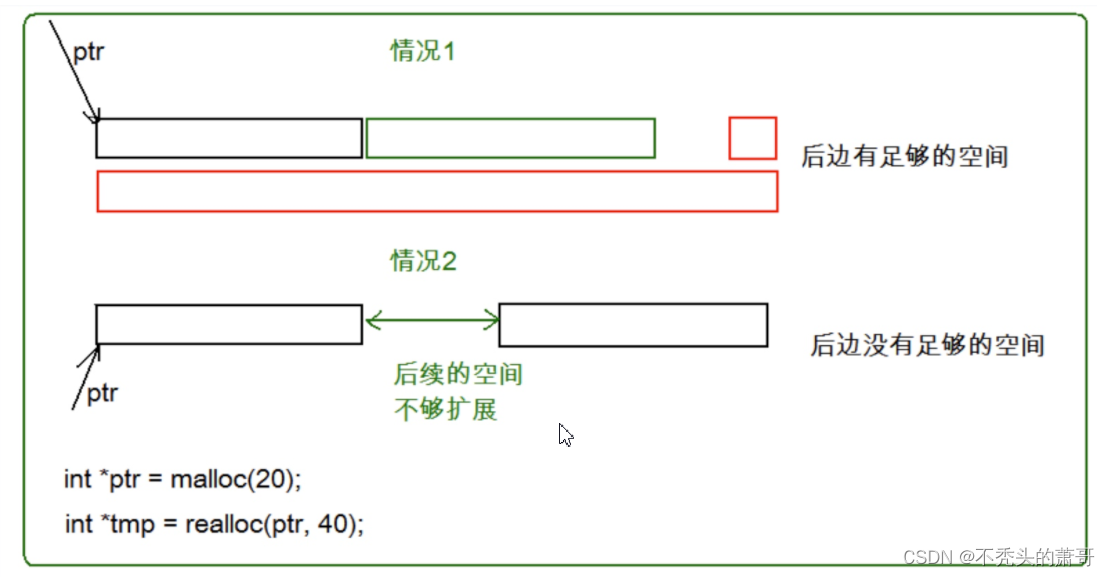
Dynamic memory management (C language)
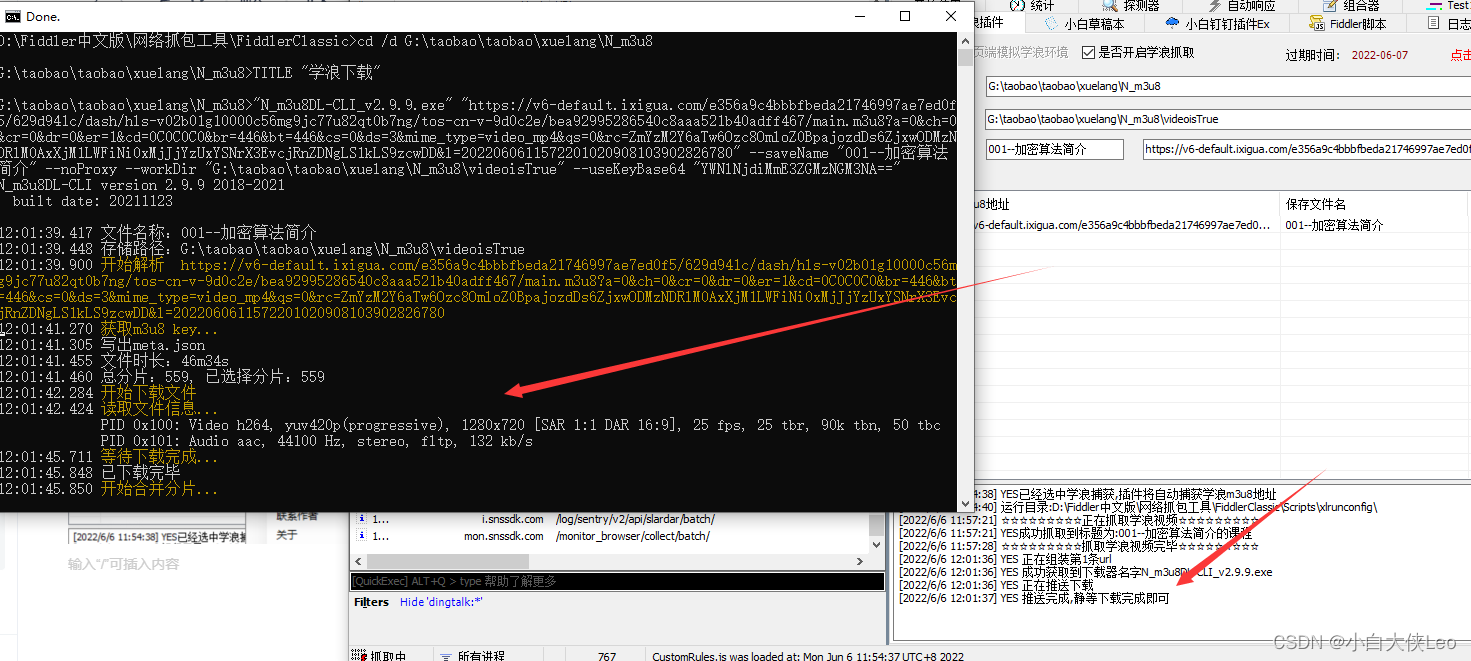
【学浪下载教程】05学浪下载之正式抓包下载
Realize all weekly buttons of a year
自动化测试框架有哪几种?搭建的思路是什么?一篇文章让你彻底了解自动化

How to use modify run configuration on pychart with parameter configuration

随机推荐
【C语言】条件编译的深入理解
【学浪下载教程】02学浪下载之Fiddler学浪插件配置
[leetcode] sword finger offer 39 Numbers that appear more than half of the time in the array
Go's command line Library -- Cobra uses
支付流程面试思路
[word] formula typesetting
【学浪下载教程】03学浪下载之Proxifier设置
Fade in and fade out 1920-500 (8)
Eventbus is used temporarily
Code that programmers can't understand
Life cycle of activity
[Xuelang download tutorial] 05 Xuelang download's official packet capture Download
graph theory
[uniapp checkbox] modify the style of the uniapp checkbox check box
The cause of low code Trilogy
OpenGL es learning (3) -- Introduction to coloring language
从 0 到 1 搭建企业级数据治理体系!
Research on driverless dynamic obstacle avoidance strategy | robot dynamic obstacle avoidance strategy
【学浪下载教程】01学浪下载之Fiddler的配置
Single source shortest path