当前位置:网站首页>Pycharm安装教程
Pycharm安装教程
2022-07-17 05:23:00 【W_chuanqi】
个人简介
作者简介:大家好,我是W_chuanqi,一个编程爱好者
个人主页:W_chaunqi
支持我:点赞+收藏️+留言
愿你我共勉:“若身在泥潭,心也在泥潭,则满眼望去均是泥潭;若身在泥潭,而心系鲲鹏,则能见九万里天地。”
Pycharm安装教程
社区版与专业版基本相同
社区版软件免费,专业版软件付费
本文安装社区版为例,Windows安装
注意区分
- community 社区版
- professional 专业版
下载社区版Pycharm
进入下载网站

点击Download,进入下面页面
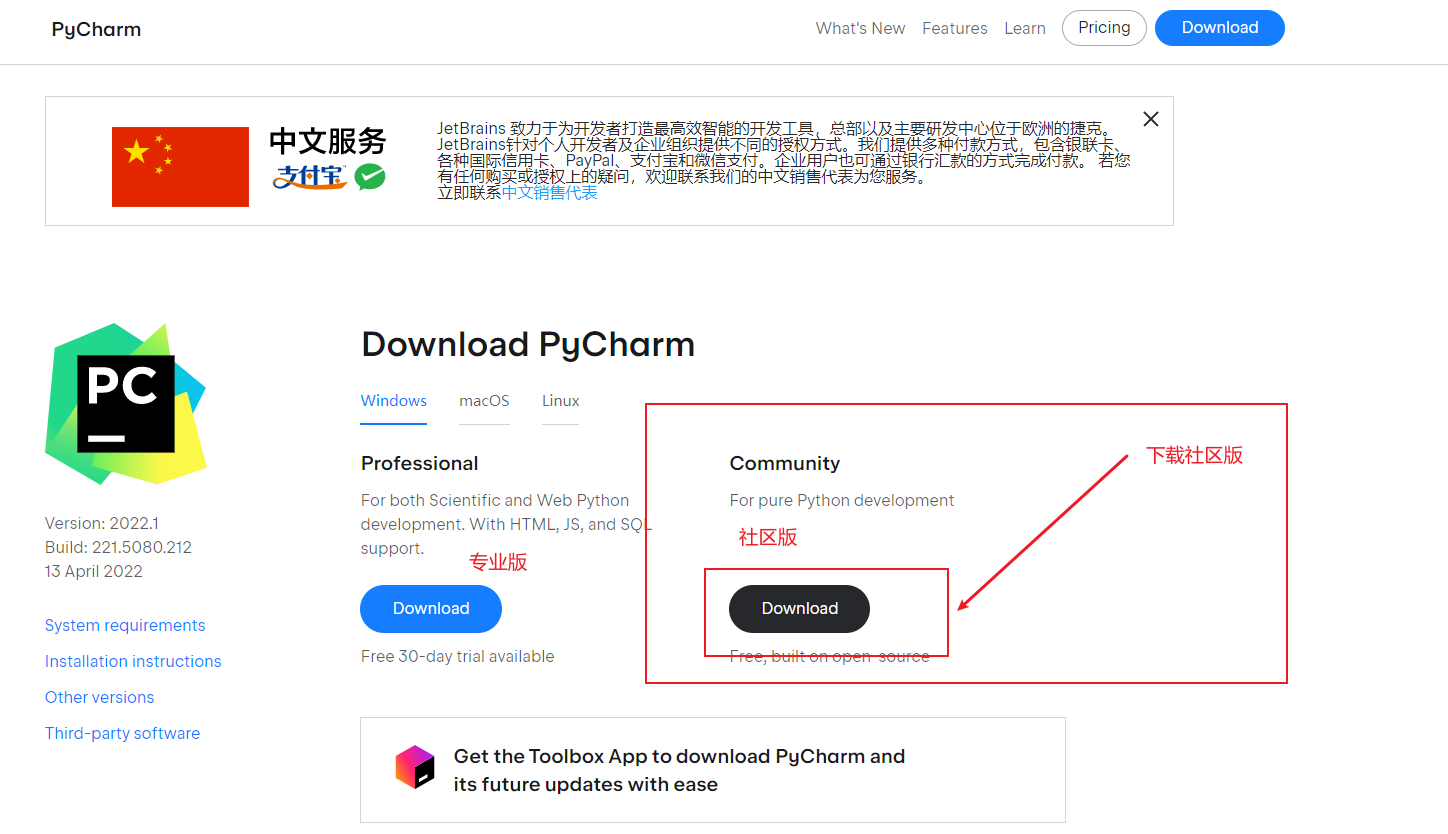
点击Download后,下载的最新版本(个人比较喜欢用新版软件)

安装Pycharm
双击打开pycharm-professional-2020.2.exe,或者右键选择打开


正在安装


打开Pycharm
双击打开Pycharm

如果打开提示下面提示说明有安装过,可以直接选择Do not import settings

新建文件夹

创建虚拟环境

如果想导入本地包的话,可以勾选Inherit global site-packages
进入到下面的页面

新建文件


运行文件


安装模块
方法一 使用pip命令
打开控制台Terminal
输入
pip install 模块名 -i https://pypi.tuna.tsinghua.edu.cn/simple
# 这里的https://pypi.tuna.tsinghua.edu.cn/simple是清华镜像源,国内的相对加速较快,默认的是国外的

方法二 pycharm内安装


这里安装也可以更换镜像源
点击Manage Repostiorise
将国外的删除,添加上国内镜像源,
有豆瓣,有清华的等等,根据自己喜好设置,记得点击OK保存,
例如豆瓣:http://pypi.douban.com/simple/
清华:https://pypi.tuna.tsinghua.edu.cn/simple

选择Install Package安装,安装成功后确定后即可使用该模块
边栏推荐
- Utilisation et différenciation des dictionnaires, des tuples et des listes,
- Alibaba cloud Hangzhou arm ECS performance evaluation
- 类与super、继承
- Performance test and price comparison of cloud servers of Alibaba cloud, Tencent cloud, Huawei cloud, ucloud and Tianyi cloud
- 快速掌握sort命令,tr命令
- Recursive access to directories, print Fibonacci sequences, high-order functions
- urllib库的使用
- cookie、session的配置和使用
- What does ack attack mean? How to defend ack attack
- IP fragment是什么意思?如何防御IP fragment攻击?
猜你喜欢

传奇手游怎么开服?需要投资多少?需要那些东西?

Debug wechat one hop under linxu (Fedora 27)
Servlet 笔记

Steam游戏服务器配置选择 IP

Minecraft bedrock BDS service tutorial

How to record enterprise or personal domain names

Zuul路由的映射规则配置

m在VBLAST协作MIMO系统分部使用LDPC,Turbo,卷积三种信道编译码进行误码率matlab仿真
![[automated testing] - robotframework practice (II) new test cases](/img/e8/b5e945400445c66e3a7a129744c21d.png)
[automated testing] - robotframework practice (II) new test cases

urllib库的使用
随机推荐
Ucloud Shanghai arm cloud server evaluation
CDN是什么?使用CDN有什么优势?
Alibaba cloud Hangzhou arm ECS performance evaluation
IP103.53.125.xxx IP地址段 详解
配置树莓派3b+搭建个人网站
[automated testing] - robotframework practice (II) new test cases
Mingming loves drinking water
m3GPP-LTE通信网络中认知家庭网络Cognitive-femtocell性能matlab仿真
Configure raspberry pie 3b+ build a personal website
Arm server building my world (MC) version 1.18.2 private server tutorial
Xiaodi - network security notes (1)
m基于matlab的DQPSK调制解调技术的仿真
传奇游戏架设教程
爬虫基础—多线程和多进程的基本原理
ACK攻击是什么意思?ACK攻击怎么防御
关于文件上传下载问题
快速掌握sort命令,tr命令
Minecraft整合包 [GTNH]格雷科技:新视野 服务器搭建教程
Performance evaluation and comparison of lightweight application servers of major cloud service manufacturers, Alibaba cloud, Tencent cloud, Huawei cloud, and ucloud
Xiaodi network security notes - Information Collection - architecture, construction, WAF (8)