当前位置:网站首页>C#网络应用编程,实验七: 异步编程练习
C#网络应用编程,实验七: 异步编程练习
2022-07-16 13:18:00 【南蓬幽】
文章目录
异步编程练习
通过本实验,熟悉和掌握任务的定义、创建和执行,以及任务的取消和状态获取。
1、创建一个WPF应用程序项目
2、将App.xaml中的Application.Resources节内容改为
<Application x:Class="WpfApp1.App"
             xmlns="http://schemas.microsoft.com/winfx/2006/xaml/presentation"
             xmlns:x="http://schemas.microsoft.com/winfx/2006/xaml"
             xmlns:local="clr-namespace:WpfApp1"
             StartupUri="MainWindow.xaml">
    <Application.Resources>
        <Style x:Key="LabelStyle" TargetType="Label">
            <Setter Property="FontSize" Value="14"/>
            <Setter Property="HorizontalContentAlignment" Value="Center"/>
            <Setter Property="HorizontalAlignment" Value="Center" />
            <Setter Property="Background" Value="AliceBlue"/>
        </Style>
        <Style x:Key="BorderStyle" TargetType="Border">
            <Setter Property="Height" Value="35"/>
            <Setter Property="VerticalAlignment" Value="Center"/>
            <Setter Property="Background" Value="AliceBlue"/>
        </Style>
    </Application.Resources>
</Application>

3、修改MainWindow.xaml及代码隐藏类
MainWindow.xaml
<Window x:Class="WpfApp1.MainWindow"
        xmlns="http://schemas.microsoft.com/winfx/2006/xaml/presentation"
        xmlns:x="http://schemas.microsoft.com/winfx/2006/xaml"
        xmlns:d="http://schemas.microsoft.com/expression/blend/2008"
        xmlns:mc="http://schemas.openxmlformats.org/markup-compatibility/2006"
        xmlns:local="clr-namespace:WpfApp1"
        mc:Ignorable="d"
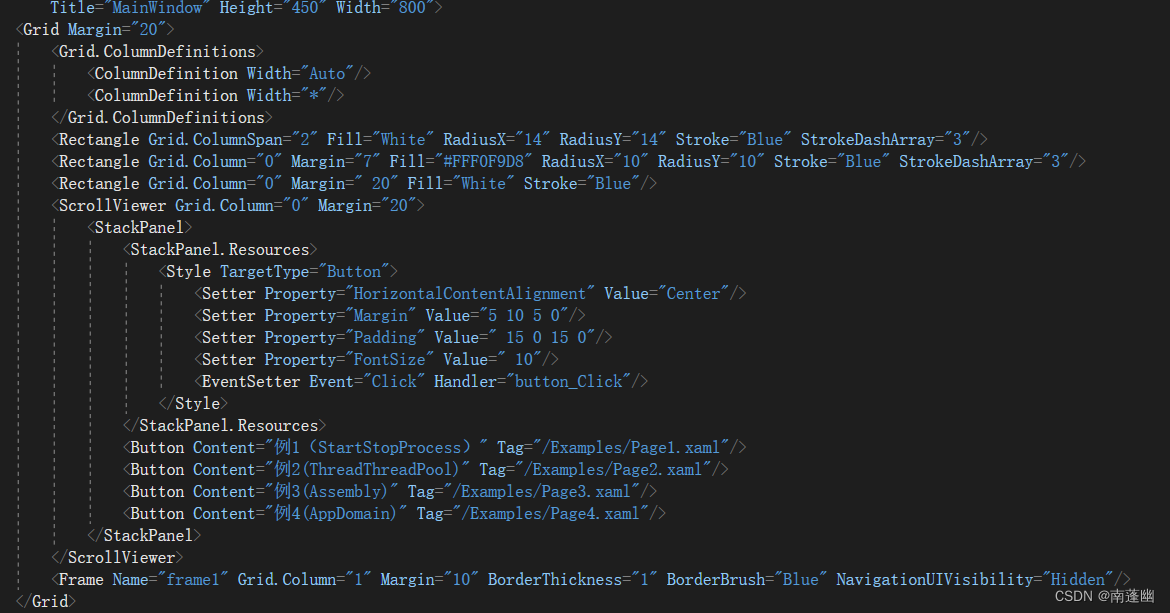
        Title="MainWindow" Height="450" Width="800">
    <Grid Margin="20">
        <Grid.ColumnDefinitions>
            <ColumnDefinition Width="Auto"/>
            <ColumnDefinition Width="*"/>
        </Grid.ColumnDefinitions>
        <Rectangle Grid.ColumnSpan="2" Fill="White" RadiusX="14" RadiusY="14" Stroke="Blue" StrokeDashArray="3"/>
        <Rectangle Grid.Column="0" Margin="7" Fill="#FFF0F9D8" RadiusX="10" RadiusY="10" Stroke="Blue" StrokeDashArray="3"/>
        <Rectangle Grid.Column="0" Margin=" 20" Fill="White" Stroke="Blue"/>
        <ScrollViewer Grid.Column="0" Margin="20">
            <StackPanel>
                <StackPanel.Resources>
                    <Style TargetType="Button">
                        <Setter Property="HorizontalContentAlignment" Value="Center"/>
                        <Setter Property="Margin" Value="5 10 5 0"/>
                        <Setter Property="Padding" Value=" 15 0 15 0"/>
                        <Setter Property="FontSize" Value=" 10"/>
                        <EventSetter Event="Click" Handler="button_Click"/>
                    </Style>
                </StackPanel.Resources>
                <Button Content="例1(StartStopProcess)" Tag="/Examples/Page1.xaml"/>

            </StackPanel>
        </ScrollViewer>
        <Frame Name="frame1" Grid.Column="1" Margin="10" BorderThickness="1" BorderBrush="Blue" NavigationUIVisibility="Hidden"/>
    </Grid>
</Window>
MainWindow.cs主要内容
using System;
using System.Collections.Generic;
using System.Linq;
using System.Text;
using System.Threading.Tasks;
using System.Windows;
using System.Windows.Controls;
using System.Windows.Data;
using System.Windows.Documents;
using System.Windows.Input;
using System.Windows.Media;
using System.Windows.Media.Imaging;
using System.Windows.Navigation;
using System.Windows.Shapes;

namespace WpfApp1
{

    /// <summary>
    /// MainWindow.xaml 的交互逻辑
    /// </summary>
    public partial class MainWindow : Window
    {

        Button oldButton = new Button();
        public MainWindow()
        {

            InitializeComponent();
        }
        private void button_Click(object sender, RoutedEventArgs e)
        {

            Button btn = e.Source as Button;
            btn.Foreground = Brushes.Black;
            oldButton.Foreground = Brushes.Black;
            oldButton = btn;
            frame1.Source = new Uri(btn.Tag.ToString(), UriKind.Relative);
        }
    }
}

Page4.xml
<Page x:Class="WpfApp1.Examples.Page4"
      xmlns="http://schemas.microsoft.com/winfx/2006/xaml/presentation"
      xmlns:x="http://schemas.microsoft.com/winfx/2006/xaml"
      xmlns:mc="http://schemas.openxmlformats.org/markup-compatibility/2006"
      xmlns:d="http://schemas.microsoft.com/expression/blend/2008"
      xmlns:local="clr-namespace:WpfApp1.Examples"
      mc:Ignorable="d"
      d:DesignHeight="300" d:DesignWidth="300"
      Title="Page4">

    <DockPanel Background="White">
        <Border DockPanel.Dock="Top"  Style="{StaticResource BorderStyle}">
            <TextBlock Text="Task.Run方法基本用法" Style="{StaticResource TitleStyle}"></TextBlock>
        </Border>
        <Border DockPanel.Dock="Bottom" Style="{StaticResource BorderStyle}">
            <StackPanel Orientation="Horizontal" HorizontalAlignment="Center">

                <Button x:Name="btnStart" Width="60"
                        Content="启动任务" Click="BtnStart_Click" Margin="0,0,0,0.2"/>
                <Button x:Name="btnStop"  Margin="20,0,0,0" Width="60"
                    Content="终止任务" Click="BtnStop_Click"/>
            </StackPanel>


        </Border>
        <ScrollViewer>
            <StackPanel Background="White" TextBlock.LineHeight="20">
                <TextBlock x:Name="textBlock1" Margin="0 10 0 0" TextWrapping="Wrap" />
            </StackPanel>

        </ScrollViewer>

    </DockPanel>
</Page>
Pag4.cs
using System;
using System.Collections.Generic;
using System.Linq;
using System.Text;
using System.Threading.Tasks;
using System.Windows;
using System.Windows.Controls;
using System.Windows.Data;
using System.Windows.Documents;
using System.Windows.Input;
using System.Windows.Media;
using System.Windows.Media.Imaging;
using System.Windows.Navigation;
using System.Windows.Shapes;

namespace WpfApp1.Examples
{

    /// <summary>
    /// Page4.xaml 的交互逻辑
    /// </summary>
    public partial class Page4 : Page
    {

        private System.Threading.CancellationTokenSource cts;
        private MyTasks t = new MyTasks();

        public Page4()
        {

            InitializeComponent();
            MyHelps.ChangeState(btnStart, true, btnStop, false);
        }

        private  void BtnStop_Click(object sender, RoutedEventArgs e)
        {

            cts.Cancel();
            MyHelps.ChangeState(btnStart,true,btnStop,false);
        }

        private async void BtnStart_Click(object sender, RoutedEventArgs e)
        {

            MyHelps.ChangeState(btnStart, false, btnStop, true);
            cts = new System.Threading.CancellationTokenSource();
            textBlock1.Text = "开始执行任务......";
            try
            {

                await Task.Run(() => t.Method1(), cts.Token);
                textBlock1.Text += "\n任务1执行完毕";
                var sum = await Task.Run(() => t.Method2(), cts.Token);
                textBlock1.Text += "\n任务2(计算1到1000的和)结果为:"+sum;
                var a = await Task.Run(() => t.Method3(39, 8), cts.Token);
                textBlock1.Text += string.Format("\n任务3(求39除以8的商和余数)结果为:{0},{1}\n", a.Item1, a.Item2);
                while (true)
                {

                    textBlock1.Text += await Task.Run(() => t.Method1("a"),cts.Token);
                    textBlock1.Text += await Task.Run(() => t.Method1("b"),cts.Token);
                }


            }
            catch(OperationCanceledException)
            {

                textBlock1.Text += "\n任务被取消";
            }


        }
    }
}
运行结果


通过本实验,熟悉和掌握任务的定义、创建和执行,以及任务的取消和状态获取
边栏推荐
- VIM use learning and ideavim (continuous supplement)
- (manual) [sqli labs46, 47] order by injection, error echo, post injection, number / character type
- 网络爬虫爬取三国演义所有章节的标题和内容(BeautifulSoup解析)
- 100% accuracy, Alibaba business travel billing system architecture design practice
- Given an integer array nums and a target value target, find the two integers whose sum is the target value in the array, and return their array subscripts.
- (pytorch进阶之路五)RNN/LSTM/LSTMP/GRU
- 队列的基本操作
- The web crawler crawls the titles and contents of all chapters of the romance of the Three Kingdoms (beautifulsoup analysis)
- Dataset:White Wine Quality白葡萄酒品质数据集的简介、下载、使用方法之详细攻略
- New exploration of Ali mother's display advertising engine: towards the overall optimal allocation of computing power
猜你喜欢

QT creator debug mode breakpoint does not work mincw can

Practice of online problem feedback module (4): encapsulating general field classes

NoSQLAttack工具安装与使用问题解决

云原生:Docker 实践经验(四)docker上部署 redis 三主三从集群

Setting method of win11 filtering error log

(pytorch进阶之路二)transformer学习与难点代码实现

New exploration of Ali mother's display advertising engine: towards the overall optimal allocation of computing power

SAP Fiori Launchpad 上看不到任何 tile 应该怎么办?

发论文!AI,机器学习,CV大佬科研项目招生!

This article takes you to graph transformers
随机推荐
LeetCode每日一题(947. Most Stones Removed with Same Row or Column)
【Leetcode】225. 用队列实现栈
18. 四数之和(15加强版)【ans.add(Arrays.asList(nums[i], nums[j], nums[l], nums[r]))】
Dataset:White Wine Quality白葡萄酒品质数据集的简介、下载、使用方法之详细攻略
Daemon threads and application scenarios
Native input['file'] uploads the same file, and onchange problem records will not be triggered repeatedly
Package C language files into exe executable programs
在线问题反馈模块实战(四):封装通用字段类
阿里妈妈展示广告引擎新探索:迈向全局最优算力分配
Log4j log configuration
输入一个url全过程详解
2022 simulated 100 questions and simulated examination for the main principals of hazardous chemical business units
原生fetch请求简单封装
欢迎来到 GrafanaFans 兴趣小组
26 top open source projects, 87 open tasks, Alibaba programming summer 2022 student registration channel opened
京东金融,你到底是坏,还是码农裁多了??
Setting method of win11 filtering error log
2. STM32F4 USB协议研究 - SD卡模拟U盘
[I2C of Renesas ra6m4 development board reads bmp180 air pressure and temperature]
Today's sleep quality record 85 points